



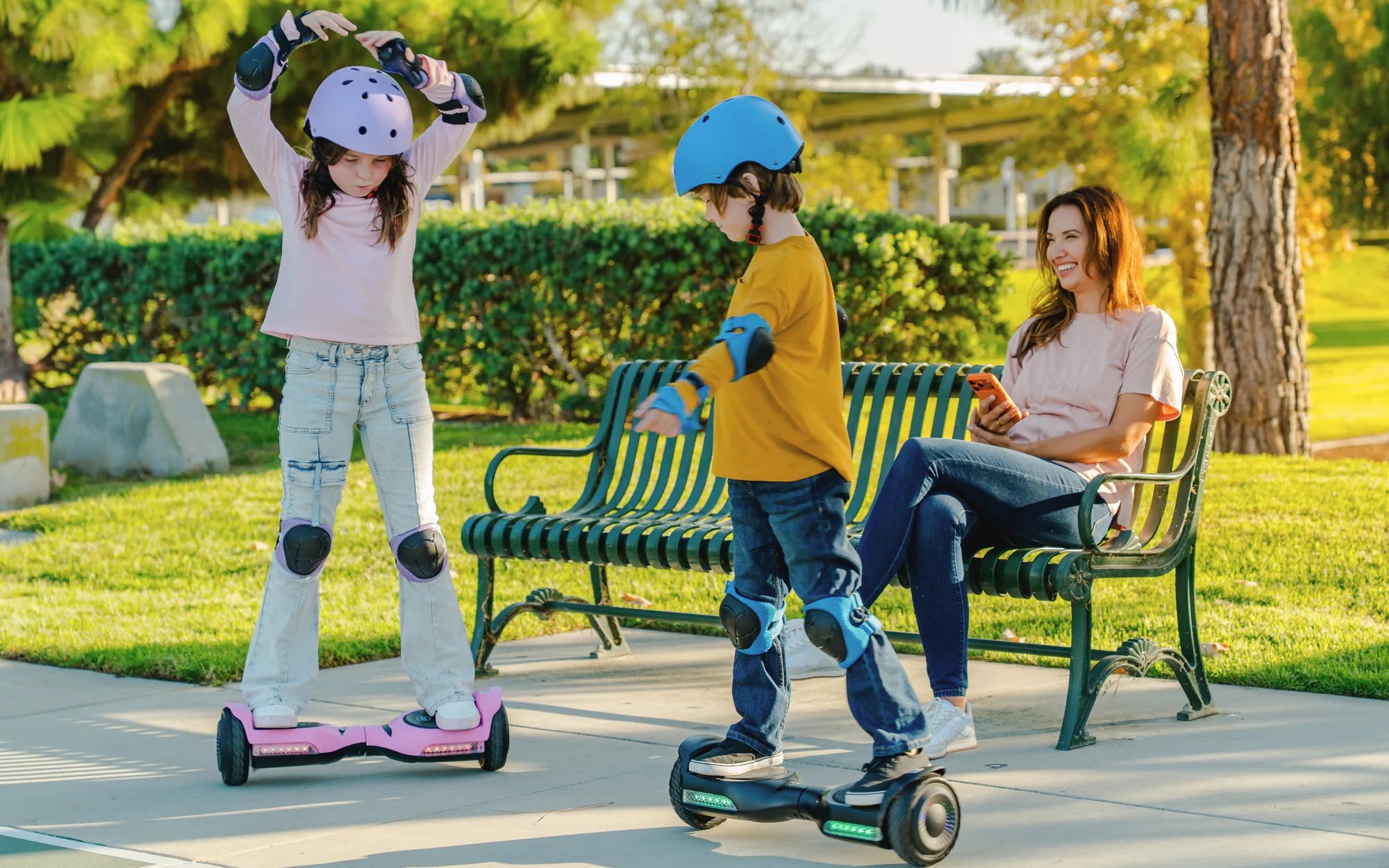
Is your four-year-old ready to zoom around on their very own hoverboard? These futuristic gadgets aren’t just for teens and adults—there are plenty of options designed specifically for young children. But before you buy, it’s crucial to understand what makes a hoverboard safe and enjoyable for a four-year-old. From speed limits to parental controls, we’ll cover everything you need to know to make the right choice.
Why a Hoverboard for Four Year Olds?
Hoverboards can be a fantastic way to introduce your child to balance and coordination while keeping them active. Unlike traditional scooters or bikes, hoverboards require subtle movements to control, helping kids develop motor skills in a fun and engaging way. However, not all hoverboards are suitable for young riders. The key is finding one that prioritizes safety without sacrificing excitement.
Safety Features to Look For
When shopping for a hoverboard for a four-year-old, safety should be your top priority. Here are the must-have features:
- Low Maximum Speed: Look for models with a top speed of 5 mph or less to prevent accidents.
- Training Mode: A beginner-friendly mode helps kids get comfortable before riding at full speed.
- Non-Slip Foot Pads: Grippy surfaces prevent little feet from slipping off.
- LED Lights: Bright lights improve visibility, especially during dusk or dawn rides.
- Durable Construction: A sturdy frame can withstand the occasional tumble.
Age-Appropriate Design
Hoverboards designed for young children often come with smaller wheels and a lightweight frame, making them easier to handle. Some models even include handlebars or remote controls for parents to assist with steering and braking. These features can make the learning process smoother and less intimidating for first-time riders.
Battery Life and Charging
Kids have short attention spans, but you’ll still want a hoverboard with decent battery life. Most models for young children offer 1-2 hours of continuous use, which is plenty for a fun afternoon ride. Always check the charging time—some hoverboards take just an hour to recharge, while others may need several hours.
Parental Controls
Advanced hoverboards come with parental control options, allowing you to set speed limits or even shut off the device remotely via a smartphone app. This feature is especially useful if you’re worried about your child going too fast or riding unsupervised.
Where to Ride Safely
Even with all the right safety features, it’s important to supervise your child while they ride. Stick to smooth, flat surfaces like driveways, sidewalks, or parks. Avoid busy streets or uneven terrain that could lead to falls. And don’t forget protective gear—helmets, knee pads, and elbow pads are a must!
Making Learning Fun
Teaching a four-year-old to ride a hoverboard can be a bonding experience. Start by holding their hands as they practice balancing. Use positive reinforcement and celebrate small victories to build their confidence. Before you know it, they’ll be gliding around like a pro!
Ready to see your little one’s face light up as they cruise on their first hoverboard? With the right model and proper safety precautions, this high-tech toy can provide hours of entertainment while helping them develop essential skills. Don’t wait—start exploring the best hoverboard options for your four-year-old today!
Waterproof Hoverboard Bluetooth: The Ultimate Guide to High-Tech Riding
Waterproof Hoverboard Bluetooth: The Ultimate Guide to High-Tech Riding