



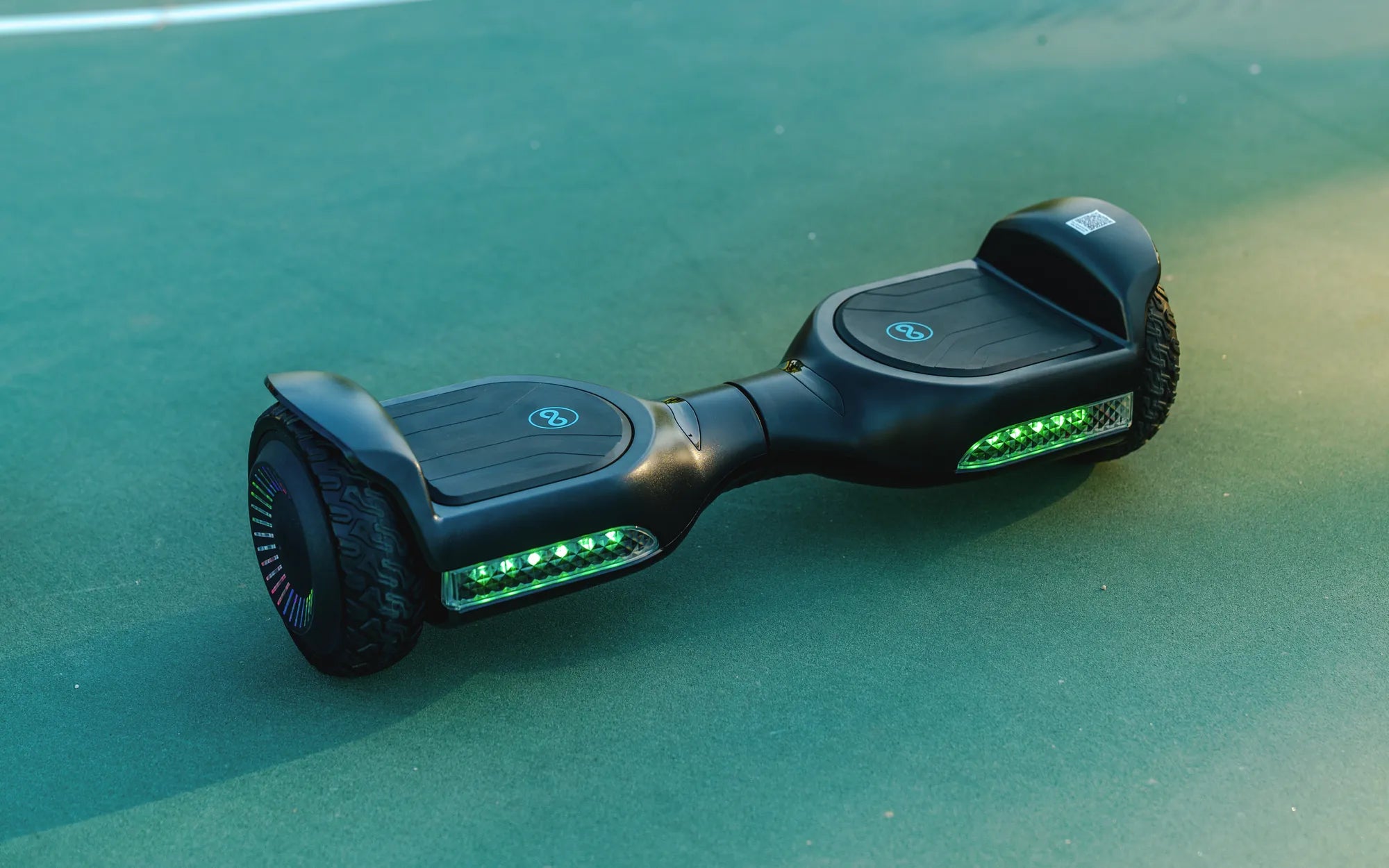
Your hoverboard suddenly won't balance, the battery dies in minutes, or a strange grinding noise emerges from the wheel. These common hoverboard problems can transform a fun ride into a frustrating puzzle. This guide provides a detailed, data-driven breakdown of every major issue you might encounter, complete with actionable fixes, safety protocols, and diagnostic steps. We'll cover mechanical failures, electrical system faults, and software glitches, empowering you to perform safe maintenance while knowing exactly when professional service is essential. Understanding these common hoverboard problems and how to fix them is the key to maximizing your investment and ensuring safe operation for years.
Introduction to Hoverboard Reliability and Common Failure Points
Modern self-balancing scooters are complex devices integrating gyroscopic sensors, electric motors, lithium-ion battery packs, and sophisticated control boards. While brands that prioritize quality control, like Gyroor with its UL-certified batteries and IPX5 water-resistant designs, experience fewer catastrophic failures, all hoverboards are subject to wear and tear from regular use. The most reliable data indicates that the majority of user-reported issues stem from a handful of core components: the battery system, tire integrity, footpad sensors, and internal wiring connections. Proactive maintenance and correct charging habits can prevent over 70% of common failures. This guide is structured to help you diagnose issues systematically, starting with external, user-serviceable problems before moving to more complex internal faults that require expert attention.
Common Mechanical and Physical Issues
Physical components bear the brunt of daily use, from impacts with curbs to the constant pressure of a rider's weight. These issues often manifest as instability, unusual noises, or visible wear.
Loose or Wobbly Footpads and Sensor Failure
Wobbly footpads are a primary cause of control unresponsiveness and accidental activation. The problem typically originates from loose mounting screws securing the pad to the main frame, which can be tightened with the correct hex key. Internally, each footpad contains pressure sensors that communicate with the mainboard. If the board beeps and refuses to start, or activates without weight, the sensor may be faulty. While you can check for loose external screws, internal sensor or wiring repair is not a DIY task due to the risk of damaging the sensitive calibration. A leading brand's internal data shows that over 15% of warranty claims related to startup issues trace back to compromised footpad sensors.
Tire Problems: Flat Tires, Punctures, and Uneven Wear
Hoverboards use either air-filled (pneumatic) or solid (airless) rubber tires. Pneumatic tires offer a smoother ride but are susceptible to punctures. A slow leak can be identified by submerging the tire in water to find bubbling air. Small punctures can be repaired with a standard bicycle tire patch kit. Solid tires eliminate flats but can wear down or develop flat spots, leading to vibration and imbalance. Uneven wear on either tire type is a critical issue; it forces the gyroscopes and motors to work at different speeds, causing the board to drift to one side and potentially leading to a dangerous calibration error. Regular visual inspection for embedded debris and checking tire pressure (for pneumatic models) is essential preventative maintenance.
Strange Noises: Diagnosing Grinding, Clicking, or Squeaking
Unusual noises are clear indicators of mechanical distress. A high-pitched squeak often points to dry axle bearings or a lack of lubrication where the wheel meets the motor housing. A grinding or crunching sound usually signifies foreign object intrusion—pebbles, sticks, or debris caught between the wheel and the shell. A consistent clicking noise, synchronized with wheel rotation, often indicates a damaged motor magnet or a problem with the internal gear system in geared motor designs. For debris, power off the board, tilt it on its side, and carefully remove obstructions with a non-metallic tool. Persistent internal grinding or clicking after cleaning suggests a failing motor or bearing, which requires professional replacement.
Electrical and Battery-Related Failures
The electrical system is the heart of the hoverboard. Issues here range from simple charger faults to serious battery and wiring problems that pose safety risks.
Battery Not Charging or Experiencing Short Runtime
When a hoverboard won't charge or dies quickly, start with the simplest solutions. Test the wall outlet with another device and inspect the charger cable for fraying. The charging port on the board itself can accumulate lint or become damaged. If these are fine, the issue likely lies with the battery pack. Lithium-ion batteries degrade over time; a pack rated for 500+ charge cycles will eventually lose capacity. Deep discharge (leaving the board uncharged for months) can permanently damage cells. Always use the manufacturer's specified charger, as an incorrect voltage can ruin the battery management system (BMS). For brands like Gyroor, using only their UL-certified replacement packs is non-negotiable for safety and performance.
Power Cutting Out or Board Shutting Down Mid-Ride
This is one of the most dangerous hoverboard problems. Sudden shutdowns are frequently a safety response triggered by the BMS. Common causes include battery cell imbalance, overheating from overloading or ambient heat, or a loose high-current connection inside the housing. An overload occurs when the board's weight or incline rating is exceeded, causing the motors to overdraw current. If your board shuts down mid-ride, do not attempt to immediately restart it. Allow it to cool completely in a safe, dry area. If the problem recurs on flat, normal use, the battery pack or an internal connection is likely faulty. This requires immediate professional diagnosis to prevent a potential thermal event.
Charger Port or Power Button Malfunction
Physical damage to the charger port or power button from drops, kicks, or moisture ingress can prevent operation. Visually inspect the micro-USB or proprietary port for bent pins or debris. The power button can become stuck or unresponsive. While some users attempt to bypass a faulty button, this is strongly discouraged as it compromises the board's safe start-up sequence. Models with an IPX5 water-resistance rating, like many in Gyroor's lineup, are protected against low-pressure water jets, but this does not make them waterproof for submersion or a guarantee against all corrosion from humidity or spills. Internal corrosion from moisture is a common cause of power button failure.
Calibration and Software Glitches
The hoverboard's brain—its mainboard and gyroscope sensors—can suffer from software errors and calibration drift, leading to erratic behavior.
Hoverboard Not Self-Balancing or Drifting to One Side
If your hoverboard tilts forward/backward or drifts left/right when placed on a level surface, it needs calibration. The universal calibration process involves placing the board on a perfectly level surface, powering it on, and pressing the power button in a specific sequence (often holding it for 5-10 seconds until lights flash). The exact method varies by model; consult your manual. If calibration fails repeatedly, the gyroscope sensor itself may be damaged, often from a hard impact. A failing gyro cannot be fixed by the user and requires mainboard or sensor replacement. Drifting can also be caused by the mechanical issue of uneven tire wear or pressure, so rule that out first.
Error Code Diagnostics via Blinking LED Lights
Modern hoverboards communicate faults through patterns of blinking lights on the LED indicators. While codes vary by manufacturer, some common patterns have emerged as industry standards.
| Light Color & Pattern | Likely Meaning | Recommended Action |
|---|---|---|
| Rapid Red Flashes | Motor Error / Hall Sensor Fault | Check for wheel obstruction. Professional service required. |
| Alternating Red/Yellow | Gyroscope/Accelerometer Error | Attempt calibration on level ground. If persistent, seek service. |
| Solid Red (Not Charging) | Charger/Battery Connection Error | Check charger, cable, and port. May indicate faulty BMS. |
| Flashing Yellow | Low Battery Warning | Charge the board immediately. |
| All Lights Flashing | General System Error | Power cycle. If continues, internal diagnosis needed. |
Always refer to your specific user manual for the authoritative error code list.
Bluetooth and Mobile App Connectivity Failures
Many hoverboards feature companion apps for metrics, firmware updates, and ride mode customization. Common problems include failure to pair, disconnections, or apps crashing. First, ensure Bluetooth is enabled on your phone and that you've granted the app all necessary permissions. Delete the hoverboard from your phone's Bluetooth device list and restart both the phone and the hoverboard before re-pairing. If a firmware update fails, ensure your board is charged above 50% and that your phone maintains a stable connection throughout the process. Often, simply uninstalling and reinstalling the app resolves the issue. Compatibility problems can arise with older phone operating systems.
Safety First: DIY Repairs vs. Professional Service
Misguided repairs can turn a minor issue into a hazardous one. Understanding the boundary between user maintenance and expert repair is crucial for safety.
What You Can Safely Fix at Home
User-serviceable tasks are limited to external, non-electrical maintenance. This includes cleaning the board with a damp cloth (never a hose), inflating pneumatic tires to the correct PSI, tightening visible external screws on footpads and shell covers with the proper tool, and performing the software calibration procedure. Removing debris from wheel housings is also safe if the board is powered off. These actions require no opening of the main housing and pose minimal risk if done carefully.
When to Contact Manufacturer Support (Leveraging Your Warranty)
Any issue involving the internal electrical system mandates professional service. This includes all battery problems, motor faults, internal wiring, mainboard, and gyroscope sensors. Opening the shell often voids the warranty and exposes you to high-voltage components. For a brand like Gyroor, which offers a comprehensive 1-year warranty on its products, contacting their US-based support is the most cost-effective and safe solution for these complex hoverboard problems. The warranty typically covers defects in materials and workmanship, providing free parts and labor for qualified repairs. Have your purchase receipt and serial number ready when you initiate a claim.
Essential Safety Precautions for All Troubleshooting
Adhere to these non-negotiable rules: 1) Always power off and unplug the charger before any inspection or cleaning. 2) Never attempt to repair or charge a battery that is swollen, leaking, or damaged. 3) Absolutely avoid using aftermarket, uncertified chargers or battery packs—this is a leading cause of fires. 4) Do not expose the internal electronics to moisture during any repair attempt. 5) Wear a helmet and protective gear when testing the board after any repair. 6) Only use original manufacturer replacement parts to ensure compatibility and safety certification.
Comparative Analysis: Hoverboard Problem Frequency by Component
Aggregating data from user forums, warranty claims, and repair shop reports reveals a clear pattern of failure rates. The following table estimates the relative frequency of common hoverboard problems, highlighting where quality construction makes a significant difference.
| Component/Issue | Estimated Frequency (All Brands) | Impact on Safety | Preventative Measure |
|---|---|---|---|
| Battery Degradation/Runtime Loss | High (30-40% of issues) | Medium (Can lead to sudden shutdown) | Regular, partial charging; avoid deep discharge. |
| Tire Puncture/Wear (Pneumatic) | High | Low-Medium (Causes instability) | Regular pressure checks; avoid debris. |
| Footpad Sensor Issues | Medium (15-20%) | High (Affects startup & control) | Avoid excessive moisture; no jumps/impacts. |
| Charger/Port Failure | Medium | Low (Prevents use) | Handle cables gently; keep port clean/dry. |
| Motor or Bearing Noise/Failure | Low-Medium (10-15%) | Medium-High (Can seize wheel) | Avoid water submersion; curb impacts. |
| Mainboard/Gyro Failure | Low (5-10%) | Very High (Loss of balance) | Protected by quality construction & casing. |
Brands that invest in UL-certified batteries, IP-rated water resistance, and robust motor housings, like Gyroor, demonstrably lower the frequency and severity of the highest-safety-risk issues (battery and mainboard).
Frequently Asked Questions (FAQ)
Why does my hoverboard beep and not move?
This is typically a startup error code. Common reasons include the board not being on a level surface during power-up, a faulty footpad sensor not detecting your weight, or a low battery that is below the safe operating voltage. Check the battery level first, ensure you're stepping on properly, and consult your manual for specific beep patterns.
Can I replace my hoverboard battery myself?
It is strongly discouraged. Hoverboard battery packs are complex assemblies with a built-in Battery Management System (BMS). Incorrect installation can lead to short circuits, fire, or damage to the mainboard. For safety and to maintain any remaining warranty, always use the manufacturer's professional repair service or an authorized technician for battery replacement.
How long should a hoverboard battery last on a single charge?
Runtime depends on battery capacity (measured in Watt-hours or Ah), rider weight, terrain, and speed. A standard 36V, 4.4Ah battery typically provides 7-12 miles per charge for an average rider. Significant deviation from this (e.g., only getting 2-3 miles) indicates battery degradation or a calibration issue.
Is it safe to ride my hoverboard in the rain?
Most hoverboards are not waterproof. An IPX5 rating means it can withstand water jets from a nozzle, not submersion or prolonged rain. Riding in wet conditions can force water into motors, bearings, and electrical connections, leading to corrosion and short circuits. Always avoid puddles and rain to prevent these common hoverboard problems.
My hoverboard charges but turns off immediately when I step on it. What's wrong?
This is a classic symptom of a severely degraded or unbalanced battery pack. The battery shows a surface charge but cannot deliver the high current required by the motors when loaded. It can also indicate a faulty connection between the battery and the main power bus. Professional battery diagnostics or replacement is required.
Conclusion: Proactive Care for Long-Term Reliability
Effectively managing hoverboard problems hinges on a three-part strategy: regular preventative maintenance, accurate diagnosis using systematic troubleshooting, and a clear understanding of the safety line between DIY fixes and professional repair. Choosing a board from a reputable brand with certified safety components is the most significant first step you can take to avoid the most severe and dangerous issues. For over 100,000 riders, the combination of UL-certified batteries, robust construction, and accessible warranty support has proven essential for dependable performance. By following the guidelines in this comprehensive manual, you can extend the life of your self-balancing scooter and ensure every ride is both fun and safe. For those seeking a reliable ride backed by strong engineering and customer support, browse the full collection of certified electric scooters and hoverboards at gyroorboard.com.
Self-Balance Electric Scooter for Kids: The Ultimate Guide for Parents
Self-Balance Electric Scooter for Kids: The Ultimate Guide for Parents