

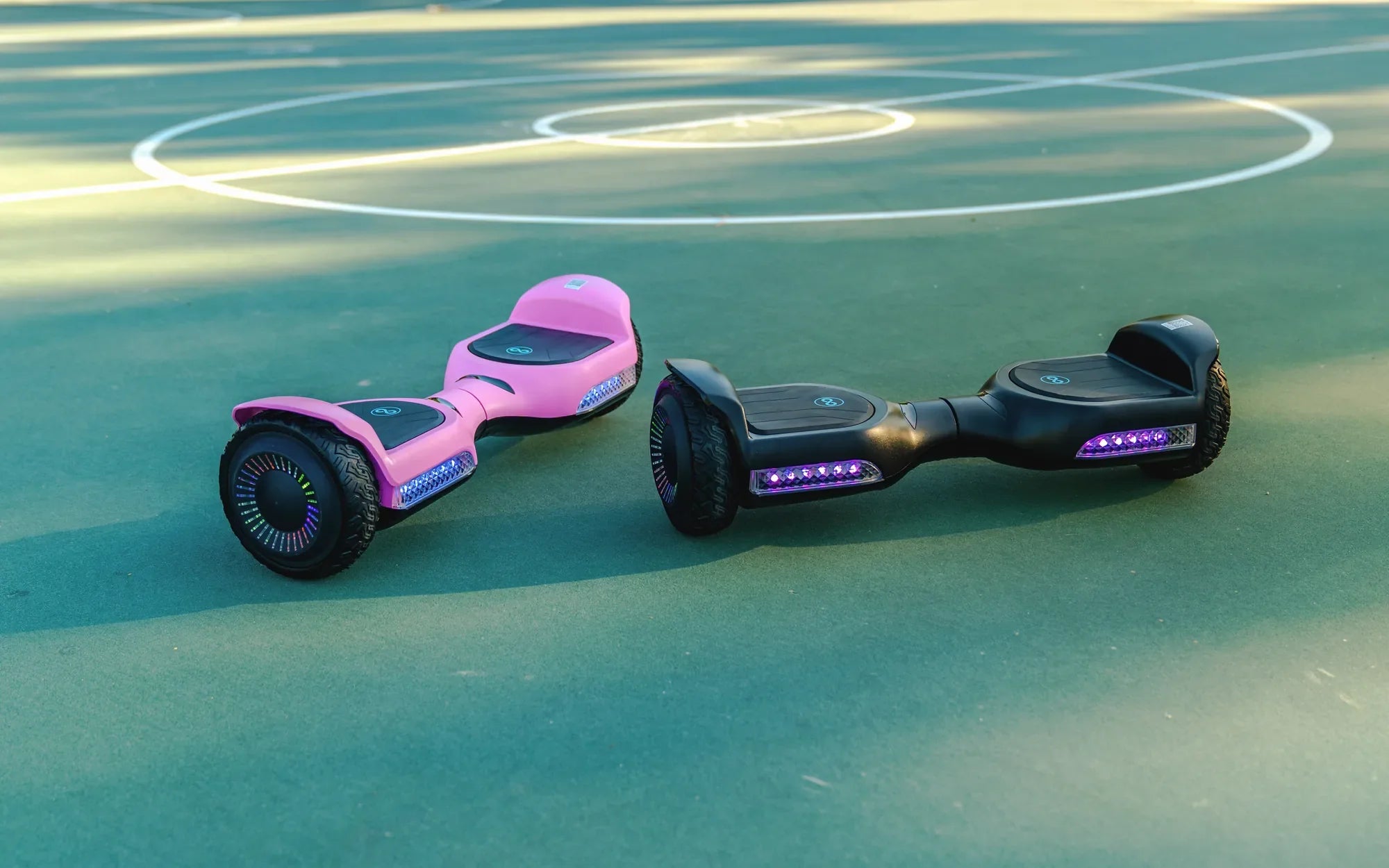
Hoverboards have become a must-have toy for kids, and if you're looking for the best hoverboard for an 8-year-old, you're in the right place. These self-balancing scooters are not just fun but also help improve balance and coordination. But with so many options out there, how do you pick the perfect one? Let’s dive into the essentials.
Safety First: What to Look For
When choosing a hoverboard for a child, safety should be your top priority. Look for models with UL2272 certification, which ensures the device meets strict electrical and fire safety standards. Non-certified hoverboards can pose serious risks, so never compromise on this.
Key Safety Features:
- UL2272 Certification: Guarantees the hoverboard is tested for safety.
- Non-Slip Foot Pads: Prevents accidental slips during use.
- LED Lights: Enhances visibility in low-light conditions.
- Speed Limiters: Keeps the hoverboard at a safe speed for kids.
Durability and Build Quality
Kids can be rough on their toys, so durability matters. A hoverboard with a sturdy frame and high-quality materials will last longer. Check the weight capacity to ensure it can handle your child’s size, and opt for models with rubberized tires for better shock absorption.
Durability Checklist:
- Reinforced Frame: Resists cracks and breaks from falls.
- Rubber Tires: Provides better grip and shock absorption.
- Water Resistance: Protects against spills and light rain.
Ease of Use and Learning Curve
An 8-year-old might need some time to get the hang of riding a hoverboard. Look for models with beginner-friendly features like training modes or slower speed settings. Some hoverboards even come with Bluetooth speakers or app connectivity to make the experience more engaging.
Beginner-Friendly Features:
- Training Mode: Slower speeds for easier learning.
- Self-Balancing Technology: Helps kids maintain stability.
- Lightweight Design: Easier to carry and maneuver.
Battery Life and Charging Time
Nothing ruins the fun faster than a dead battery. A good hoverboard for kids should offer at least 1-2 hours of ride time per charge. Charging time should also be reasonable—ideally under 3 hours. Remind your child to charge the hoverboard after each use to keep it ready for the next adventure.
Battery Tips:
- Lithium-Ion Batteries: Longer lifespan and faster charging.
- Battery Indicators: Shows remaining charge to avoid surprises.
- Auto-Shutoff: Prevents overcharging and overheating.
Fun Extras and Customization
While safety and durability are critical, don’t forget the fun factor! Many hoverboards come with colorful LED lights, customizable skins, or Bluetooth speakers. These extras can make the hoverboard more appealing to kids and encourage outdoor play.
Fun Features to Consider:
- LED Light Displays: Adds a cool visual effect.
- Bluetooth Speakers: Lets kids listen to music while riding.
- Customizable Designs: Personalize the hoverboard with stickers or skins.
Where to Buy and Price Range
Hoverboards for kids can range from budget-friendly to high-end. While it’s tempting to go for the cheapest option, remember that quality and safety often come at a price. Stick to reputable retailers and read reviews to ensure you’re getting a reliable product.
Buying Tips:
- Read Reviews: Check feedback from other parents.
- Warranty: Look for at least a 6-month warranty.
- Return Policy: Ensure you can return it if it doesn’t meet expectations.
Choosing the best hoverboard for an 8-year-old doesn’t have to be overwhelming. Focus on safety, durability, and ease of use, and your child will be zipping around in no time. With the right hoverboard, you’ll not only give them hours of fun but also peace of mind knowing they’re riding safely.
Fastest Blue Electric Scooters: Speed, Style, and Performance
How to Measure a Hoverboard: A Step-by-Step Guide for Perfect Fit