



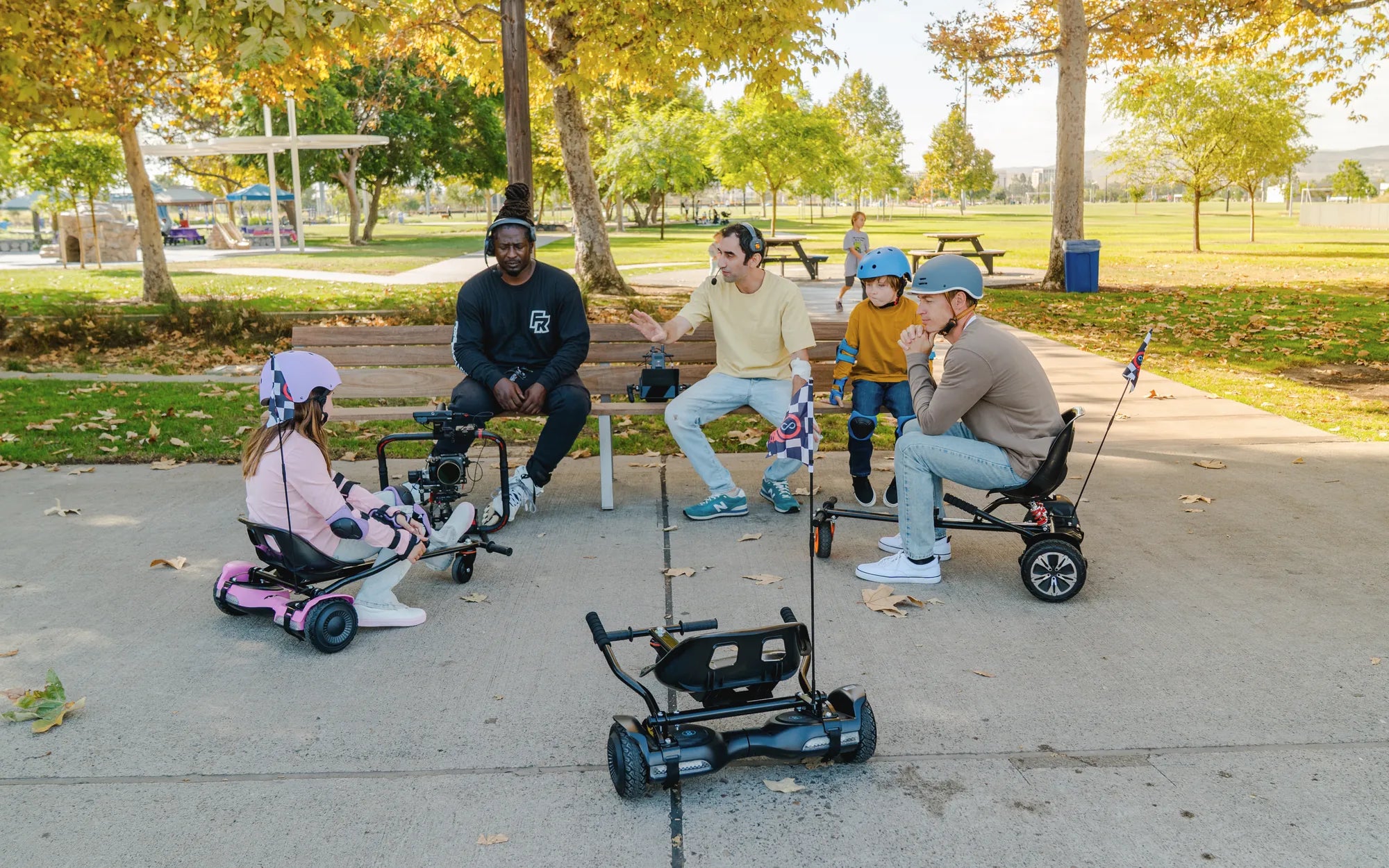
Introduction: Diagnosing a Dead Hoverboard
A hoverboard that refuses to power on is more than an inconvenience—it halts your mobility and fun. The sudden silence where there should be a startup beep can be frustrating. This guide provides a clear, methodical path from initial panic to a solution.
We will walk you through a safe diagnostic sequence, starting with the simplest checks. You'll learn to identify common failure points like charger issues, dead batteries, and electronic glitches. The process is designed for anyone to follow, regardless of technical skill.
As a leader in personal electric transport, Gyroor designs its hoverboards, electric scooters, and e-bikes with reliability in mind. Our products feature UL-certified batteries and robust construction. However, even the best electronics can occasionally need troubleshooting.
This guide empowers you to solve many problems yourself. For issues beyond basic fixes, we'll explain how Gyroor's warranty and support system provides a reliable safety net. Let's turn that frustration into actionable steps.
Safety First: Essential Precautions Before Troubleshooting
Never attempt to troubleshoot a powered electrical device without safety as your top priority. A hoverboard contains a lithium-ion battery pack, which requires respectful handling. Ignoring safety can lead to injury or further damage to your board.
First, ensure the hoverboard is completely turned off. If it's plugged into a charger, unplug it from the wall outlet immediately. Place the board on a stable, flat, non-flammable surface like concrete or tile—away from carpets, beds, or any flammable materials.
Only use the official charger that came with your hoverboard. Using a third-party or incompatible charger is a leading cause of battery failure and safety hazards. Gyroor's chargers are specifically calibrated for our UL-certified battery systems.
While many Gyroor models boast an IPX5 water-resistant rating, this is for accidental splashes. Do not submerge or spray water on a malfunctioning board. If the board has been exposed to significant moisture, do not attempt to turn it on. Let it dry completely in a safe, well-ventilated area for at least 48-72 hours before proceeding.
Step-by-Step Diagnostic Guide
Follow these steps in order. They progress from the easiest and most common fixes to more involved diagnostics. This logical flow saves time and prevents unnecessary actions.
Step 1: Check the Power Basics
Over 50% of "won't turn on" issues are resolved in this step. Start by verifying your power-on technique. Press and hold the power button firmly for a full 3-5 seconds. A quick press is often insufficient. Listen closely for any faint beep or click.
Next, investigate the charge state. Connect the official charger to the board and then to a known-working wall outlet. Check if the charger's LED indicator lights up. A green light may indicate a full charge, while a red light shows charging is in progress. No light suggests a problem with the outlet, charger cable, or charger itself.
Test the wall outlet with another device, like a lamp. Try a different outlet in another room. Ensure the charging port on the hoverboard is free of lint, dust, or debris. The charger plug should insert fully and snugly without wobbling.
Allow the board to charge undisturbed for a minimum of two hours, even if the charger light doesn't come on immediately. A deeply depleted battery may need time to accept a trickle charge before showing any signs of life.
Step 2: Inspect the Physical Components
Conduct a thorough visual and physical inspection. Examine the power button for damage or obstruction. Clean around it with a dry, soft brush to remove any dirt that might be preventing a proper press.
Inspect the entire board for obvious physical trauma. Look for cracks in the frame, severely damaged tires, or loose footpad sections. A significant impact can disconnect internal wiring or damage the battery management system (BMS).
Check all visible wiring connections. Gently examine where the charger port is seated and look for any wires leading to the motors that may have been pinched or cut. Do not open the sealed main housing, as this will void your warranty.
Turn the board over and spin each wheel by hand. They should spin freely with minimal resistance. A completely seized motor could cause a system fault that prevents startup, though this is less common.
Step 3: Diagnose the Battery and Charging System
This step targets the core of most power failures. If the basics check out, the issue likely lies with the battery or its charging circuit. First, diagnose the charger. If possible, test your charger on another compatible Gyroor hoverboard (with the owner's permission).
Observe the battery's behavior. After a full 4-6 hour charge, immediately try to power on. Does the board flash any lights or beep weakly before dying? This can indicate a battery that can no longer hold a charge, a symptom of age or extreme depletion.
Understand the role of the Battery Management System (BMS). This onboard computer protects the battery. If the BMS detects an unsafe condition—like over-discharge, over-current, or cell imbalance—it will lock the battery out and refuse to power on. Only a prolonged, proper charge can sometimes reset this.
Gyroor's UL-certified batteries are built for 500+ charge cycles and include multiple safety protections. However, leaving a board at 0% charge for months or exposing it to freezing temperatures can permanently damage any lithium-ion battery, leading to a no-power scenario.
Step 4: Listen for Clues and Perform a Reset
Electronic devices can suffer from firmware glitches. Before declaring hardware failure, attempt a full system reset. This clears temporary memory and can resolve software-related lock-ups.
First, with the board unplugged, press and hold the power button for 20-30 seconds. This drains any residual power from the capacitors. Then, plug in the charger and let it charge for one hour. After an hour, unplug the charger, wait 10 seconds, and then try the standard power-on procedure.
Listen intently during all actions. Do you hear a faint hum from the motherboard when plugged in? Is there a single, weak beep when pressing power? These subtle clues point to a partially functioning system where the issue may be a faulty speaker, LED, or a specific sensor failure.
If available, consult your model's manual for a factory reset sequence, which sometimes involves a specific button combination. A successful reset often restores functionality without needing component replacement.
When to Seek Professional Support: Understanding Your Gyroor Warranty
There is a clear line between user troubleshooting and issues requiring expert intervention. Knowing when to stop is crucial for your safety and to preserve your warranty coverage.
Immediately stop and contact Gyroor support if you observe any of the following: a burning or chemical smell from the board, visible swelling or deformation of the battery compartment, smoke, leaking fluids, or audible sparking sounds. These indicate critical failures.
If you have followed all diagnostic steps meticulously and the board remains completely unresponsive—no lights, no sounds, no motor engagement—the problem is likely internal. This could be a failed BMS, a broken internal fuse, or a disconnected main wiring harness.
Gyroor offers a comprehensive 1-year warranty on its hoverboards, covering defects in materials and workmanship. This warranty is your best resource for complex issues. Have your proof of purchase and model number (usually on the underside or in the manual) ready when you contact support.
Warning: Do not attempt to open the sealed battery compartment or motherboard housing. Tampering with the battery or internal electronics voids the warranty immediately and poses severe fire and explosion risks. Professional technicians have the tools and training for safe repair.
Preventative Care: Maximizing Your Hoverboard's Lifespan
Proactive maintenance drastically reduces the chance of facing a "won't turn on" situation. Consistent care preserves the battery and electronic components, ensuring years of reliable service.
Adopt optimal charging habits. Avoid leaving your hoverboard on the charger continuously for days. Once the charger light turns green, unplug it. For long-term storage (over a month), charge the battery to approximately 50-60% and store in a cool, dry place. Recharge it to this level every 2-3 months.
Protect your board from environmental extremes. Never leave it in a car on a hot day or in freezing temperatures. Heat accelerates battery degradation, and cold can cause permanent voltage depression. The IPX5 rating protects against water jets, but you should still wipe it down after riding in wet conditions and ensure ports are dry before charging.
Perform regular physical maintenance. Keep the charging port clean using compressed air. Check tire pressure regularly if your model has air-filled tires. Tighten any loose screws on the frame. A well-maintained board is less likely to suffer from vibration-induced internal connection failures.
Troubleshooting Comparison: Common Issues and Solutions
The table below summarizes frequent problems, their likely causes, and recommended actions. Use it as a quick-reference flowchart during your diagnosis.
| Symptom | Most Likely Cause | Immediate Action | Advanced Fix |
|---|---|---|---|
| No power, no lights, no sound | Dead battery, faulty charger, or main power disconnect | Test outlet/charger, charge for 2+ hours, inspect for physical damage | Professional diagnosis of BMS or internal wiring |
| Charger light stays green, board dead | Battery not accepting charge, faulty charger output, or internal disconnect | Try different charger (same specs), perform hard reset | Battery pack replacement likely needed |
| Brief beep or flash then powers off | Low battery voltage, faulty sensor, or motor fault | Charge continuously for 4-6 hours, check for wheel obstructions | Sensor calibration or motor connection check by technician |
| Click/pop sound followed by failure | Blown internal fuse or capacitor failure | Stop all use immediately. Do not plug in. | Warranty service required. Not user-repairable. |
| Works intermittently, cuts out | Loose internal connection, damaged wire, or failing BMS | Check all external plugs, ensure footpads are secure | Internal inspection and connection reseating by professional |
Frequently Asked Questions (FAQ)
Q: My hoverboard charger light is green, but the board won't turn on. What does this mean?
A: A green light typically means the charger believes the battery is full. However, this can be misleading. It could indicate a battery that has failed and can no longer accept a charge, a faulty charger that outputs the wrong voltage, or a break in the circuit between the charging port and the battery. Proceed with a hard reset and try a known-good compatible charger. If it persists, the battery or internal wiring needs professional assessment.
Q: I heard a loud pop or click and then it shut off forever. Can I fix it?
A: An audible pop or click is a serious symptom, often indicating a blown fuse, failed capacitor, or a short circuit on the mainboard. This is not a user-serviceable issue. Do not attempt to recharge or turn the board on again, as this could cause further damage. This is a definitive case for professional warranty or repair service. Describe the sound to the support technician.
Q: How long do Gyroor hoverboard batteries typically last before needing replacement?
A: Under normal use and with proper care, the UL-certified lithium-ion battery in a Gyroor hoverboard should retain good capacity for 2-3 years or 300-500 full charge cycles. "Good capacity" means reduced range per charge. A complete failure to turn on is usually not due to normal aging but a specific fault like a failed cell, BMS issue, or physical damage.
Q: Can a hoverboard battery be replaced, or do I need a new board?
A: Yes, the battery pack in most quality hoverboards, including Gyroor models, is a replaceable component. However, due to the significant safety risks involved, battery replacement must be performed by an authorized technician using an official Gyroor replacement battery. This ensures compatibility and maintains the unit's safety certifications. Self-replacement voids the warranty and is dangerous.
Q: My board got slightly wet yesterday and now won't turn on. What should I do?
A: First, do not attempt to charge it or turn it on. Immediately dry the exterior thoroughly. Then, place the board in a dry, warm, well-ventilated area (like near a dehumidifier) for a minimum of 72 hours to allow any internal moisture to evaporate. The IPX5 rating means it can withstand water jets from any direction, but it is not waterproof against submersion. After the full drying period, attempt the hard reset procedure. If it remains dead, moisture may have corroded a connection, requiring service.
Conclusion: Empowerment Through Systematic Troubleshooting
Facing a non-responsive hoverboard can be a test of patience, but it's often a solvable problem. By following the structured, safety-first approach outlined in this guide—checking basics, inspecting components, diagnosing power, and performing resets—you can diagnose and potentially fix the majority of common issues.
Remember that the complexity of modern personal electric vehicles means some problems require specialized tools and knowledge. Gyroor's commitment to rider safety and satisfaction is backed by robust UL-certified components, a 1-year warranty, and dedicated support channels. For over 100,000 riders, this combination has proven reliable.
Your journey shouldn't end with a dead battery or a faulty connection. Use this guide as your first resource, and know that professional help is readily available when needed. A well-maintained hoverboard provides years of efficient, enjoyable transportation.
Ready to explore reliable, high-performance personal electric transport? Browse the full collection of UL-certified Gyroor hoverboards, electric scooters, and e-bikes at gyroorboard.com.
Christmas Gift for Girls Age 10: The Ultimate Guide to Delightful Presents
Cheap Hoverboard UK: The Ultimate Guide to Affordable Self-Balancing Scooters