



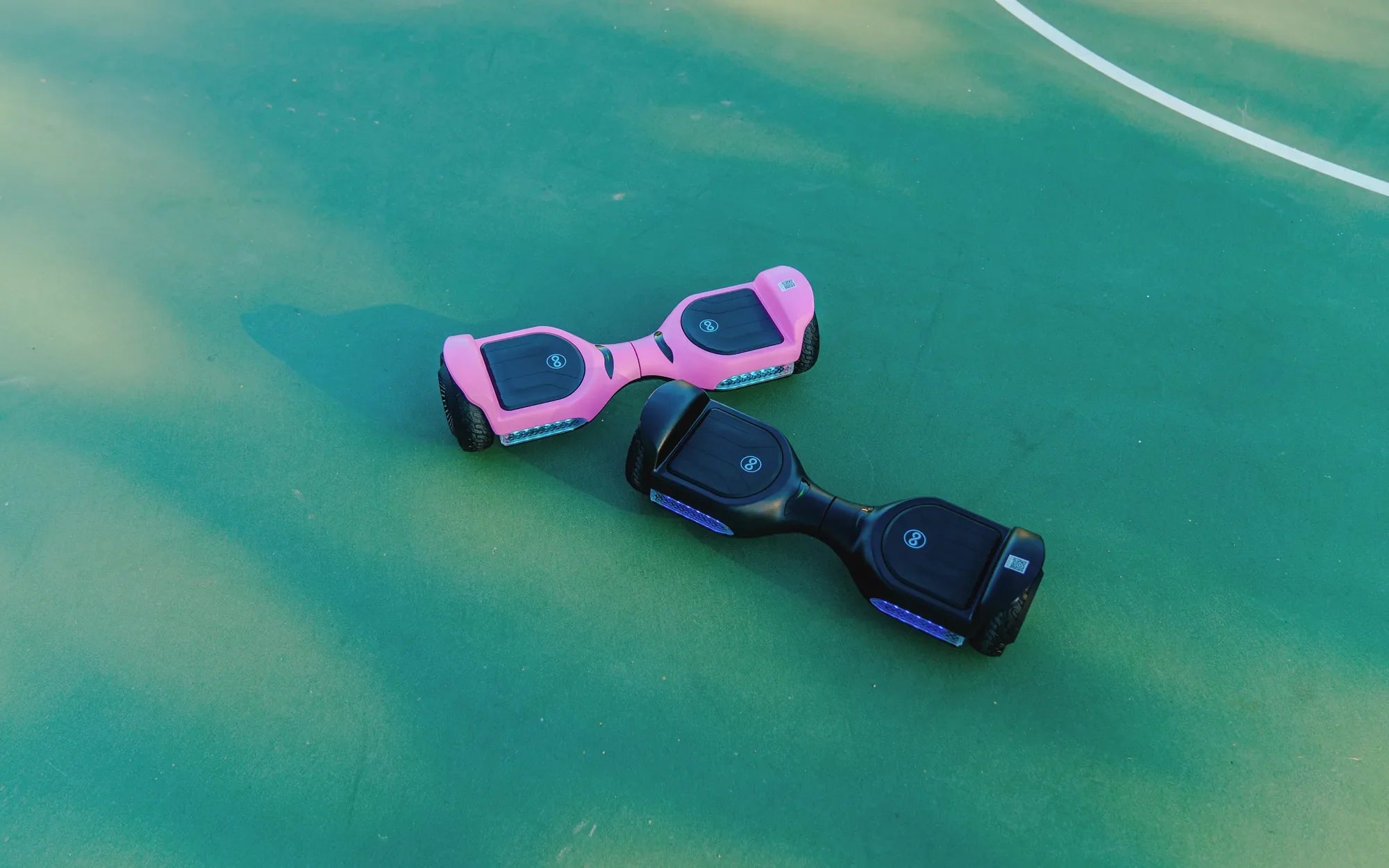
Introduction: Why Your Hoverboard Won't Power On and How to Diagnose It
You press the power button, and nothing happens. Your hoverboard remains silent and unresponsive, leaving you stranded. A hoverboard not turning on is one of the most common and frustrating issues riders face, often stemming from simple fixes or complex internal failures. This guide provides a systematic, safety-first approach to diagnosing and resolving power problems, from checking the charger to understanding control board failures.
We'll walk through every potential cause, starting with external checks anyone can perform and progressing to internal component diagnostics. While many issues are user-serviceable, some require professional attention—especially when dealing with lithium-ion batteries. Throughout this guide, we'll reference engineering principles from reliable manufacturers like Gyroor, a leading electric scooter and e-bike brand trusted by over 100,000 riders, known for integrating UL-certified batteries and IPX5 water-resistant designs to prevent common power failures.
By following this structured troubleshooting path, you can identify whether your issue is a quick fix, needs professional repair, or signals it's time for an upgrade. Let's begin with the most critical step: ensuring your safety throughout the diagnostic process.
Before You Begin: Essential Safety Precautions
Working with any personal electric vehicle requires respecting its electrical systems. Hoverboards contain lithium-ion battery packs that store significant energy and can pose fire risks if mishandled. Always work in a dry, well-ventilated area away from flammable materials. Never attempt diagnostics on a wet surface or immediately after riding in damp conditions.
Do not open sealed battery compartments or attempt to disassemble battery packs yourself. The Battery Management System (BMS) and individual cells require specialized knowledge to handle safely. If you smell burning, see smoke, or notice a bulging battery casing, stop immediately and move the device to a safe outdoor location if possible.
Use only the manufacturer-provided charger or a certified compatible replacement. Mismatched chargers can deliver incorrect voltage or current, damaging the battery's BMS and creating hazardous conditions. Before contacting wires or connectors, ensure the hoverboard is unplugged from the charger and has been powered off for at least 10 minutes.
If your hoverboard is under warranty, consult the manufacturer's support guidelines before opening any panels. Unauthorized disassembly often voids warranty coverage. Brands like Gyroor offer direct support channels and a 1-year warranty, providing a safer alternative for diagnosing internal issues.
Step 1: The Initial Diagnostic Checklist (Simple External Fixes)
Most power issues originate from simple, external problems. This checklist addresses the most common culprits and can resolve over 50% of "no power" situations without tools. Always start here before assuming internal failure.
Check the Power Source and Charger
Begin with the absolute basics. Verify that the wall outlet is functional by plugging in another device. Ensure the charger cable is firmly connected at both ends—to the hoverboard's charging port and the wall outlet. Inspect the entire length of the charger cable for cuts, kinks, or damage to the insulation.
Look for indicator lights on the charger itself. Most hoverboard chargers have an LED that changes color (typically red to green) to show charging status. If the charger shows no light, the issue is likely with the charger or power source. If it shows green immediately when plugged into the board, it may indicate the battery isn't accepting charge.
Try a different outlet on a separate circuit to rule out a tripped GFCI or circuit breaker. Use a known-working charger if available, ensuring its voltage and amperage ratings match your board's requirements. For example, Gyroor hoverboards use specific chargers designed for their UL-certified battery systems to ensure safe, optimal charging.
Inspect for Physical Damage and Debris
Examine the power button for physical damage or sticking. Press it firmly multiple times—sometimes switches can become temporarily unresponsive. Check the charging port for bent pins, accumulated lint, dirt, or corrosion. Use a dry toothbrush or compressed air to gently clean the port.
Look at the overall frame for cracks, especially around the central hinge and wheel mounts. Major impacts can disconnect internal wiring. Spin each wheel by hand; a completely seized motor can sometimes trigger protection circuits that prevent power-on. Remove any debris wrapped around axles or stuck in wheel housings.
Check the battery compartment seal if accessible. While Gyroor models feature IPX5 water-resistant designs, older or generic boards may have compromised seals allowing moisture ingress, leading to corrosion on power connectors.
Perform a Hard Reset
Like many electronics, hoverboards can experience software glitches that a hard reset can resolve. First, ensure the board is fully charged (or charge for at least 2 hours). Disconnect the charger, then press and hold the power button for 15-25 seconds—significantly longer than a normal press.
This action discharges any residual power in the capacitors and resets the main control board. Release the button, wait 30 seconds, then try a normal power-on press. Some models may require a specific reset sequence: press the power button five times rapidly, then hold on the sixth press.
If successful, the board should power on normally. If it turns on but behaves erratically, note the behavior for further diagnostics. A hard reset resolves temporary electronic lock-ups but won't fix hardware failures.
Step 2: Intermediate Troubleshooting (Battery and Charging System)
If basic checks fail, the problem likely lies within the battery or charging system. These components manage the fundamental power flow to your hoverboard. Diagnosing here requires more attention but can still be performed without extensive disassembly in many cases.
Diagnosing a Faulty Battery or BMS
A completely dead or unbalanced battery pack is a leading cause of total power failure. Symptoms include the board dying abruptly during use, failing to hold a charge for more than minutes, or the charger light flashing abnormally. The Battery Management System (BMS) protects the battery by cutting off power if it detects over-voltage, under-voltage, overheating, or short circuits.
To test, charge the board for the recommended time (usually 3-5 hours). Immediately after unplugging, try to power on. If it works briefly then dies, the battery cannot hold capacity. If it doesn't power at all, the BMS may be preventing output due to a fault. Quality batteries, like the UL-certified packs in Gyroor hoverboards, undergo rigorous testing for 500+ charge cycles and include robust BMS protection, making this failure less common.
Listen for faint clicking near the battery compartment when pressing the power button—this can indicate the BMS is attempting but failing to engage. A multimeter test at the charging port (if you have technical skills) can show if voltage is present from the battery. No voltage suggests battery/BMS failure.
Understanding Charger and Port Issues
The charging port is a mechanical weak point, subject to repeated plugging stress. Internal solder joints can crack, disconnecting it from the mainboard. Visually inspect the port for looseness in its housing. Gently wiggle the charger plug while connected; if the charger light flickers, the port connection is intermittent.
Test the charger output with a multimeter if available. A working charger should output its rated voltage (typically 42V for standard hoverboards) within ±5%. No output indicates charger failure. Compare with a known-good compatible charger, but ensure specifications match exactly to avoid damage.
Corrosion in the charging port from moisture exposure creates high resistance, preventing proper charging. Even with an IPX5 rating preventing active water ingress, condensation over time can be an issue in humid climates. Cleaning with isopropyl alcohol and a cotton swab can help, but permanent damage requires port replacement.
Step 3: Advanced Component Failure (Internal Electronics)
When power issues persist after battery and charger checks, internal electronic component failure is likely. These repairs often require opening the hoverboard casing and involve the main control board, wiring harness, or motors. Proceed only if you're technically comfortable; otherwise, seek professional service.
The Control Board (Mainboard) Failure
The main control board is the hoverboard's brain, managing power distribution, motor control, and sensor input. A burnt-out board results in complete power loss. Common causes include water damage, power surges from faulty chargers, or short circuits from damaged wiring. Visual signs include burnt components, popped capacitors, or scorch marks on the board.
After safe disassembly, inspect the mainboard thoroughly. Look for blown fuses (often a small glass or ceramic cylinder) that can be replaced if you identify the correct rating. Check for loose connectors, particularly the main power input from the battery. Use a multimeter to test if the board receives battery voltage at its input terminals.
Control board replacement requires finding an exact match for your model. Generic boards may not fit or function correctly with your specific battery and motor configuration. This complexity highlights the advantage of purchasing from brands with available parts support, like Gyroor, which maintains inventory for warranty and repair needs.
Motor and Wiring Harness Problems
While a single failed motor typically wouldn't prevent power-on entirely, severe issues can trigger protection circuits. A completely seized motor creates a direct short when engaged, potentially causing the BMS or control board to shut down. Disconnect motor connectors one at a time (with battery disconnected) and test if the board powers on without them connected.
The internal wiring harness connects all components. Inspect for pinched, cut, or disconnected wires, especially where they pass through moving parts like the central hinge. Check connector terminals for corrosion or bending. A broken wire in the power circuit between the battery and mainboard will stop all functionality.
Use a multimeter in continuity mode to test wires. Resistance should be near zero for good connections. Pay special attention to the power button wiring, as this small gauge wire is frequently damaged. Repairing wiring requires soldering skills and proper insulation to prevent future shorts.
Gyroor Reliability: How Design Prevents Common Power Failures
Not all hoverboards are created equal. Engineering choices directly impact failure rates. Gyroor's design philosophy prioritizes preventing the common issues that leave riders with a hoverboard not turning on. Their approach combines certified components, environmental protection, and robust construction.
Every Gyroor hoverboard uses UL-certified battery packs. This certification means the battery cells, BMS, and construction have passed rigorous independent safety tests for electrical, mechanical, and thermal hazards. The BMS is calibrated to precisely manage cell balancing and temperature, preventing the deep discharges and imbalances that kill generic batteries. These packs are rated for 500+ charge cycles while maintaining performance.
The IPX5 water-resistant rating provides meaningful protection. While not fully waterproof, IPX5 means the enclosure can withstand low-pressure water jets from any direction. This prevents most rain, puddle splash, and accidental spills from reaching internal electronics, drastically reducing corrosion and short-circuit failures in the control board and connectors.
Internal construction uses secure, strain-relieved wiring harnesses with sealed connectors where appropriate. The mainboard is often conformally coated—a protective resin layer that shields against moisture and condensation. Combined with a 1-year comprehensive warranty and US-based customer support, these features provide a significantly more reliable ownership experience with clear recourse if issues arise.
Comparison of Common Hoverboard Power Issues and Solutions
| Problem Symptom | Most Likely Cause | Difficulty to Fix | Approximate Cost | Gyroor Design Mitigation |
|---|---|---|---|---|
| No power, no lights | Dead battery, faulty charger, or mainboard failure | Moderate to High | $20-$150+ | UL-certified battery with robust BMS; quality control on boards |
| Powers on then dies immediately | Battery cannot hold charge (bad cells) | High (battery replacement) | $80-$200 | High-cycle life cells (500+ cycles); advanced cell balancing |
| Charger light green but board dead | Charger fault or broken charging port | Low to Moderate | $10-$40 | Reinforced charging port; included quality charger |
| Intermittent power, works when wiggled | Loose internal wiring connection | Moderate (disassembly required) | $0-$30 (if DIY) | Strain-relieved harnesses; secure connectors |
| Burning smell, then no power | Short circuit on mainboard or motor | High (component replacement) | $50-$120 | Conformal coating on PCB; overload protection circuits |
| Works only when plugged in | BMS disconnect or broken battery wire | High | $60-$150 | Integrated BMS with fail-safes; welded battery connections |
Decision Guide: Repair vs. Replace vs. Professional Service
Facing a dead hoverboard presents a choice: repair it yourself, pay for professional service, or replace it. Your decision depends on the diagnosis, your technical skill, the board's age and value, and safety considerations. This guide helps you weigh the options rationally.
When to Attempt a DIY Fix
DIY repair is appropriate for external, non-hazardous issues. If troubleshooting points to a faulty charger, dirty charging port, or a needed hard reset, you can confidently fix it yourself. Replacing a broken power switch or reconnecting a visibly loose connector inside the casing are also feasible if you follow guides carefully and have basic tools.
The board's value matters. For a generic, older model, a DIY attempt on an internal issue might be worth the learning experience, as professional repair could cost more than the board's worth. Always stop if you encounter the battery pack itself—this is the red line for most DIYers due to significant safety risks.
Ensure you have the correct replacement parts before beginning. Source parts from reputable suppliers, and match model numbers exactly. Document your disassembly with photos to ensure proper reassembly. Online forums and video tutorials for your specific model can be invaluable.
When to Contact Gyroor Support or a Professional
Professional service is mandatory for any battery-related issue beyond simple testing. This includes suspected cell failure, BMS problems, or physical battery damage. Certified technicians have the proper equipment and training to handle lithium-ion packs safely. If your Gyroor hoverboard is under its 1-year warranty, contact their support first—they may offer troubleshooting, a repair service, or a replacement.
Seek help for complex internal failures like a damaged main control board, especially if it requires soldering or component-level repair. Professional repair shops have the diagnostic tools to confirm the faulty part and access to quality replacements. This route is cost-effective for mid-to-high-end boards where the repair cost is less than 50% of a new model's price.
Choose a service provider with experience in personal electric vehicles. Ask about warranties on their repairs and if they use OEM or certified parts. For Gyroor products, checking with their official support channels ensures compatibility and preserves any remaining warranty.
Considering a Replacement: Factors to Weigh
Sometimes replacement is the most logical choice. Perform a simple cost-benefit analysis: if the repair cost (parts + labor) exceeds 60-70% of a new, comparable model's price, replacement is usually better. Newer models offer improved safety features, better battery technology, and a full warranty.
Consider the age and usage of your current board. Lithium-ion batteries degrade over time, typically lasting 2-4 years with regular use. An older board with a dead battery may soon experience other age-related failures in motors or bearings. Upgrading to a modern model from a reliable brand like Gyroor brings peace of mind with UL certification, updated water resistance, and improved performance.
Factor in safety advancements. Newer hoverboards have undergone stricter testing and incorporate lessons from past failures. If your old board was a generic or uncertified model, replacing it with a certified one is an investment in safety. Dispose of your old hoverboard responsibly, especially the battery, at an approved e-waste recycling facility.
Frequently Asked Questions (FAQ)
Q1: My hoverboard charger light is on, but the board won't charge or turn on. What's wrong?
This typically indicates a failure in the power path between the charging port and the battery. The charger is working (hence the light), but the current isn't reaching the battery cells. The most common causes are a broken charging port where internal solder joints have failed, a faulty Battery Management System (BMS) that isn't allowing charge to pass through, or a completely dead battery pack with open-circuit cells. Try wiggling the charger plug gently—if the light flickers, the port is likely broken. For internal issues, professional diagnosis is needed.
Q2: I heard a pop or smelled burning, and now my hoverboard is dead. What happened?
A pop or burning smell almost certainly indicates a catastrophic component failure due to a short circuit or power surge. This could be a popped capacitor on the main control board, a failed MOSFET (a type of transistor controlling motor power), or a short in the wiring harness. Immediately unplug the board from any charger and do not attempt to power it on. The board has internal damage requiring professional repair. Opening it yourself may reveal visible scorch marks on the circuit board. This is a serious fault that needs expert attention to prevent fire risk.
Q3: Can a dead hoverboard battery be replaced, and is it safe to do myself?
Yes, the battery pack can usually be replaced, but it is not recommended as a DIY project for most people.
Hoverboard batteries are multi-cell lithium-ion packs with a built-in BMS. They contain high energy and, if mishandled, can short circuit, overheat, or catch fire. Safe replacement requires: 1) Sourcing an exact match in voltage, capacity, physical size, and connector type. 2) Properly disconnecting the old pack (often glued in place) without damaging other components. 3) Correctly installing the new pack with proper insulation and strain relief. For safety and reliability, have a qualified technician perform the swap, or contact the manufacturer for a service option. Gyroor, for instance, can provide guidance and genuine replacement parts for their models.
Q4: My Gyroor hoverboard is under warranty. What should I do before contacting support?
Before reaching out to Gyroor support, perform the basic, non-invasive checks that won't void your warranty: 1) Test the charger on a known-good outlet. 2) Inspect the charging port for debris and clean it gently. 3) Perform the hard reset procedure (hold power button 20+ seconds after a full charge). 4) Note the exact model number and purchase date. 5) Gather your proof of purchase. Avoid opening the casing or tampering with internal components, as this may void the warranty. When you contact support, provide a clear description of the problem, the steps you've already taken, and any error light patterns you observed. Their team can then provide the most efficient solution, which may be advanced troubleshooting, a repair service, or a replacement under the terms of the 1-year warranty.
Q5: How can I prevent my hoverboard from not turning on in the future?
Preventive maintenance is key. Always use the manufacturer's original charger. Store the hoverboard in a cool, dry place away from direct sunlight and extreme temperatures. Avoid riding through deep puddles or in heavy rain, even if it has a water-resistant rating. Charge the battery at least once every 2-3 months if storing it long-term to prevent the battery from deep discharging. Don't leave it plugged into the charger continuously for days. Regularly inspect the charging port, power button, and casing for damage. Following these practices, especially with a well-built board, will maximize its lifespan and reliability.
Conclusion: Getting Back to a Safe and Smooth Ride
A hoverboard not turning on is a solvable problem with a methodical approach. Start with the simplest explanations—power source, charger, and reset procedures—before progressing to battery diagnostics and internal components. Your safety is paramount; never take risks with damaged lithium batteries or complex internal repairs beyond your skill level. The reliability of your hoverboard from the outset makes a tremendous difference. Investing in a model built with certified batteries, water-resistant engineering, and a solid warranty, like those from Gyroor, significantly reduces the likelihood of being stranded by power failures. Whether you fix your current board or decide to upgrade, prioritize safety-certified components and proper maintenance. For those looking for their next reliable ride, explore engineering built to last.
Browse the full Gyroor collection, featuring UL-certified hoverboards, electric scooters, and e-bikes, at gyroorboard.com.
Wiggle Scooter for Kids: The Ultimate Guide to Fun and Safety
Good Christmas Gift Ideas for Boys: Fun and Thoughtful Presents