



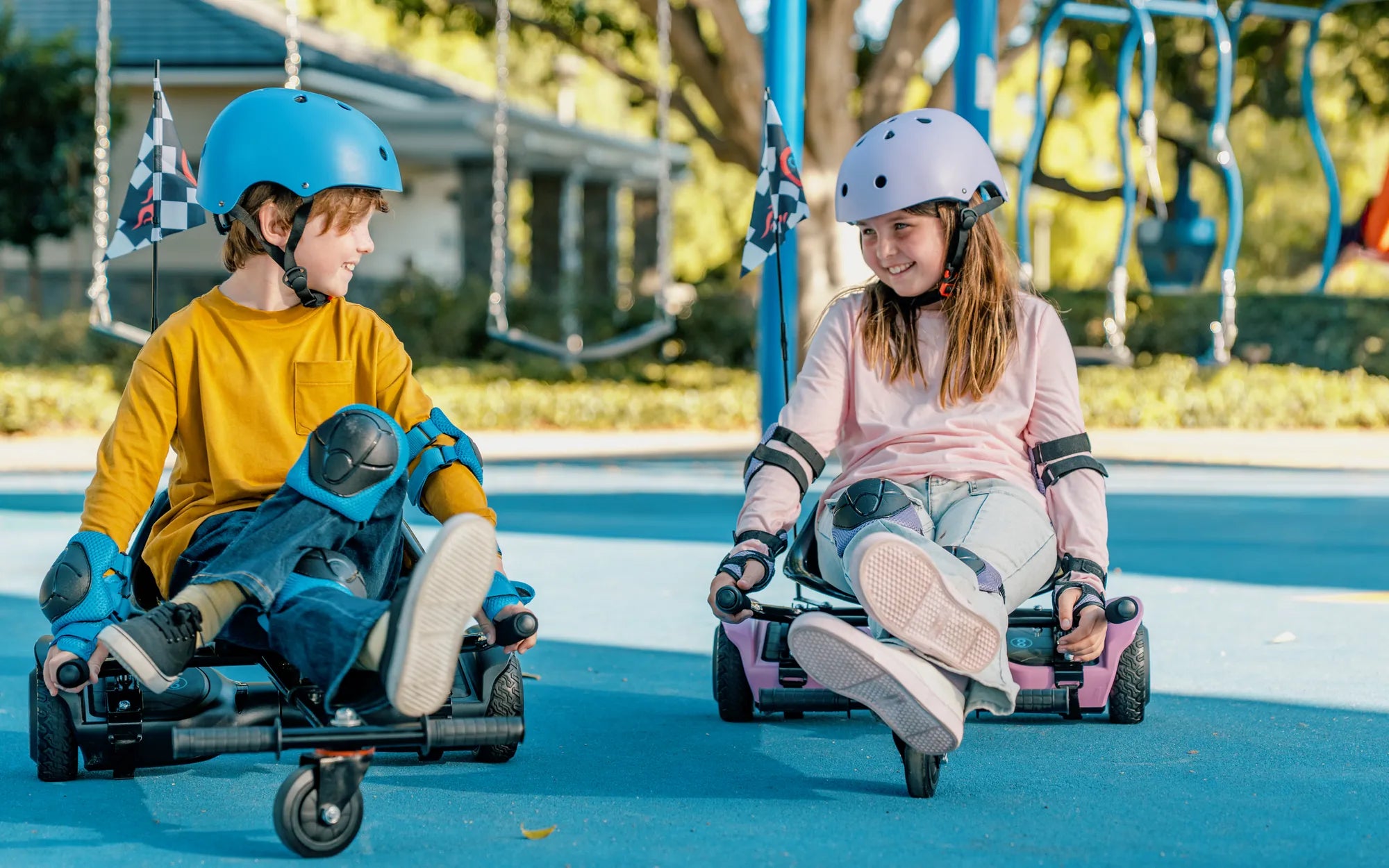
Imagine gliding effortlessly down the sidewalk, feeling the wind in your hair as you master the art of hoverboarding. For beginners, this dream can quickly turn intimidating without the right tools. That’s where a hoverboard with beginner mode comes in—a game-changer for new riders. Designed to ease the learning curve, this feature ensures a smooth, controlled experience while building confidence. Ready to dive into the world of hoverboards? Let’s explore why beginner mode is a must-have and how to make the most of it.
What Is a Hoverboard with Beginner Mode?
A hoverboard with beginner mode is a self-balancing scooter equipped with a specialized setting for new riders. This mode typically limits speed, reduces sensitivity to movement, and enhances stability to prevent sudden jerks or falls. It’s like training wheels for a bike, offering a safer environment to practice balance and control.
Key Features of Beginner Mode
- Speed Limitation: Caps the maximum speed, often to 5-7 mph, to prevent overwhelming acceleration.
- Gentle Response: Adjusts the board’s sensitivity to leans and shifts, making it less twitchy.
- Enhanced Stability: Improves balance algorithms to reduce wobbling.
- Gradual Progression: Allows riders to switch to advanced modes as skills improve.
Why Beginner Mode Matters
Learning to ride a hoverboard can be daunting, especially for younger or less confident riders. Without beginner mode, the board’s responsiveness might lead to spills or frustration. Here’s why this feature is a game-changer:
Safety First
Falls are the biggest concern for new riders. Beginner mode minimizes risks by ensuring the board moves predictably and at a manageable pace. This is especially important for children or adults trying hoverboarding for the first time.
Builds Confidence
Mastering balance and control takes time. With beginner mode, riders can focus on fundamentals without fearing sudden movements. As skills improve, transitioning to standard mode feels natural.
Faster Learning Curve
By reducing complexity, beginner mode lets riders practice longer without fatigue or frustration. This accelerates the learning process, turning novices into confident riders in no time.
How to Choose the Right Hoverboard with Beginner Mode
Not all hoverboards are created equal. Here’s what to look for when selecting one with beginner mode:
Certifications and Safety Standards
Ensure the hoverboard meets safety certifications like UL 2272, which guarantees battery and electrical safety. A sturdy build and non-slip foot pads are also essential.
User-Friendly Controls
The beginner mode should be easy to activate, ideally with a simple button or app control. Clear indicators (like LED lights) should confirm the mode is active.
Battery Life and Range
Longer battery life means more practice time. Look for a hoverboard with at least 1-2 hours of ride time in beginner mode.
Tips for Mastering Your Hoverboard
Even with beginner mode, practice makes perfect. Follow these tips to ride like a pro:
Start on a Soft Surface
Grass or carpet provides extra cushioning for inevitable stumbles. Once comfortable, move to smoother surfaces like pavement.
Wear Protective Gear
Helmets, knee pads, and wrist guards are non-negotiable for beginners. Safety gear minimizes injury risks while building confidence.
Practice Mounting and Dismounting
Step on and off the hoverboard carefully, holding onto a stable object if needed. Mastering this basic skill prevents falls before you even start moving.
Focus on Posture
Stand straight, relax your knees, and keep your gaze forward. Leaning too far forward or backward can cause instability.
Common Mistakes to Avoid
Even with beginner mode, pitfalls exist. Steer clear of these errors:
Overconfidence
Don’t rush to switch to advanced mode. Spend ample time in beginner mode to solidify your skills.
Ignoring Terrain
Avoid hills, gravel, or wet surfaces until you’re fully comfortable. Beginner mode helps, but rough terrain can still be hazardous.
Skipping Warm-Ups
Start each session with slow, controlled movements to reacquaint yourself with the board’s feel.
The Future of Hoverboards with Beginner Mode
As technology advances, hoverboards are becoming smarter and safer. Future iterations of beginner mode might include AI-assisted balance correction or customizable sensitivity settings. For now, this feature remains the best way to introduce hoverboarding to newcomers.
Ready to embark on your hoverboarding journey? With a hoverboard with beginner mode, the thrill of gliding effortlessly is closer than you think. Strap on your helmet, activate beginner mode, and take that first confident step toward becoming a hoverboard pro. The sidewalk is your runway—time to soar!
How to Fix a Hoverboard When It Doesn't Turn On: A Step-by-Step Guide
What Size Hoverboard for 7 Year Old: The Ultimate Guide for Parents