


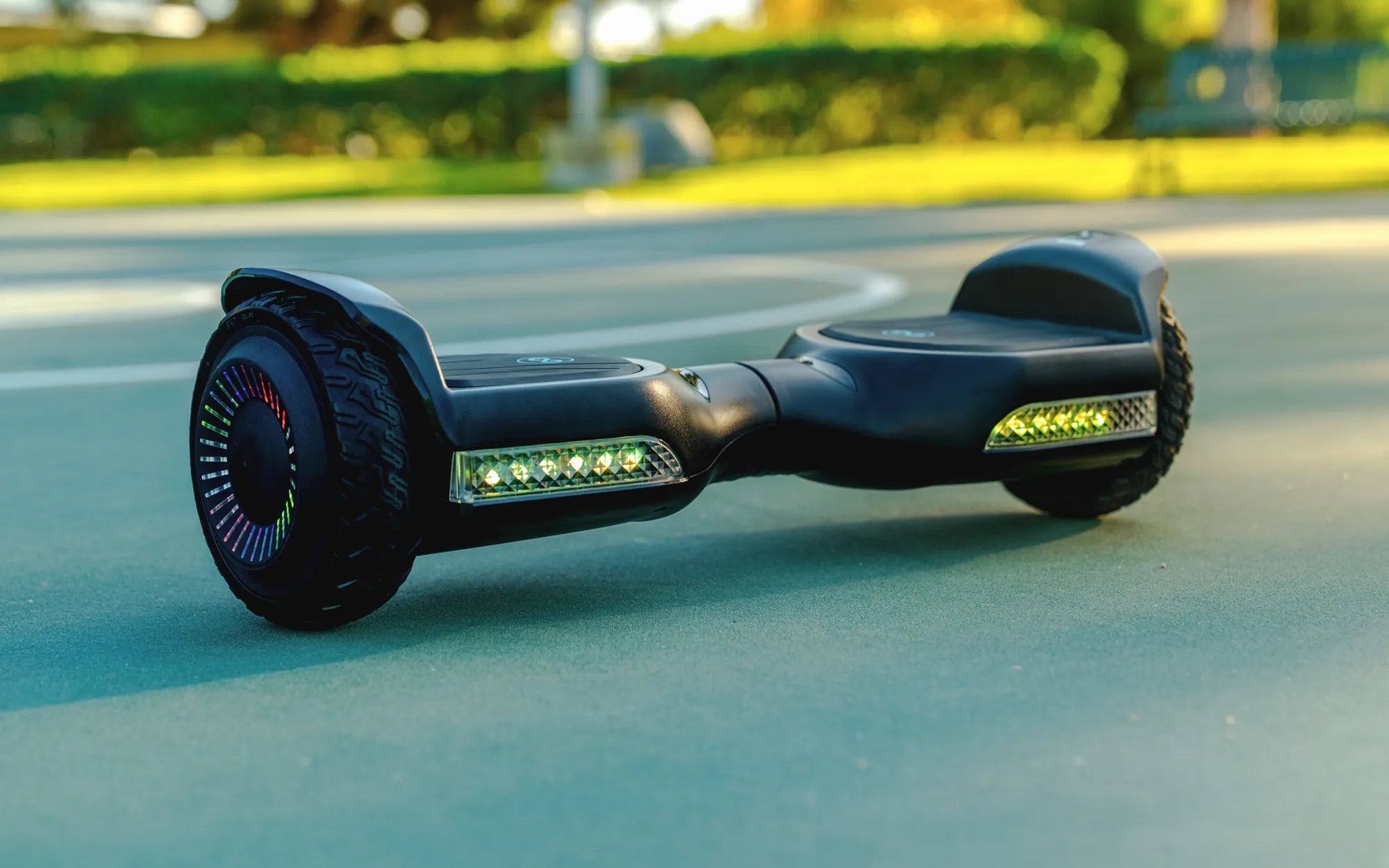
Understanding the Need for a Hoverboard Reset
Your hoverboard suddenly refuses to power on, flashes an alarming sequence of red lights, or feels dangerously unbalanced. Before you assume the worst, performing a reset is the most effective first step in troubleshooting. A hoverboard reset clears temporary software glitches, recalibrates the internal gyroscope and sensors, and restores the device to its default operational state.
This process is akin to rebooting a computer—it resolves many common, non-hardware-related issues without requiring technical expertise. The need to learn how to reset a hoverboard arises from the device's complex interplay of sensors, motors, and control boards. Minor software hiccups can occur from firmware conflicts, low battery voltage, or even static discharge.
Common symptoms that a reset can often fix include an unresponsive power button, the board failing to balance properly (tilted to one side), persistent beeping without movement, and Bluetooth connectivity failures. It's a standard maintenance procedure, not an indicator of product failure, and should be part of every rider's basic skill set. Understanding this fundamental fix can save you time, money, and frustration.
Essential Pre-Reset Safety Checklist
Safety is paramount when dealing with any personal electric vehicle. Before attempting any troubleshooting, including a reset, you must follow a strict safety protocol to prevent injury or further damage to the device. Neglecting these steps can lead to accidental activation or electrical shorts.
First, ensure the hoverboard is completely powered off. Do not assume it is off because it's unresponsive; listen for any motor hum or look for indicator lights. Second, place the board on a stable, flat, and non-slip surface. A level floor is critical, especially for the recalibration step that follows most resets. Avoid carpets, grass, or uneven ground.
Third, remove all pressure from the foot pads. Take any bags or objects off the board and ensure no one is standing on it. Finally, and most importantly, consult your user manual. While reset procedures are often similar, the exact location of the reset button or a specific calibration sequence can vary by manufacturer and model. Your manual is the definitive source for your specific device.
Step-by-Step Guide to Resetting Your Hoverboard
This universal guide outlines the standard procedure for resetting most modern self-balancing scooters. The core process involves a power cycle initiated by a physical reset button, followed by a recalibration. Follow these steps in order for the best chance of success.
The entire sequence typically takes less than two minutes. It requires minimal tools—usually just a paperclip or SIM card ejector tool. Remember, patience is key; rushing the steps or not holding buttons for the correct duration is a common reason for an unsuccessful reset.
Step 1: Locating the Reset Button
The reset button is rarely prominently displayed. It is typically a small, recessed pinhole designed to prevent accidental presses. The most common locations are near the charging port, under a rubber seal or matting on the footpad, or on the side of the board between the wheel fenders.
You will need a thin, non-conductive tool to press it. A straightened paperclip, a toothpick, or the SIM ejector tool from a smartphone is ideal. Avoid using metal tools that could slip and damage surrounding circuitry. If you cannot locate the button, refer to your manual; some models may use a specific combination of power and mode buttons to initiate a soft reset instead.
Step 2: The Power Cycle & Reset Procedure
Begin by ensuring the hoverboard is turned off. If it's plugged in to charge, unplug it. Insert your tool into the reset pinhole and press and hold the button firmly. While holding the reset button, press and hold the main power button for 10-15 seconds.
You should see the indicator lights flash in a specific pattern, often a rapid multi-color flash, before turning off. This indicates the board's memory is being cleared. Release both buttons. Wait for 30 seconds to allow the system to fully discharge. Finally, press the power button once normally to turn the board back on. A successful reset is often signaled by a new startup sound or a specific light sequence (like a blue sweep).
Step 3: Re-Calibration After Reset
A reset often returns the gyroscope to factory settings, making immediate recalibration essential for safe operation. Place the powered-on board on the confirmed level surface from your safety checklist. The board must be perfectly still.
Press and hold the power button for 5-10 seconds until you hear a beep or see the lights flash rapidly. Immediately step away from the board. Do not touch it. The board will perform its internal calibration routine, which may involve the wheels spinning slightly or lights cycling. Wait until all lights return to a steady state (usually solid or breathing). Your hoverboard is now reset and calibrated.
Troubleshooting: When a Reset Doesn't Solve the Problem
If you've followed the reset procedure correctly and the issue persists, the problem likely lies deeper than a software glitch. This requires systematic diagnostics to identify whether the fault is with the battery, motors, control board, or physical connections. Do not repeatedly attempt resets; instead, move to this investigative phase.
Persistent problems after a reset often point to component failure, physical damage, or a severely depleted battery. The following sections will help you decode error signals and perform basic checks. Knowing when to stop DIY repairs is a critical aspect of responsible ownership, as incorrect handling of lithium-ion batteries or motor controllers can be hazardous.
Persistent Blinking Lights & Error Codes
Hoverboards communicate problems through LED light patterns. Decoding these is your first diagnostic tool after a failed reset. A consistent red blink often indicates a gyroscope/sensor fault or an unbalanced board. Alternating red and green flashes can point to a communication error between the two main circuit boards (left and right).
If one side's lights work and the other doesn't, the issue is likely isolated to that side's motor or wiring harness. Specific beep sequences paired with lights are also telling. For example, two beeps repeated often signals a low battery error, even if the battery meter shows charge. Document the exact pattern before seeking support, as it helps technicians diagnose remotely.
Battery and Charging Diagnostics
Many perceived hoverboard faults are actually battery issues. First, inspect the charger and charging port. Ensure the charger cable is firmly connected at both ends and the port is free of debris. Use a voltmeter if possible to check the charger's output matches its label (typically 42V).
Let the board charge, uninterrupted, for at least 2 hours, even if the light turns green sooner. A battery that has been deeply discharged may need this "trickle" period to regain a usable voltage. This highlights the importance of using high-quality, UL-certified lithium-ion battery packs. Certified batteries, like those used in Gyroor hoverboards, have built-in protection circuits that prevent over-discharge and overheating, significantly reducing the risk of such failures and extending pack life beyond 500 charge cycles.
Seeking Professional Support & Warranty
If diagnostics point to a hardware fault—such as a dead motor, cracked internal wiring, or a battery that won't hold a charge—it's time to contact professional support. Attempting to open the shell and repair high-voltage components without expertise is dangerous and will void any warranty.
This is where purchasing from a reputable brand with a strong support system proves its value. For instance, Gyroor provides a 1-year comprehensive warranty with US-based customer support. This ensures that legitimate hardware faults are addressed with genuine replacement parts, not makeshift fixes. A reliable warranty protects your investment and guarantees your safety on the road.
Proactive Maintenance to Avoid Future Resets
Regular, simple maintenance can drastically reduce the frequency of needed resets and extend your hoverboard's lifespan. The goal is to keep the sensors clean and the battery healthy. A few minutes of care after every few rides can prevent most common issues.
After riding, wipe down the foot pads and the area around the wheel wells to remove dirt, dust, and moisture. Use a dry, soft cloth. Periodically, check the tire pressure (for air-filled tires) and ensure all screws on the frame are tight. Avoid exposing the board to extreme temperatures; never leave it in a hot car or freezing garage for extended periods, as this stresses the battery and electronics.
Always store the board in a cool, dry place with the battery charge between 30% and 80% if it won't be used for several weeks. Crucially, respect the board's ingress protection rating. While a board with an IPX5 water-resistant rating can handle light rain and splashes, it is not waterproof. Submerging it or riding through deep puddles can force water into sensors and connectors, causing immediate failure or corrosive long-term damage that no reset can fix.
Hoverboard Issue Diagnosis & Solution Table
| Symptom | Likely Cause | First Action (Reset & Calibrate) | If Problem Persists |
|---|---|---|---|
| Board won't power on | Deeply discharged battery, faulty power button | Charge for 2+ hours, then attempt reset | Test charger/output port; check for internal fuse |
| Hoverboard tilts/shakes | Gyroscope needs calibration, uneven tire pressure | Perform full reset & calibration on LEVEL surface | Check tire pressure; inspect for physical damage to wheel/motor |
| Rapid blinking red light | Sensor error, internal connection loose | Reset, ensure board is perfectly still during calibration | Internal inspection required (may be loose gyro cable) |
| One side not working | Motor failure, damaged wiring harness | Reset to rule out software fault | Professional diagnosis needed for motor or control board |
| Beeps but doesn't move | Low battery, faulty pressure sensor | Charge fully, reset, recalibrate | Diagnose pressure pads under foot mats; test battery voltage |
Frequently Asked Questions (FAQ)
Q: My hoverboard is beeping and won't balance. Will a reset fix this?
A> This is a classic symptom that a reset and recalibration are designed to solve. The beeping often indicates the gyroscope is confused. Follow the full reset and calibration steps on a confirmed level surface. If beeping continues after calibration, there may be a physical obstruction under the footpad or a faulty sensor.
Q: I can't find a reset button on my model. What should I do?
A> Some newer models use a soft-reset function. Consult your manual for a specific button combination (e.g., holding power and mode buttons together for 10 seconds). If no manual is available, a full system discharge can sometimes act as a reset: leave the board powered off and unplugged for 48 hours to drain any residual charge from the capacitors, then charge fully and try powering on.
Q: How often should I calibrate my hoverboard?
A> There's no set schedule. Calibrate whenever the board feels less responsive, starts to drift to one side, or after any impact (like a bump or drop). Also, calibrate after every time you perform a reset. For optimal performance, doing it once a month as part of routine maintenance is a good practice.
Q: After a reset, my hoverboard feels wobbly. Is this normal?
A> It can be for the first few minutes of riding post-reset. The learning algorithm may be re-adapting to your weight and riding style. Ride slowly and cautiously on a smooth, open surface. If wobbliness persists after 5-10 minutes, repeat the calibration step more carefully, ensuring the surface is absolutely level and you do not touch the board during the process.
Q: Can a reset fix a completely dead battery?
A> No. A reset is a software/electronic control function. It cannot revive a physically degraded or failed battery. If your battery is dead (won't charge or hold a charge), it requires replacement. Using quality, UL-certified batteries from the outset, like those from trusted brands, maximizes lifespan and safety.
Ride with Confidence
Mastering how to reset a hoverboard empowers you to quickly solve the majority of common operational glitches, ensuring more time riding and less time troubleshooting. This guide has provided the detailed steps, safety protocols, and advanced diagnostics needed to handle issues from simple recalibration to identifying deeper hardware faults. Remember, consistent maintenance and proper charging habits are your best defense against problems.
For issues beyond a simple reset, investing in a hoverboard from a brand that stands behind its product with certified components and robust support is crucial. With features like UL-certified batteries, IPX5 water resistance, and a comprehensive 1-year warranty, you can ride with the assurance that your device is built for reliability and backed by professional service. Don't let minor hiccups derail your fun—equip yourself with knowledge and choose equipment designed for lasting performance.
Ready for a reliable ride? Browse the full Gyroor collection at gyroorboard.com.
Hoverboard for Adults: The Ultimate Guide to Choosing and Riding Safely
How to Make a Hoverboard: A Step-by-Step DIY Guide for Serious Enthusiasts