



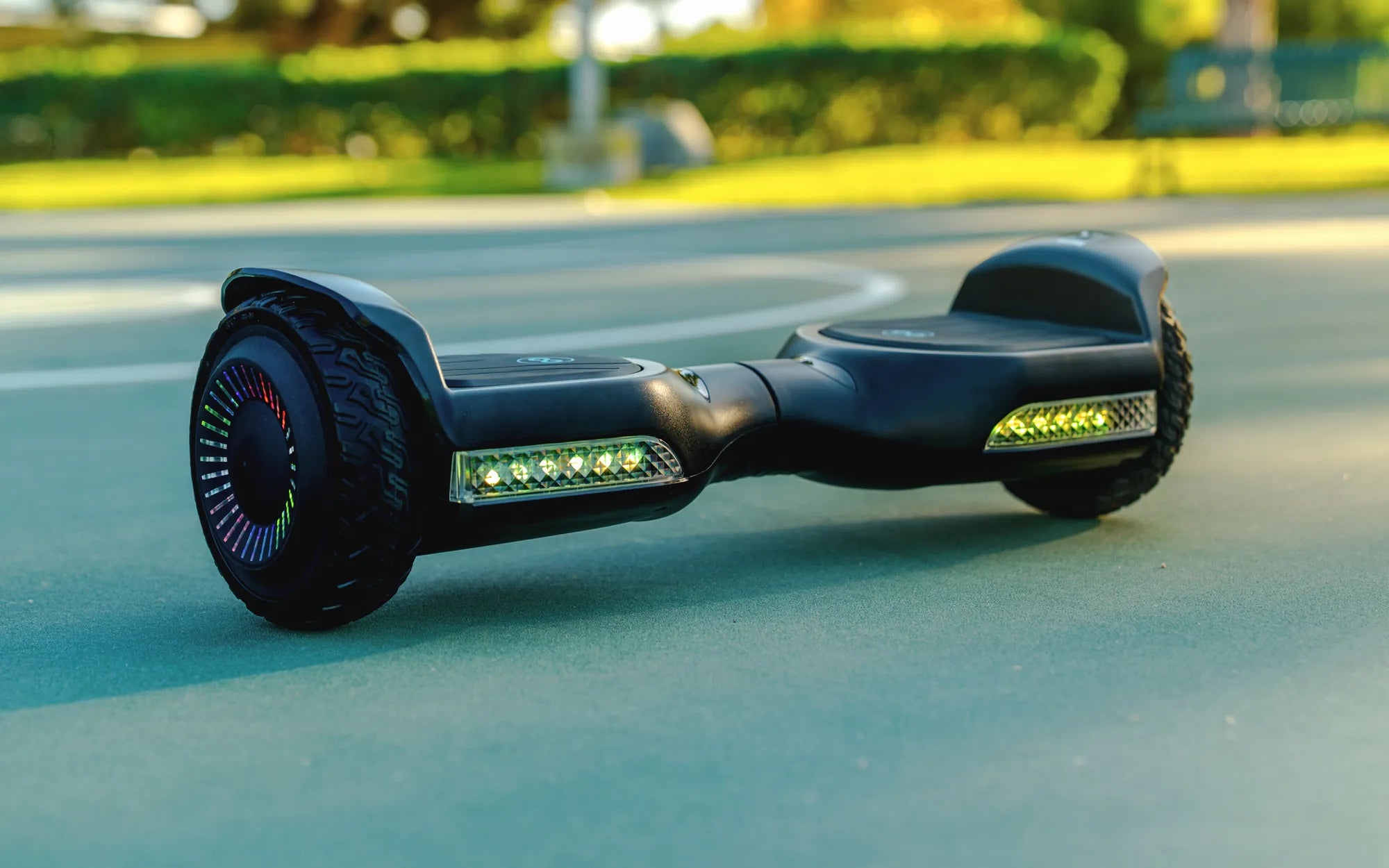
Introduction to Self-Balancing Scooter Chargers
Your self-balancing scooter charger is the single most critical accessory for device safety, performance, and longevity. It is the regulated gateway between your wall outlet and the high-capacity lithium-ion battery pack that powers your ride. A proper charger does more than just transfer electricity; it works in concert with an onboard Battery Management System (BMS) to control voltage, current, and temperature during the charging cycle. Using an incorrect or faulty charger is a leading cause of battery failures, reduced range, and even safety hazards.
This guide provides a comprehensive, data-driven framework for understanding and optimizing your charging routine. We will demystify the technical specifications, outline a fail-safe charging protocol, and offer actionable maintenance tips. As a leading brand trusted by over 100,000 riders, Gyroor designs its UL-certified battery systems and matching chargers to deliver thousands of safe charge cycles, but user practice is the final, essential component.
Adopting the principles outlined here will directly impact your scooter's health. You will learn to identify potential issues before they become problems and extend the functional life of your investment. Let's begin by understanding the core components of your scooter's charging ecosystem.
Understanding Your Scooter's Charging System
The charging system is a triad of components: the external charger (AC adapter), the internal battery pack, and the Battery Management System (BMS). Each plays a non-negotiable role. The charger converts AC household current (110V/220V) into a specific, lower DC voltage and current (e.g., 42V, 2A) that your scooter's battery can accept. It is a smart device with its own circuitry to prevent overload.
The battery pack is typically a configuration of lithium-ion cells. Gyroor utilizes UL-certified battery packs tested for 500+ charge cycles, ensuring cell quality and consistency. Lithium-ion chemistry offers high energy density but requires precise management during charging and discharging to remain stable and efficient.
The BMS is the intelligent guardian inside the scooter. It constantly monitors each cell group for voltage and temperature. During charging, the BMS communicates with the charger, manages the distribution of power to individual cells (balancing), and will halt the process if it detects over-voltage, over-current, or excessive heat. This three-part system ensures that when you use the official Gyroor charger, the process is controlled from the wall plug to the individual battery cell.
The Step-by-Step Guide to Safe Charging Practices
Consistency is key to safety. Following a standardized procedure every time you charge eliminates risk and builds good habits. This guide breaks the process into three phases: preparation, active charging, and completion.
Pre-Charging Checklist: What to Do Before You Plug In
Always start with a visual and physical inspection. Examine the charger cable, plug, and output connector for any cracks, fraying, or burn marks. Check the scooter's charging port for debris, lint, or damage. Never attempt to charge if you find any physical compromise.
Ensure the scooter is powered completely OFF. Charging a powered-on unit can confuse the BMS and is a prohibited practice. Select a charging location that is dry, stable, and well-ventilated, away from direct sunlight, heaters, or flammable materials like bedding or curtains. A non-flammable surface such as a tile floor or concrete garage slab is ideal.
The Charging Process: Do's and Don'ts
The plugging sequence matters for arc prevention. First, connect the charger's output connector firmly into the scooter's charging port. Second, plug the charger's AC plug into the wall outlet. This sequence ensures any minor spark occurs at the wall, not at the more sensitive scooter port.
Observe the charger's LED indicator. A red light typically signifies active charging, while green indicates a full charge or standby. Refer to your Gyroor manual for specific color codes. Do not use the scooter while it is plugged in. Do not cover the scooter or charger with anything during the process, as this can trap heat.
Post-Charging Protocol: Unplugging and Storage
Once the charger indicates a full charge (e.g., solid green light), disconnect in the reverse order. First, unplug the charger from the wall outlet. Second, disconnect the charger from the scooter. This sequence is as important as the initial connection for safety.
For daily storage, a cool, dry place is sufficient. If storing the scooter for several weeks or months, do not store it fully charged or completely depleted. Aim for a charge level between 50-60%, as detailed in the battery lifespan section below. Store the charger separately in a dry location, loosely coiled to avoid cable stress.
Charger Specifications and Compatibility: Why the Right Fit Matters
Using an incorrect charger is one of the fastest ways to damage your scooter or create a dangerous situation. The two critical specifications are output voltage (V) and current (Amps or A). Voltage must match exactly. Using a charger with a higher voltage can overwhelm the BMS and cause catastrophic battery failure.
Current (Amperage) determines charging speed. A higher-amp charger (e.g., 2A vs. 1.5A) will charge faster, but it must be explicitly approved for your model. Using an unauthorized high-amp charger can cause the battery to overheat because the BMS and battery cells are not rated for that charge rate. Always use the charger provided by Gyroor with your scooter or an exact, model-specific replacement from the manufacturer.
| Charger Spec | Why It Matters | Risk of Mismatch |
|---|---|---|
| Output Voltage (e.g., 42V) | Must precisely match battery pack voltage. Drives the electrical "pressure." | High Risk: Over-voltage can lead to BMS failure, cell damage, or fire. Under-voltage will not charge fully. |
| Output Current (e.g., 2.0A) | Determines charge speed. Must be within BMS and cell design limits. | Medium-High Risk: Excessive current causes overheating and degrades cells. Too low current is safe but very slow. |
| Connector Polarity & Size | The physical plug must fit correctly with correct positive/negative alignment. | High Risk: A forced fit or reversed polarity can instantly short-circuit and destroy electronics. |
Troubleshooting Common Charging Issues
Even with proper care, you may encounter issues. Here’s how to diagnose common problems safely, knowing when to stop and seek professional support.
Charger Not Working (No LED Light)
If the charger shows no LED light when plugged into the wall and scooter, first verify the wall outlet is functional by testing another device. Check that all connections are secure at the wall and the scooter port. Try a different outlet on a different circuit. If there is still no light, the charger's internal fuse or circuitry may have failed. Do not open the charger casing. This is a sign to contact Gyroor support for a replacement.
Scooter Not Charging (Charger LED On)
If the charger LED turns on (often green immediately) but the scooter does not charge, the issue may be at the port or BMS. Ensure the charging port is clean and the connector is fully seated. The BMS may have entered a protective lockout due to a previous deep discharge or fault. Leave the scooter plugged in for up to an hour; some BMS units require a "wake-up" trickle charge. If unsuccessful, professional diagnosis is needed.
Battery Draining Too Quickly or Overheating
Rapid battery drain during use often indicates natural aging after hundreds of cycles, but can also signal a failing cell group. If the scooter or charger becomes noticeably warm to the touch during charging, stop immediately. Unplug and move the scooter to a safe, open area. Overheating is a serious warning. Leverage Gyroor's 1-year warranty for such safety-related concerns—their UL-certified packs are designed to prevent this under normal use with the correct charger.
Maximizing Battery Lifespan Through Smart Charging
Lithium-ion batteries are consumable components, but their lifespan can be maximized through intelligent charging habits. These practices complement the built-in durability of Gyroor's IPX5 water-resistant and UL-certified systems.
The 80/20 Rule and Partial Charges
Contrary to older battery myths, lithium-ion cells experience the least stress when kept between 20% and 80% state of charge. Frequently charging to 100% and holding it there, or regularly draining to 0%, accelerates chemical degradation. For daily use, unplugging once the charger indicates ~80% (often a solid red light before turning green) can significantly prolong total cycle life. There's no need to "calibrate" by full discharges; modern BMS units are accurate.
Optimal Storage Conditions for Longevity
If you won't be riding for a month or more, storage parameters are critical. Store the scooter in a cool, dry environment, ideally between 10°C and 25°C (50°F-77°F). The ideal charge level for long-term storage is approximately 50-60%. This voltage places minimal stress on the cells. Check the charge level every 2-3 months and give it a top-up back to 50-60% if it has dropped significantly. This prevents the BMS from draining the pack to a damaging low-voltage state.
Frequently Asked Questions (FAQ)
Q: Can I use a fast charger with my Gyroor scooter?
A: Only if it is an official Gyroor fast charger designed for your specific model. Using an unauthorized fast charger can force current beyond the BMS and battery specifications, creating overheating risk and voiding the warranty.
Q: How long does a full charge typically take?
A: With the standard charger, most Gyroor models take between 3 to 6 hours for a full charge from empty, depending on battery capacity (e.g., 4Ah vs. 6Ah). Never leave it charging unattended for extended periods far beyond the expected full charge time.
Q: Can I leave my scooter plugged in overnight?
A: It is not recommended as a regular practice. While Gyroor's BMS includes overcharge protection, best safety practice is to charge during waking hours on a non-flammable surface and unplug once the indicator shows a full charge.
Q: Is the Gyroor charger waterproof?
A: The charger unit itself is not waterproof or water-resistant. Always charge indoors or in a completely dry, sheltered area. The scooter's charging port, however, benefits from Gyroor's overall IPX5 water-resistant design, protecting it from incidental splashes.
Q: My charger was lost/damaged. Can I buy a generic replacement?
A: No. You must purchase an exact specification replacement from Gyroor or an authorized retailer. A generic "42V" charger may have different voltage tolerances, current profiles, or connector polarity that can cause immediate damage.
Conclusion: Charge Smart, Ride Safe, and Enjoy the Journey
Your self-balancing scooter charger is a precision tool, not a commodity. Safe and efficient charging hinges on three pillars: using the manufacturer-provided, model-specific charger, adhering to a meticulous step-by-step plugging and unplugging routine, and adopting battery-friendly habits like the 80/20 rule for daily use. These practices directly protect your safety, your scooter's performance, and your financial investment by maximizing the lifespan of the battery pack.
Gyroor engineers its products with these principles in mind, from UL-certified battery cells to robust BMS software. By following this guide, you become an active partner in that safety ecosystem. Empowered with this knowledge, you can ride with greater confidence and enjoy the freedom of personal electric mobility for years to come. For scooters, e-bikes, and hoverboards built with these charging and safety standards from the ground up, browse the full Gyroor collection at gyroorboard.com.
Hoverboard Max Speed: What You Need to Know Before Riding
Hoverboard Weight Limit 400 lbs: What You Need to Know