



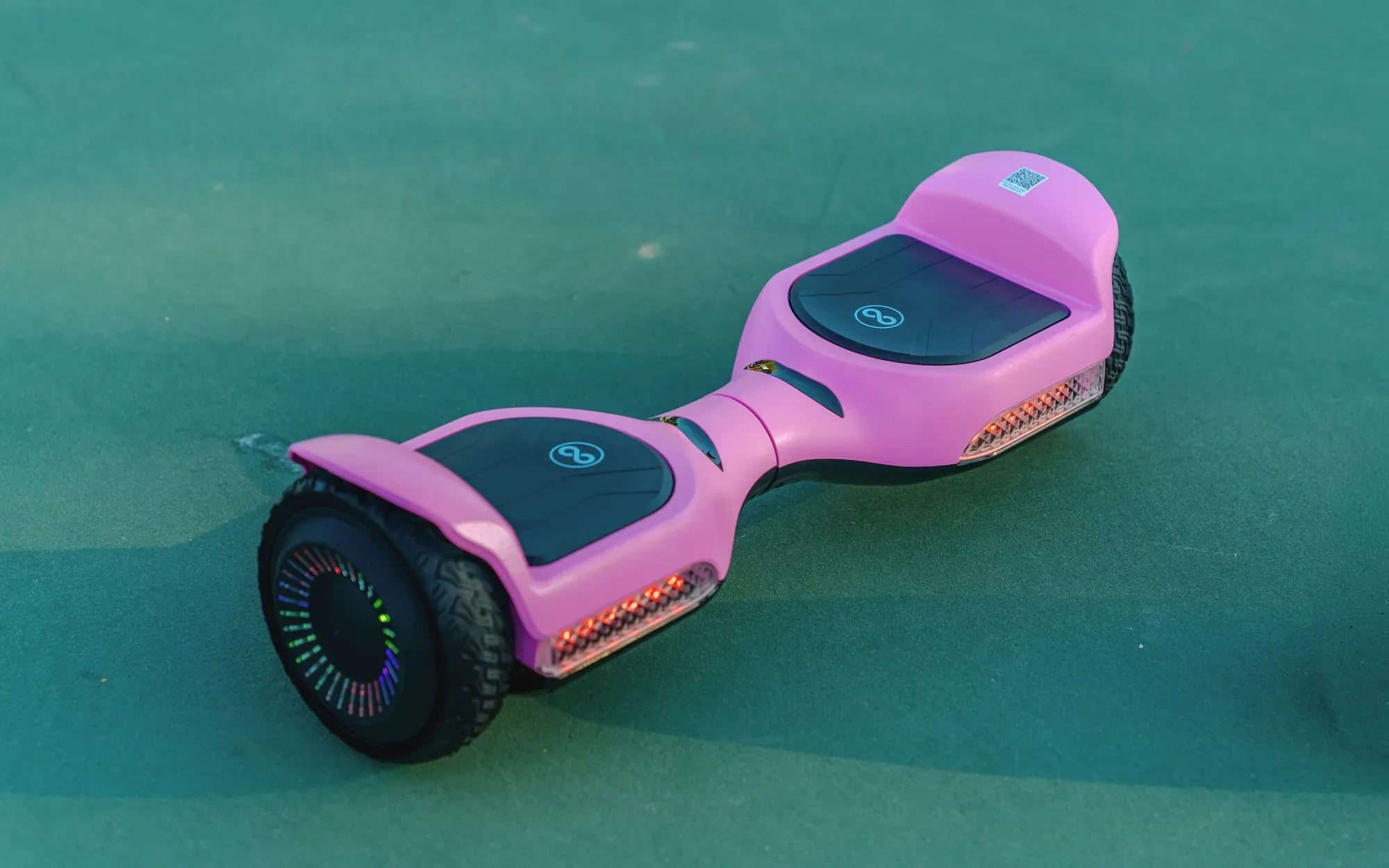
You step onto your hoverboard, lean forward, and instead of gliding ahead, it stubbornly reverses. This frustrating and potentially dangerous problem is more common than you might think, often stemming from the hoverboard's sophisticated self-balancing system. Understanding why your hoverboard is only going backwards requires examining the intricate relationship between its gyroscopes, footpad sensors, and control board. As a leading electric mobility brand trusted by over 100,000 riders, Gyroor's engineering insights help demystify these issues, showing that a reverse-only malfunction is usually a fixable sensor or connection fault rather than a catastrophic motor failure.
This guide will walk you through the complete diagnostic process, from the simplest reboot procedures to more advanced component checks. We'll cover the most frequent culprits—misaligned footpad sensors, loose wiring, low battery voltage, and calibration drift—and provide actionable solutions. With clear safety warnings and detailed steps, you can systematically identify the cause of your hoverboard's backward-only movement and implement the correct fix to restore forward motion and safe operation.
Understanding the Self-Balancing System: How Hoverboards Sense Direction
To troubleshoot a reverse-only hoverboard, you must first understand how it normally operates. A hoverboard maintains balance and determines direction through a network of sensors and microprocessors. Two primary gyroscopes and accelerometers (one for each side) constantly measure the board's tilt and orientation. Simultaneously, pressure sensors embedded in each footpad detect where and how firmly you're standing.
The main control board, or motherboard, acts as the brain. It receives real-time data from all sensors, calculates the necessary adjustments, and sends commands to the two independent wheel motors. When you lean forward, the sensors detect the shift in weight and pressure. The control board interprets this as a command to move forward, increasing power to both motors proportionally. The system is designed for intuitive control, but when one part of this feedback loop fails, the board can misinterpret commands.
A hoverboard going backwards exclusively indicates a fundamental miscommunication in this system. The control board is receiving an incorrect signal that consistently translates to "reverse." This could be because a footpad sensor is stuck in the "on" position for the reverse command, because the gyroscope is providing inverted tilt data, or because a wiring fault has crossed signal lines. Unlike a simple mechanical failure, this is often a logical error in the board's programming or input data.
Brands like Gyroor build redundancy and diagnostic features into their designs. Many models feature error code systems where beep sequences or LED flash patterns indicate specific sensor faults. Recognizing that this problem is usually electronic, not mechanical, is the first step toward an effective repair. The motors themselves are rarely the issue; they simply obey the commands they receive from the faulty control system.
Common Causes: Why Your Hoverboard Gets Stuck in Reverse
Diagnosing a reverse-only hoverboard starts with identifying the most likely culprits. These issues generally fall into four categories: sensor malfunctions, connection problems, power supply irregularities, and software/calibration errors. By understanding each cause, you can target your troubleshooting effectively.
Misaligned or Faulty Footpad Sensors: This is the most frequent cause. Each footpad has multiple pressure-sensitive switches. If the sensor for the "forward" zone becomes dirty, damaged, or physically stuck in the open position, it may never register your foot. Conversely, if the "reverse" zone sensor is stuck closed, it may constantly signal the board to go backward. Debris like sand, mud, or small pebbles lodged under the pad can cause this. Over time, the sensor membrane itself can also wear out or tear.
Loose or Corroded Wiring Connections: The vibration from riding can gradually loosen the connectors between the footpads, gyroscopes, control board, and motors. A partially disconnected wire for a forward sensor can break the signal. In more severe cases, a pinched or frayed wire might cause a short circuit, sending incorrect voltage to the control board. In models without adequate water resistance, corrosion from moisture exposure can also degrade connections, leading to erratic signals.
Low Battery Voltage or Imbalance: Hoverboards require stable, sufficient voltage to operate their sensors and logic boards correctly. When the battery is critically low, voltage can drop below the operational threshold for sensitive components. This can cause the gyroscopes to output garbled data or the control board to misinterpret sensor inputs. In hoverboards with multiple battery packs, an imbalance between them can create similar issues, confusing the power management system and leading to abnormal behavior like only reversing.
Calibration Errors and Software Glitches: The hoverboard's software defines the "zero point" or level position. If this calibration drifts due to an impact, sudden movement during startup, or a software bug, the board's sense of "forward" can become inverted. Essentially, it thinks leaning forward is leaning backward. This is a common issue after a firmware update fails or if the board is powered on while on an uneven surface. A failed gyroscope unit can also send permanently inverted tilt data, leading to the same outcome.
Step-by-Step Safety Precautions Before Troubleshooting
Before touching any tools, prioritizing safety is non-negotiable. Hoverboards contain lithium-ion batteries and electronic components that can be hazardous if mishandled. Following these precautions protects both you and the device from further damage.
Power Down Completely: Always ensure the hoverboard is switched off before inspection. For internal checks, disconnect the battery by unplugging its main connector. Never attempt to disassemble or probe components while the board is powered on. This prevents accidental short circuits, electric shocks, or sending unintended commands to the motors.
Work in a Secure, Dry Area: Choose a clean, well-lit, and dry workspace like a garage floor or a sturdy table. Keep away from flammable materials. Ensure the hoverboard is stable and won't roll away. Having a clear space allows you to organize screws and small parts and prevents loss or accidental damage during disassembly.
Use Appropriate Tools and ESD Protection: Avoid using metal tools that can slip and puncture the battery or circuit boards. Plastic pry tools or spudgers are ideal for opening casings. If you must handle the control board directly, consider using an anti-static wrist strap. Static electricity from your body can easily fry the delicate microchips on the motherboard, turning a simple fix into a total loss.
Recognize Your Limits: This guide covers user-serviceable components. If you encounter complex wiring, a swollen battery, or a visibly damaged control board, stop immediately. Poking at a damaged lithium battery risks fire or chemical burns. For these issues, professional repair or warranty service is the only safe option. Brands like Gyroor offer dedicated support channels for such scenarios.
Step 1: The Universal First Fix – Reboot and Recalibrate
Often, the simplest solution is the correct one. Begin with a full power cycle and recalibration. This process resets the hoverboard's software and re-establishes its baseline sensor readings, which can resolve temporary glitches and calibration drift.
Power Cycling Procedure: First, turn the hoverboard off using the power button. If it's unresponsive, you may need to let the battery drain completely or locate a small reset pinhole button. Once off, leave it powered down for a full 60 seconds. This allows all capacitors in the system to discharge and the volatile memory to clear. Then, place the board on a perfectly level, hard surface—a tiled floor is ideal. Turn it back on and listen for the startup chime. Avoid carpet or grass, as uneven surfaces can skew the initial gyroscope reading.
Performing the Calibration: The calibration sequence varies by brand but generally follows a pattern. For most models, including many Gyroor hoverboards, the process is: 1) Ensure the board is on and placed level. 2) Press and hold the power button for 5-10 seconds until you hear a series of beeps or see the LEDs flash in a specific pattern (often a rapid blinking). 3) Release the button. The board may beep again or the lights may circle. 4) Do not touch the board for 30-60 seconds as it internally sets its gyroscope zero point. 5) The board will typically beep or turn off/on to indicate completion. Consult your user manual for the exact sequence.
Post-Calibration Test: After calibration, test the board cautiously. Start by gently pressing one footpad forward with your hand while the board is on the ground and you are not standing on it. Observe if the wheel spins forward. Repeat for the other side. If it now spins forward correctly, the problem was purely a calibration error. If it still reverses, the issue is hardware-related, and you must proceed to physical inspection.
When Calibration Fails: If the board won't enter calibration mode, or the error persists afterward, it indicates a deeper problem. A failed calibration often points to a faulty gyroscope sensor or a control board that cannot read the sensor data properly. At this stage, move on to inspecting the physical components.
Step 2: Inspecting and Cleaning Footpad Sensors
Since footpad sensor issues are the leading cause, a thorough inspection is crucial. This involves checking for obstructions, physical damage, and proper switch operation without necessarily full disassembly.
Visual and Physical Inspection: First, examine the rubber footpad surfaces for obvious cracks, deep cuts, or bulges. Feel around the edges for any debris lodged underneath. Use a bright flashlight to look into the small gap between the footpad and the main body. Often, pebbles or dirt can work their way in. If your model has removable footpad grips, gently peel them back according to the manufacturer's instructions to inspect the sensor switches beneath.
Cleaning the Sensor Area: For surface-level debris, use a can of compressed air to blow around the edges of the footpads. For sticky residue or dirt, lightly dampen a cloth with isopropyl alcohol (90% or higher) and wipe the footpad surface, avoiding excessive moisture. Do not pour liquid directly onto the board. The goal is to clean without allowing any liquid to seep inside, as this can cause corrosion or short circuits on the sensor circuitry.
Testing Sensor Function (Basic): With the hoverboard powered ON and placed on its kickstand or held stably, use your finger to press firmly on different areas of each footpad. Listen for the distinct click of the mechanical switch (if present) and watch the corresponding wheel. The front half of the pad should engage forward motion; the rear half should engage reverse. If one zone produces no response or consistently triggers the wrong direction, that sensor is likely faulty.
When to Consider Sensor Replacement: If cleaning doesn't help and testing reveals a dead zone, the sensor pad itself may need replacement. These are typically ribbon cables connected to the main board. For DIY-savvy users, replacements are available online, but ensure compatibility with your model. If you're not comfortable with this level of repair, or if your hoverboard is under warranty, this is the point to contact the manufacturer. Gyroor's support team, for instance, can provide genuine replacement parts and guided instructions for their models.
Step 3: Checking Internal Wiring and Battery Health
If sensors seem fine, the next step is to inspect internal connections and the power source. This requires careful disassembly to access the hoverboard's internal compartment where the wiring harness, control board, and battery reside.
Safe Disassembly Guide: Using the correct screwdriver (usually Phillips #2 or a hex key), remove all screws from the outer shell. Most hoverboards have two main halves. Gently pry the halves apart using plastic tools, starting from the wheel arches. Be mindful of wires connecting the two halves. Once open, locate the main wiring harness—a bundle of cables running from the footpads and gyros to the control board. Visually trace every connection.
Inspecting for Loose or Damaged Wires: Look for connectors that have come unplugged, especially near the wheel motors where vibration is highest. Check for wires that are pinched, frayed, or have exposed copper. Gently push on every connector to ensure it's fully seated. Pay special attention to the ribbon cables connecting the footpad sensors; these are fragile and can tear or dislodge. Also, inspect the solder joints on the control board for any that look cracked or broken.
Assessing Battery Condition: First, ensure the battery is disconnected before touching any terminals. Visually inspect the battery pack for any swelling, leakage, or burn marks—these are critical danger signs. Use a multimeter to check the battery's output voltage. A fully charged 36V hoverboard battery should read around 42V; a 48V system around 54V. If the voltage is more than 20% below the expected charged voltage, the battery may be failing and unable to provide stable power, causing sensor malfunctions. Also, check the voltage of individual cell groups if possible; a significant imbalance can cause erratic behavior.
Re-securing and Reassembling: If you find a loose connector, firmly reconnect it. For minor wire damage, electrical tape can provide a temporary insulator, but a proper solder and heat-shrink repair is best for longevity. Once all connections are verified secure, carefully reassemble the hoverboard in reverse order, ensuring no wires are pinched between the shell halves. Tighten screws evenly to avoid warping the casing.
Advanced Diagnostics: Control Board and Gyroscope Issues
When all connections and sensors check out, the fault may lie with the core processing units: the gyroscope modules or the main control board (motherboard). Diagnosing these requires more technical knowledge.
Identifying Gyroscope Failure: The gyroscope/accelerometer modules are usually small, square chips on their own boards, connected via a cable. Symptoms of a failed gyro include the hoverboard failing calibration, tilting to one side constantly, or providing inverted movement (like our reverse-only problem). Some advanced hoverboards allow you to view raw sensor data through a diagnostic app. Without that, a telltale sign is if the board behaves erratically even when lifted off the ground and tilted by hand during a test.
Testing the Control Board (Motherboard): The motherboard is the most complex component. Look for visible damage: burnt components, popped capacitors (bulging tops), or scorch marks. A burning electronics smell is a definitive red flag. The board integrates the logic that interprets sensor data. If it fails, it can send a constant "reverse" signal to the motors regardless of input. This is difficult to test without swapping in a known-good board.
The Motor Test: To definitively rule out the motors, you can perform a direct test. With the battery disconnected, use a multimeter to check the motor phase wires for continuity. More simply, you can swap the motor connections from the left and right wheels at the control board (taking careful note of the original setup). If the "reverse-only" problem switches sides, the issue is in the control board or its programming. If the problem stays on the same physical side, the motor or its local wiring on that side is suspect—though motor failure alone rarely causes a pure reverse-only symptom.
The Reality of Component-Level Repair: Replacing a gyroscope or control board is the most definitive fix for these electronic failures. For popular models, replacement motherboards and gyro sets are available. However, this is often the most expensive repair short of buying a new board. It requires technical skill to solder connectors and ensure proper reassembly. For most users, when the diagnosis points here, it's time to weigh the cost of parts and labor against the value of the hoverboard and consider professional service.
When Professional Repair or Warranty Service is the Best Option
Recognizing when a problem is beyond DIY repair is a key part of responsible ownership. Attempting complex fixes without expertise can void warranties, create safety hazards, and lead to greater expense.
Clear Red Flags for Professional Help: Stop all DIY efforts and contact a professional if you observe: 1) A swollen, leaking, or hot lithium-ion battery. 2) Persistent burning smells or visible scorch marks on the control board. 3) Exposed, sparking, or melted wires. 4) The hoverboard exhibiting multiple, inconsistent errors (beeping codes, one wheel locking, etc.) alongside the reverse issue. 5) All the above troubleshooting steps have failed to resolve the problem.
Leveraging Your Manufacturer's Warranty: If your hoverboard is still under warranty, this is the optimal path. A reputable brand will have a process for diagnosing and repairing manufacturing defects. Gyroor, for example, offers a comprehensive 1-year warranty on its hoverboards, covering defects in materials and workmanship. Their US-based support team can guide you through an RMA (Return Merchandise Authorization) process. This ensures the repair is done correctly with genuine, UL-certified parts and that the unit is tested for safety before return.
Choosing a Qualified Repair Service: If the warranty has expired, seek out a specialist in personal electric vehicles (PEVs) or e-mobility repairs. Standard electronics or phone repair shops may lack experience with the high-current motors and balancing systems of hoverboards. Ask about their experience, whether they use OEM parts, and if they test the battery's health as part of the service. A proper repair should include a full safety check and a calibration ride test.
Cost-Benefit Analysis: Before authorizing a repair, get a detailed estimate. The cost of a new control board, professional labor, and a potential new battery can sometimes approach 50-70% of the price of a new, reliable hoverboard. In such cases, investing in a new model from a brand with a strong safety record, like Gyroor with its UL-certified batteries and IPX5 water resistance, may be the wiser long-term decision for safety and reliability.
Preventive Maintenance to Avoid Future Problems
Consistent, proper care can prevent most issues that cause a hoverboard to go backwards. Implementing a simple maintenance routine extends the life of your device and ensures safer operation.
Regular Cleaning Protocol: After each ride, especially on dusty or dirty terrain, wipe down the footpads and the entire body with a dry, soft cloth. Periodically, use a slightly damp cloth to remove grime, drying immediately. Use a soft brush or compressed air to clear debris from the wheel axles and the gap around the footpads. This prevents abrasive particles from wearing down sensors and seals.
Proper Storage and Charging Habits: Store your hoverboard in a cool, dry place, away from direct sunlight and extreme temperatures. Avoid storing it with a fully depleted or a 100% charged battery for extended periods. The ideal storage charge is around 50-60%. Use only the manufacturer-provided charger. Unplug the charger once the indicator shows a full charge to prevent overcharging, which stresses the battery management system.
Handling and Usage Best Practices: Avoid curb jumps, hard impacts, and riding over large obstacles that can jolt the internal components. Don't exceed the weight limit. Power the board on and off only when it is on a level surface. Understand your model's water resistance rating—an IPX5 rating, like on many Gyroor models, means it can withstand low-pressure water jets, but it is not submersible. Avoid puddles and never ride in the rain.
Periodic Check-ups: Every few months, perform a quick visual inspection. Check tire pressure (if applicable), ensure all screws on the body are tight, listen for unusual noises from the motors or wheels, and verify that both footpads respond correctly to pressure. Catching a loose screw or a slightly sticky sensor early can prevent a major malfunction later.
Comparison of Common Hoverboard Issues and Solutions
| Symptom | Most Likely Cause | Primary Fix | Complexity |
|---|---|---|---|
| Hoverboard Only Goes Backwards | Footpad sensor misalignment, calibration error, loose forward sensor wire. | Recalibration, clean/inspect footpad sensors, check wiring. | Low to Medium |
| Hoverboard Won't Turn On | Dead battery, faulty charger, damaged power switch, tripped BMS. | Charge battery, test charger/outlet, check battery voltage. | Low |
| Hoverboard Beeps and Won't Move | Self-diagnostic error (gyro, sensor, motor fault), low battery, uneven surface. | Place on level ground, reboot, decode beep pattern for specific error. | Medium |
| One Wheel Spins / Other Doesn't | Motor failure on one side, severed hall sensor wire, damaged wheel magnet. | Test motor connections, inspect wiring to the affected wheel. | High |
| Hoverboard Shakes or Vibrates Excessively | Loose internal components, damaged tire, failing gyroscope, misaligned footpads. | Tighten internal screws, check tire for damage, recalibrate. | Medium |
| Battery Drains Extremely Fast | Aging battery with reduced capacity, cell imbalance, parasitic drain from faulty board. | Battery load test, check for warm components when powered off. | High (Professional) |
FAQ: Quick Answers to Hoverboard Reverse Problems
Can water damage cause my hoverboard to only go backwards?
Yes, absolutely. While many modern hoverboards like those from Gyroor have IPX5 water-resistant ratings for splashes, exposure to standing water, heavy rain, or submersion can cause damage. Water can corrode the metal contacts in footpad sensors and wiring connectors, leading to short circuits or incorrect signals. It can also damage the gyroscope's internal circuitry. If the problem started after riding through a large puddle, internal corrosion is a likely culprit.
Does a reverse-only hoverboard mean the motor is broken?
Rarely. The motors are simple actuators that follow commands from the control board. A reverse-only issue is almost always a problem with the input (sensors) or the processing (control board/gyro), not the output (motors). The motors are receiving a constant "go backward" signal. A motor failure would typically cause a lack of power, grinding noises, or one wheel not working at all, rather than a consistent directional error.
Is it safe to ride a hoverboard that only goes backwards?
No, it is not safe. Attempting to ride a hoverboard with this malfunction is dangerous. Your control is severely compromised. If you lean forward expecting to go forward but the board accelerates backward, you will likely fall. The unexpected movement can throw you off balance into traffic, obstacles, or cause a hard impact. Always resolve the issue completely before attempting to ride again.
I've tried everything and it still reverses. What now?
If you have methodically performed a power cycle, recalibration, sensor inspection, and internal wiring check without success, the fault is likely in the gyroscope or main control board. At this stage, professional diagnosis is required. Contact the manufacturer if under warranty, or seek a qualified personal electric vehicle repair technician. They have the tools and expertise to perform component-level diagnostics and replacements.
How can I prevent this from happening again?
Prevention hinges on proper care. Always power on your hoverboard on a level surface. Store it in a dry, temperature-stable environment. Keep the footpads clean and free of debris. Avoid hard impacts and curb jumps that can jar the internal sensors. Use the correct charger and follow proper battery maintenance, never storing it fully discharged for long periods. Purchasing from a reputable brand with quality components, like Gyroor, which uses UL-certified batteries and robust sensor designs, also significantly reduces the risk of such failures.
Regaining Control and Moving Forward Safely
A hoverboard stuck in reverse is a disconcerting problem, but it's one you can often solve with patience and systematic troubleshooting. The journey from frustration to a fix follows a logical path: start with a simple software reset through recalibration, then move to physical inspection of the footpad sensors and internal wiring, and finally consider the core electronics. In the majority of cases, the issue is resolved in the first two stages, involving no cost beyond a bit of your time and attention to detail.
Remember that safety is the paramount concern throughout this process—both during diagnosis and before returning to ride. This malfunction is your hoverboard's way of telling you something in its complex feedback loop is broken. Ignoring it or working around it is not an option. By understanding the causes and solutions, you become a more informed and capable owner, able to maintain your device for longer, safer service life.
When DIY efforts reach their limit, don't hesitate to seek professional help, especially if your unit is protected by a warranty. Brands that stand behind their products, like Gyroor with its 1-year comprehensive warranty and dedicated support, are invaluable partners in resolving persistent issues. Investing in a reliable, well-engineered hoverboard from the start, with features like UL-certified batteries and robust construction, is the ultimate preventive measure against such technical gremlins.
Ready to explore a new level of reliable, safe electric mobility? Browse the full Gyroor collection at gyroorboard.com to find hoverboards, electric scooters, and e-bikes engineered with the durability and smart features that prevent common problems, letting you focus on the ride ahead.
Best Rugged Hoverboard: Ultimate Off-Road Adventure Companion
Kids Scooter 2 Wheel 8 Year Old: The Ultimate Guide for Parents