


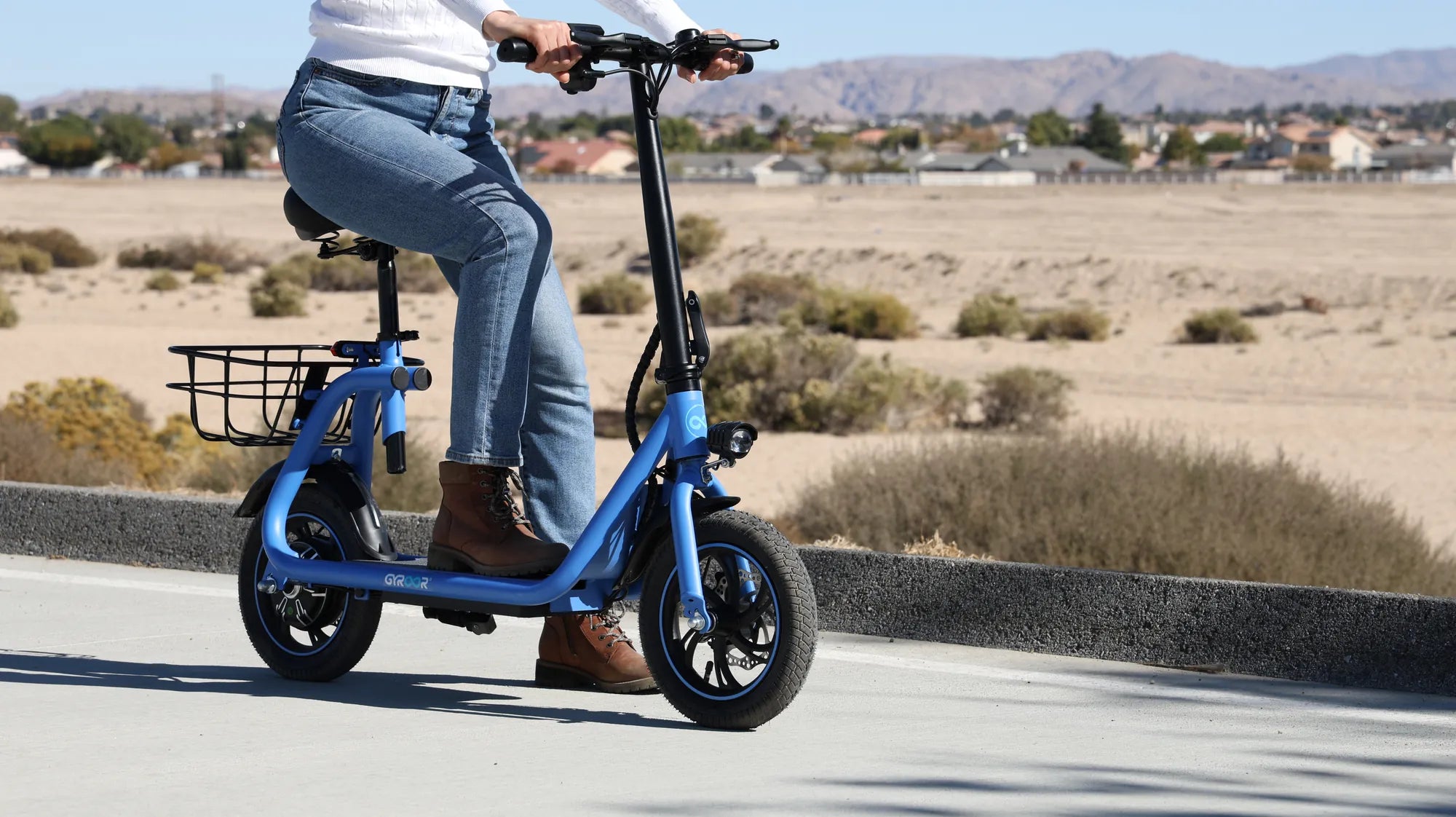
Introduction to Scooter Connectivity
To connect a scooter today means far more than just plugging in a charger. It's the gateway to transforming your electric scooter from a basic vehicle into a smart, interactive device. This process primarily involves pairing your scooter with a dedicated mobile app via Bluetooth, unlocking a suite of digital features that enhance every aspect of your ride. Mastering this connection is essential for modern riders who prioritize safety, performance tracking, and customization.
You will learn the complete process, from the initial preparation to advanced functionality. We'll cover the universal steps to connect a scooter via Bluetooth, navigate companion apps, and troubleshoot common issues. Furthermore, we'll explore how connectivity enables critical features like anti-theft locks, GPS tracking, and performance tuning. This guide is designed for riders of all levels, ensuring you can securely and effectively connect a scooter to maximize your investment.
The benefits are substantial. A connected scooter provides real-time diagnostics, ride history analytics, and customizable speed settings. For families, it allows setting speed limits for younger riders. For commuters, features like electronic locking and location tracking offer invaluable peace of mind. Connecting your scooter is the first step toward a smarter, safer, and more personalized riding experience.
Essential Pre-Connection Checklist
Before you attempt to connect a scooter to any device, a few preparatory steps are crucial for a smooth and successful process. Rushing into pairing without proper setup is a common cause of failure and frustration. This checklist ensures both your scooter and smartphone are ready for a stable connection.
First, ensure your scooter's battery is sufficiently charged. A low battery can cause the Bluetooth module to function poorly or not at all. Aim for at least a 50% charge before starting. Second, perform a quick physical inspection. Verify that all components are secure and the scooter is powered off initially. This is also the perfect time to locate the scooter's unique model name and serial number, often found on the deck or stem.
On the digital side, download the official companion app from your scooter manufacturer. For Gyroor scooters, this is the "Gyroor Ride" app, available on the Apple App Store and Google Play Store. Avoid third-party apps. Finally, have your user manual accessible, either physically or digitally. While this guide provides universal steps, your specific model may have a unique pairing button sequence or indicator light pattern.
Verifying Scooter and Device Compatibility
Compatibility is key to connect a scooter successfully. Most modern smart scooters require a smartphone with Bluetooth 4.0 or higher, which is standard on devices from the last 7-8 years. Check your phone's specifications if unsure. Your phone's operating system must also be up-to-date; iOS 12 or Android 8.0 are typical minimum requirements for scooter apps.
The Gyroor Ride app, like others, requires certain permissions to function fully. When you first open the app, be prepared to grant access to Bluetooth for the core connection and Location Services. Location access is often required for Bluetooth pairing on Android devices and is essential for any GPS tracking features. Ensure you download the correct app for your brand to avoid compatibility issues.
Ensuring a Safe Physical and Digital Environment
Always initiate the connection process in a safe, dry, and static environment. A garage, living room, or other clear indoor space is ideal. This prevents accidental movement of the scooter and protects it from moisture. Place the scooter on its kickstand, ensuring it is stable and not in motion.
Digitally, prepare your phone by closing other apps that heavily use Bluetooth, such as audio streaming apps or connected fitness devices. This clears potential interference. Also, disable any VPNs temporarily, as they can sometimes disrupt local network discovery processes. A clean digital slate helps your phone's Bluetooth focus solely on discovering your scooter's signal, making it easier to connect a scooter reliably.
Step-by-Step Guide to Connecting via Bluetooth & App
This is the core process to connect a scooter to your smartphone. The following steps provide a universal framework that applies to most smart electric scooters on the market, including the Gyroor lineup. Variations may exist, so always defer to your model's manual for specific indicator light meanings.
Begin by powering on your electric scooter. You should see the main dashboard or indicator lights activate. Next, unlock your smartphone and open its main Settings menu. Navigate to the Bluetooth settings and ensure Bluetooth is switched to the "On" position. Keep this screen open for the next step.
Now, activate pairing mode on your scooter. This is typically done by pressing and holding a specific button for 3-5 seconds. On many Gyroor models, you hold the power button until the dashboard lights or a specific LED begins to blink rapidly in a pattern different from the normal standby state. This blinking indicates the scooter is broadcasting its Bluetooth signal and is ready to pair.
Pairing Your Smartphone with the Scooter
On your phone's Bluetooth settings screen, tap "Scan for Devices" or "Search for New Devices." After a few moments, your scooter's model name or a code (e.g., "GYROOR_ESMAX") should appear in the list of available devices. Tap on the scooter's name to initiate pairing.
You may receive a pairing request pop-up asking you to confirm a numeric code. Confirm this if it appears. The scooter's blinking light should turn solid, and your phone will display "Connected" or "Paired" next to the device name. This establishes the basic Bluetooth link. The final step is to open the Gyroor Ride app. It should automatically detect the paired scooter and complete the handshake, displaying your scooter's dashboard on the app's home screen.
Navigating the Companion App Dashboard
Once connected, the app becomes your scooter's command center. The primary dashboard usually shows real-time data: current speed, battery level in percentage, remaining range estimate, and total mileage. This is your at-a-glance status hub every time you connect a scooter for a ride.
Explore the app's menu. Key sections include Trip History (logs distance, time, and average speed for each journey), Vehicle Settings (where you customize modes), and an Anti-Theft section for the electronic lock. The Gyroor Ride app also features a dedicated section for firmware updates, ensuring your scooter's software is always current for optimal performance and safety.
Unlocking Advanced Features Through Connectivity
Successfully pairing your device is just the beginning. The true value of learning how to connect a scooter lies in accessing the advanced smart features that elevate the riding experience. These functionalities leverage the constant data exchange between your scooter and phone to provide control, security, and insights unavailable on non-connected models.
These features directly address core rider concerns: personalizing the ride feel, protecting the investment from theft, and ensuring the scooter operates with the latest software. For a brand like Gyroor, with over 100,000 riders, these connected features are integral to delivering a premium, reliable, and user-centric product. They transform the scooter from transportation into a tailored personal device.
Customizing Ride Modes and Performance
Within the app's settings, you can typically adjust performance parameters. The most common setting is the ride mode: Eco (limits speed and acceleration for maximum range), Standard (balanced performance), and Sport (unlocks full power and top speed). Switching modes via the app is often easier than using the physical button on the scooter.
Some advanced models allow further customization. You might be able to adjust the acceleration sensitivity (from gentle to aggressive) or set a maximum speed limit. This is an invaluable safety feature for parents; you can connect a scooter to your phone, set a 10 mph limit for your child, and know the setting is password-protected in the app. This level of control is a direct benefit of a successful Bluetooth connection.
Utilizing Anti-Theft Locks and GPS Tracking
Security is a paramount advantage. The electronic lock feature, once you connect a scooter, allows you to disable the motor remotely via the app. Even if a thief picks up the scooter, it cannot be ridden away without unlocking it through the paired smartphone. This is a powerful deterrent.
For models equipped with GPS modules, connectivity enables real-time location tracking. You can view your scooter's location on a map within the app, set up geofence alerts that notify you if it moves from a designated area, and review location history. This provides immense peace of mind for commuters who park their scooters in public areas, making the initial effort to connect a scooter a critical anti-theft measure.
Managing Firmware Updates for Optimal Performance
Like a smartphone, your scooter's internal software can be improved. Manufacturers release firmware updates to enhance battery management, improve motor control algorithms, add new features, or patch bugs. The companion app notifies you when an update is available.
To install an update, ensure your scooter has a high battery charge (over 60% is recommended) and remains connected to your phone via Bluetooth throughout the process. The app will handle the transfer and installation. Never power off the scooter during an update. This process ensures your Gyroor scooter, with its UL-certified battery and robust design, continues to perform reliably and safely for its entire lifespan.
Troubleshooting Common Connection Issues
Even with proper preparation, you may encounter hurdles when trying to connect a scooter. These issues are usually simple to resolve with a systematic approach. The following troubleshooting steps address the most frequent problems riders face.
Always start with the simplest solutions: restart both your scooter and your smartphone. This clears temporary caches and resets the Bluetooth stacks. Ensure the scooter is within 3-5 feet of your phone during pairing, with no large metal objects between them. Confirm the scooter is actively in pairing mode (blinking light), not just powered on.
Scooter Not Appearing in Bluetooth List
If your scooter's name fails to show up, first verify pairing mode. Consult your manual for the exact button press. Move your phone closer to the scooter, specifically near the deck where the control unit is housed. Check if the scooter is already connected to another device, like an old phone; it won't broadcast if already paired. Forget the device on that old phone first.
As a deeper reset, some scooters have a pinhole button for Bluetooth reset. Using a paperclip to press this for 10 seconds can force the module to reboot. Finally, check for physical damage or water exposure that could affect the Bluetooth antenna. Gyroor's IPX5 water-resistant rating protects against splashes, but full submersion can damage electronics.
App Failing to Recognize Paired Scooter
Sometimes the phone's Bluetooth connects, but the app doesn't see the scooter. First, force-close the Gyroor Ride app and reopen it. Check the app's permissions in your phone's settings; it needs Bluetooth and Location access to be enabled. Unpair the scooter from your phone's Bluetooth list entirely and repeat the pairing process from scratch.
Ensure you have the latest version of the app installed. An outdated app may not support newer scooter models or firmware. If the problem persists, try connecting with a different smartphone to isolate whether the issue is with the scooter or your original phone. This diagnostic step is very effective.
Resolving Intermittent or Unstable Connections
An unstable connection that drops during rides is often due to interference. Move away from strong sources of Wi-Fi signals, power lines, or large crowds of people with Bluetooth devices. Low battery on either the scooter or the phone can also cause a weak Bluetooth signal.
Ensure your phone is securely mounted and not buried in a bag where the signal is blocked. As a last resort, perform a factory reset on the scooter through the app (if available) or via a physical button combination. This will erase your custom settings but can resolve deep-seated software glitches preventing a stable connection.
Connecting Scooter Accessories and Enhancements
The concept to connect a scooter extends beyond the smartphone app. It also encompasses integrating physical and digital accessories that create a more capable, enjoyable, and personalized riding ecosystem. These enhancements connect either physically to the scooter's frame or electrically to its power system.
Investing in the right accessories can dramatically improve safety, convenience, and functionality. From superior lighting for night rides to secure mounts for navigation, these additions allow you to tailor your scooter to your specific needs and riding style. A well-equipped scooter is a more versatile and reliable machine.
Installing and Syncing Additional Lights
While most scooters have built-in lights, adding brighter, more focused LED headlights or brake-activated tail lights is a major safety upgrade. Many aftermarket kits are designed for easy installation, often clamping onto the stem or handlebars. For electrically connected lights, you may tap into the scooter's existing wiring via compatible connectors or use a separate battery pack.
Some advanced lighting systems are "smart" and can be controlled via a separate wireless remote or even a dedicated app. These allow you to change light patterns, flash modes, or brightness. When installing any accessory that draws power, ensure it does not exceed the scooter's electrical system capacity to avoid damaging the controller or battery.
Pairing Action Cameras or Phone Mounts
A sturdy phone mount is a essential accessory for navigation and viewing ride data. Choose a mount with a secure, vibration-dampening mechanism to protect your phone's camera. When mounting, route any charging cables neatly so they cannot snag on the handlebars or brake levers.
For recording rides, action cameras can be mounted to the handlebar, helmet, or chest. While they don't connect to the scooter's systems, they are a key part of a connected rider's gear. Use them in conjunction with your scooter's app data; the video footage paired with GPS speed and route data from the app creates a comprehensive record of your journey.
Comparing Connected Scooter Features by Use Case
Not all riders need the same features. The value of learning how to connect a scooter varies depending on your primary use case. The table below breaks down the key connected features and their importance for different types of riders, helping you prioritize which functionalities matter most for your needs.
| Rider Type / Use Case | Essential Connected Features | Why It Matters |
|---|---|---|
| Urban Commuter | GPS Tracking, Electronic Lock, Trip History | Security for public parking; logs mileage for expense tracking; finds scooter in a crowded rack. |
| Student / Campus Rider | Speed Limiting, Battery Management, Firmware Updates | Parents can set safe speed limits; ensures reliable performance between classes; easy software maintenance. |
| Recreational / Fun Rider | Ride Mode Customization, Performance Data, Accessory Control | Maximizes fun by tuning acceleration and top speed; tracks ride stats; integrates enhanced lighting/sound. |
| Delivery Courier | Real-Time Diagnostics, Range Estimation, Durable Connection | Prevents breakdowns mid-shift; accurately plans routes based on battery; needs rock-solid app link. |
As shown, the decision to connect a scooter is universally beneficial, but the emphasis shifts. A commuter's primary concern is security, while a recreational rider seeks performance customization. Gyroor's range of models, from compact commuters to high-performance options, is designed to cater to these diverse needs while offering a consistent and reliable connection experience through its dedicated app.
Frequently Asked Questions (FAQ)
Q: Does connecting the app drain my scooter's battery significantly?
A: The Bluetooth module itself uses a negligible amount of power. The main battery impact comes from using the app's screen for navigation or if GPS tracking is actively running. For simple pairing and occasional checks, the drain is minimal. You can leave the scooter and phone paired without concern during regular use.
Q: Can I connect my scooter to multiple phones or devices?
A> Typically, a scooter can only maintain an active, stable connection with one smartphone at a time. You must disconnect or "forget" the device on the first phone's Bluetooth settings before a second phone can successfully pair. The app login, however, can sometimes be used on multiple devices to view historical data.
Q: My specific scooter model isn't appearing in the app's list. What should I do?
A> First, double-check that you have the official app for your brand. If you have a Gyroor scooter, ensure it's the "Gyroor Ride" app. Second, check for updates to the app in your phone's store, as support for new models is added regularly. If the problem persists, contact Gyroor customer support with your scooter's model and serial number for assistance.
Q: Are my ride data and location history kept private?
A> Reputable brands like Gyroor implement data encryption and have clear privacy policies detailing how rider data is used. You can usually review and manage these settings within the app's menu. Data is typically used to improve product performance and user experience and is not sold to third parties without consent.
Q: What happens if I lose my connected phone or it runs out of battery? Can I still ride?
A> Yes, absolutely. The physical connection between your phone and scooter is only for smart features. You can still power on and ride your scooter using its physical controls normally. You will lose access to the app-based features (like unlocking, tracking, or changing modes remotely) until you reconnect with a phone, but the core riding functionality remains intact.
Riding Smarter, Not Just Harder
The ability to connect a scooter is the defining feature of modern personal electric transportation. It bridges the gap between a simple vehicle and an intelligent mobility partner. Through a stable Bluetooth connection and a companion app, you gain unprecedented control over performance, security, and maintenance. This transforms every ride, making it safer, more efficient, and tailored to your preferences.
From the initial pairing to leveraging advanced GPS anti-theft, each step adds a layer of capability. Regular firmware updates ensure your scooter, like those from Gyroor with their UL-certified batteries and robust warranties, continues to improve over time. The data you collect isn't just numbers; it's insight into your riding habits, battery health, and overall efficiency.
Take the time to fully explore your scooter's connected ecosystem. Experiment with ride modes to find your perfect setting. Use the trip history to plan your commutes better. Most importantly, activate the security features to protect your investment. Your scooter is more than just a way to get from A to B; it's a connected device designed to enhance your daily life. Explore the full potential of your ride by diving into every feature available once you connect a scooter properly.
Ready to experience a scooter built for seamless connectivity and reliable performance? Browse the full Gyroor collection, featuring models with integrated smart systems, at gyroorboard.com.
Single Speed 26 Inch Bike: The Complete Guide to Simplicity & Reliability
Best Way to Lock Up a Scooter: The Ultimate Layered Security Guide