

Introduction: Finding Safe, Affordable Fun for Kids
Hoverboards offer a thrilling blend of balance and mobility that captivates kids. For parents, the challenge lies in finding a model that fits a modest budget without cutting corners on essential safety. The search for a reliable hoverboard for kids under $70 requires a focused strategy, prioritizing core safety certifications over flashy extras. This guide will walk you through what to realistically expect at this price point, the critical features you must verify, and the safety practices that are just as important as the product itself. Our goal is to equip you with the knowledge to make an informed purchase that delivers fun and security.
What to Expect from a Hoverboard Under $70: Realistic Features
Setting accurate expectations is the first step in smart shopping. A hoverboard for kids under $70 represents the entry-level segment of the personal electric transport market. At this price, you are investing in a functional device for basic recreation, not a high-performance machine. The primary construction material is typically durable ABS plastic, which keeps weight and cost down while providing a sturdy shell.
Performance specifications are modest but sufficient for casual use. You can expect a maximum speed between 6 to 8 miles per hour, which is appropriate for younger or beginner riders. The range per charge generally falls between 5 to 8 miles, translating to about 30 to 45 minutes of continuous ride time. Weight limits are crucial; most models in this range support riders from 44 lbs up to 165 lbs, but always check the specific manufacturer's rating.
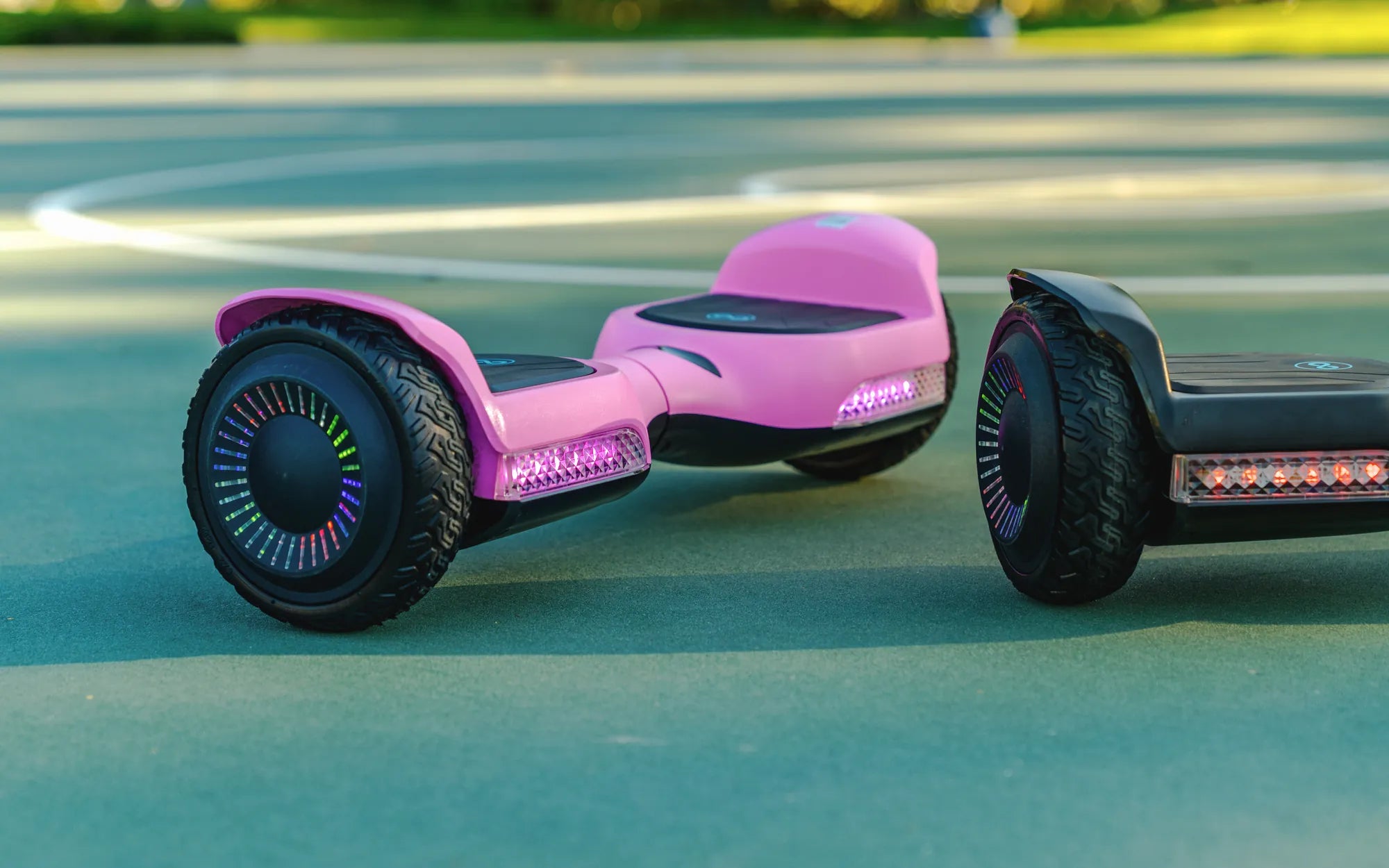
Feature sets are often basic but fun. Many models include colorful LED wheel lights for visibility and style, and some may have a simple Bluetooth speaker. However, the focus should remain on fundamental safety and build quality. Advanced features like app connectivity, all-terrain tires, or premium deck materials are not standard at this price. The key is to ensure the core components—battery, motor, and frame—are built to safe, reliable standards.
The Non-Negotiables: Safety Features You Must Check
When budget is a constraint, safety cannot be compromised. There are specific, verifiable features that separate a trustworthy toy from a potential hazard. These are the absolute minimum requirements for any hoverboard, especially one intended for children.
UL 2272 Certification: The Gold Standard
This is the single most important feature to verify. UL 2272 is a rigorous safety standard developed by Underwriters Laboratories that tests the entire electrical system, including the battery, charger, and circuitry, for fire and electrical hazards. Hoverboards that caused fires several years ago lacked this certification. A genuine UL 2272 certification means the battery pack has passed extensive stress tests. Always look for the UL mark on the product itself, its packaging, or in the official product description. Reputable brands, like Gyroor, prioritize this certification across their product lines to ensure rider safety.
Build Quality and Weight Limit
Inspect the build for sturdiness. The frame should feel solid without excessive flex. The foot pads must have a textured, non-slip surface to provide grip for the rider's shoes. Adhere strictly to the manufacturer's stated weight limit. Exceeding it can strain the motors, drain the battery rapidly, and critically affect the board's balance and responsiveness, increasing the risk of falls. A clearly stated and appropriate weight limit is a sign of a responsibly designed product.
Wheel Size and Terrain Handling
Wheel size directly impacts stability and ride comfort. Most budget-friendly hoverboards feature 6.5-inch wheels. These smaller, often solid rubber wheels are best suited for very smooth, indoor surfaces like hardwood, tile, or smooth concrete. They can struggle with sidewalk cracks, small pebbles, or any outdoor debris. For slightly rougher pavement, models with 8-inch or larger, rubberized wheels offer better handling, but they are less common under $70. Matching the hoverboard's wheel design to your child's intended riding environment is a key safety and satisfaction factor.
Top Considerations When Shopping for a Budget Hoverboard
Beyond the non-negotiables, several practical factors will determine the long-term satisfaction and value of your purchase. Use this checklist when comparing different models of a hoverboard for kids under $70.
Battery and Charge Time
The battery is the heart of the hoverboard. Look for the capacity, listed in watt-hours (Wh) or milliamp-hours (mAh). In this price range, a 36V, 4.0Ah (or approximately 144Wh) battery is common. Expect a full charge to take 2 to 4 hours. Teach your child to stop riding when the board's indicators show low battery, as deep discharging can harm the battery's lifespan. Always use the manufacturer-provided charger and store the board in a cool, dry place when not in use.
Customer Reviews and Warranty
Never skip the reviews. Focus on verified purchase reviews and pay close attention to comments about durability over time, real-world battery life, and the responsiveness of customer service. Look for patterns: are there repeated complaints about a specific part failing? A product with a high volume of generally positive reviews is a good sign. Also, check for a warranty. Even a 90-day or 6-month limited warranty indicates the manufacturer stands behind their product and can provide support if a defect arises.
Brand Reputation and Support
Opting for a brand with an established reputation in personal electric transport is wise. These companies understand the engineering and safety standards required. For instance, Gyroor, known for its UL-certified batteries and IPX5 water-resistant designs in its electric scooters and e-bikes, applies a safety-first philosophy across its development process. Choosing a brand with a track record means you're more likely to get a product designed with fundamental safety principles, even in their most affordable offerings.
Essential Safety Tips for Kids and Parents
The safest hoverboard can still be dangerous without proper usage. Safety is a partnership between a well-made product and responsible riding habits.
Gear Up: The Importance of Protective Equipment
This is non-negotiable. Every riding session requires a properly fitted CPSC-certified bicycle or multi-sport helmet. Additionally, knee pads, elbow pads, and wrist guards are essential. Wrist guards are particularly important, as falls often involve putting hands out to brace. Ensure all gear fits snugly without restricting movement. Making safety gear a non-debatable part of the "riding uniform" from day one establishes a critical lifelong habit.
Supervised Learning and Safe Zones
Always supervise your child, especially while they are learning. Start in a flat, open, car-free area like an empty tennis court, basketball court, or smooth driveway. Hold their hands as they learn to mount, dismount, and find their balance. Teach them to look ahead, not down at their feet, and to use gentle, controlled movements for turning and stopping. Clearly define boundaries for where riding is permitted and strictly forbid riding near roads, stairs, or swimming pools.
Maintenance and Storage Best Practices
Simple, regular checks can prevent accidents. Before each use, inspect the hoverboard for loose screws, cracks in the body, or debris stuck in the wheels. Wipe down the foot pads to keep them grippy. For storage, keep the board in a dry area away from direct sunlight or extreme temperatures. If storing for more than a few weeks, leave the battery with a partial charge (around 50-70%) to maintain its health.
Comparing Your Options: Key Features at a Glance
To help visualize the trade-offs and priorities in the sub-$70 category, the following table outlines common specifications and what they mean for your child's experience. This is a generalized comparison based on market trends.
| Feature | Typical Specification Under $70 | What It Means for the Rider |
|---|---|---|
| Max Speed | 6 - 8 mph | Safe for beginners; suitable for controlled environments. |
| Max Range | 5 - 8 miles | About 30-45 mins of ride time; ideal for short sessions. |
| Weight Limit | 44 - 165 lbs | Must be strictly adhered to for safety and performance. |
| Wheel Size | 6.5 inches (common) | Best for very smooth indoor/outdoor surfaces. |
| Battery Charge Time | 2 - 4 hours | Requires planning; avoid using while charging. |
| Key Safety Feature | UL 2272 Certification | MUST HAVE for fire and electrical safety. |
| Common Build | ABS Plastic Frame | Lightweight and durable, but check for sturdiness. |
Frequently Asked Questions (FAQs)
Are hoverboards under $70 safe for my 8-year-old?
They can be safe if they carry the UL 2272 certification and are used with full protective gear under direct adult supervision. The child's maturity, coordination, and ability to follow safety rules are as important as the device's features. Always start with training in a safe, controlled environment.
How long does the battery last on an affordable model?
On a full charge, you can typically expect 30 to 45 minutes of continuous ride time. The actual duration depends on the rider's weight, terrain, and how often they accelerate. The battery itself, if properly cared for, should maintain reasonable capacity for the functional life of the board.
Can it be used on grass or rough pavement?
Most models in this price range are not designed for off-road use. Small, solid wheels can get stuck on grass, gravel, or even large sidewalk cracks, leading to instability and potential falls. They are best used on smooth, hard surfaces like indoor flooring, smooth concrete, or asphalt in good condition.
What is the most important thing to look for?
Without any doubt, the UL 2272 certification. This is the baseline for electrical and fire safety. No other feature—lights, speed, or design—matters if this certification is missing. It is the fundamental indicator of a responsibly manufactured product.
Do these hoverboards come with a warranty?
Many do, but the length and coverage vary. It's common to find limited warranties of 90 days to 6 months. A warranty is a positive sign, but always read the terms to understand what is covered (e.g., manufacturing defects) and what is not (e.g., damage from misuse).
Conclusion: Smart Shopping for Peace of Mind
Finding a great hoverboard for kids under $70 is a exercise in prioritized shopping. By focusing relentlessly on UL 2272 certification, solid build quality, and realistic performance expectations, you can secure a source of affordable fun. Remember, the product is only one part of the equation. Pairing it with consistent safety rules, mandatory protective gear, and supervised practice creates the complete package for secure enjoyment. The goal is joyful memories, not unnecessary risks. For parents interested in a brand that embeds safety into its engineering philosophy across a range of personal electric vehicles, from hoverboards to e-bikes, it's worth exploring reputable options. Browse the full Gyroor collection at gyroorboard.com to see how safety and performance are built into every design.
My Hoverboard Won't Charge: A Complete Troubleshooting and Fixing Guide
My Hoverboard Won't Charge: A Complete Troubleshooting and Fixing Guide