


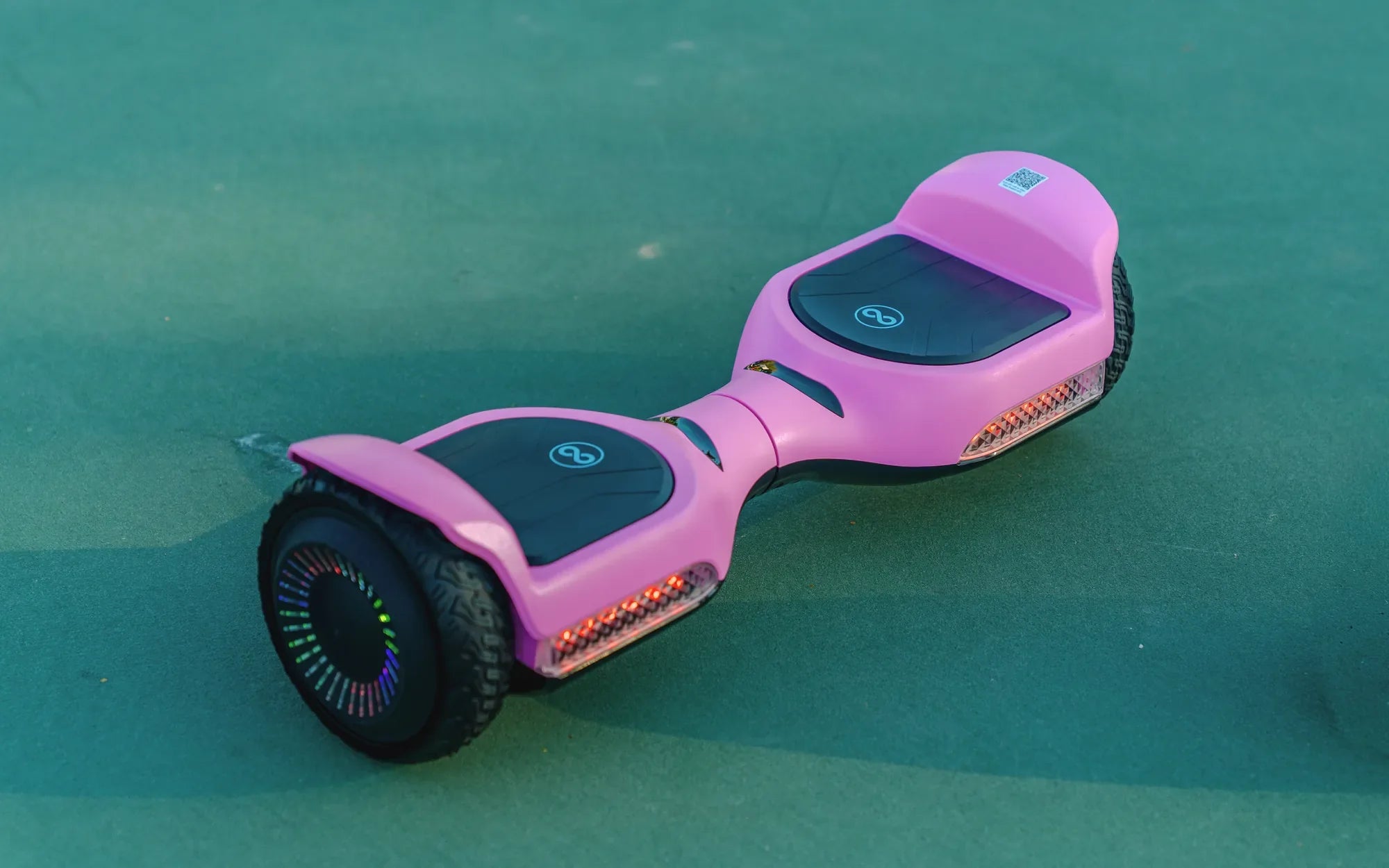
Introduction: Deciphering Your Hoverboard's Beep Code
If your hoverboard won't stop beeping, you're not just dealing with an annoying sound—you're hearing a critical diagnostic alert. This persistent beeping is your device's primary method of communicating that something is wrong, potentially with its battery, balance sensors, or internal wiring. Ignoring it can lead to reduced performance, sudden shutdowns, or even safety hazards. Understanding these "beep codes" is the first step to a safe and quiet ride.
Modern self-balancing scooters are complex electronic devices packed with sensors, gyroscopes, and battery management systems. Brands committed to rider safety, like Gyroor, design these audible warnings as a fail-safe to prevent operation during a fault condition. The continuous beep is a clear command to stop riding and investigate. This guide will help you decode the signal and apply the correct fix.
We will systematically explore every major cause behind a hoverboard's relentless beeping. From simple low-battery warnings to more complex gyroscope malfunctions, we provide a clear diagnostic path. Following our structured solutions, you can progress from basic resets to more involved checks, always prioritizing your safety. The goal is to transform that frustrating beep back into the smooth, silent hum of a properly functioning board.
Common Causes of a Beeping Hoverboard: A Diagnostic Guide
A hoverboard that won't stop beeping is trying to tell you exactly what's wrong. The sound is a symptom, and identifying the root cause is essential for an effective repair. The issues typically fall into a few key categories: power supply problems, connection faults, sensor errors, or physical obstructions. By methodically checking each area, you can pinpoint the culprit.
It's helpful to think of the troubleshooting process as a flowchart. Start with the simplest and most common explanations before moving to more complex diagnostics. Always begin with the hoverboard powered OFF and in a safe, stable position. Rushing through checks or ignoring safety can lead to further damage or personal injury. Patience and a systematic approach are your best tools.
Quality of construction plays a significant role in frequency of these issues. Boards built with robust components, like Gyroor's models featuring UL-certified battery packs and IPX5 water-resistant designs, are inherently less prone to the connection failures and power irregularities that trigger constant beeping. Investing in a reliable brand is a proactive step toward avoiding this nuisance.
Low or Unbalanced Battery Power
The most frequent trigger for a hoverboard's beeping alarm is a battery issue. Each hoverboard contains two battery packs, one for each wheel motor. If the overall voltage drops too low, or if one pack drains significantly faster than the other, the board's Battery Management System (BMS) will trigger a warning beep. This prevents damage from deep discharge, which can permanently ruin lithium-ion cells.
An unbalanced battery system creates instability. The board's sensors detect that one side has less available power, making it difficult to maintain level calibration and safe operation. The beeping serves as a critical alert that the device is no longer operating within its safe electrical parameters. Continuing to ride on an unbalanced or low battery risks a sudden loss of power.
Gyroor and other reputable brands use matched, high-quality battery cells and sophisticated BMS technology to maintain balance between packs. This design minimizes the risk of the unbalanced power scenarios that cause beeping. Using only the manufacturer-provided charger and following proper charging protocols is essential for maintaining this balance over the battery's lifespan.
Loose or Faulty Wiring Connections
Inside the hoverboard's shell, a network of wires connects the battery packs, control boards, gyroscopes, and motors. The constant vibration from riding can, over time, loosen these connectors. A slightly loose plug can cause an intermittent connection, leading the mainboard to believe a component has failed. This perceived fault instantly triggers a persistent beeping alarm.
The problem often manifests after a minor impact, like going over a large bump, or during the board's startup self-test sequence. If a wire has become partially disconnected, the circuit may be complete enough for the board to power on but not stable enough for normal operation. The beeping is a direct result of this unstable electrical signal.
Robust internal construction is key to preventing this. Gyroor designs its boards with secure, well-routed wiring harnesses and strain relief on connections to withstand the rigors of daily riding. For users of other brands, internal connection issues are a common culprit, especially in models that have endured rough treatment or were assembled with less attention to detail.
Sensor or Gyroscope Malfunction
The gyroscope and tilt sensors are the brains of the hoverboard, telling it how to balance. If these components malfunction, get dirty, or become misaligned, they send incorrect data to the main processor. The board recognizes this corrupted data stream as a critical failure and will beep continuously to prevent the rider from mounting, as it cannot guarantee safe self-balancing.
Physical damage from a hard drop or impact is a common cause of sensor failure. However, malfunctions can also occur from moisture ingress (exceeding the board's IP rating), extreme temperature changes, or simple calibration drift over time. The beeping associated with a sensor fault is often accompanied by other symptoms, like the board refusing to level itself or one wheel spinning independently.
Recalibration is the first-line fix for many sensor-related beeps. This process resets the gyroscope's understanding of "level." If calibration fails to stop the beeping, the sensor module itself may require professional inspection or replacement. High-quality sensors, like those used in Gyroor's lineup, are typically more resilient to calibration drift and environmental factors.
Motor or Wheel Obstruction
Hoverboard motors are designed to spin freely. If a foreign object—such as hair, string, gravel, or mud—becomes tightly wound around the axle or lodged in the motor housing, it creates significant drag. The motor must work harder to overcome this resistance, drawing excessive current and potentially overheating. The board's safety system detects this abnormal strain and beeps to warn the rider of a motor fault.
Similarly, a damaged wheel bearing can create friction and resistance, mimicking an obstruction. The beeping in this scenario is a protective measure to prevent the motor from burning out or the battery from being over-stressed. It's a mechanical warning as much as an electrical one.
Regular visual inspection of the wheel wells and axles is crucial preventive maintenance. A quick clean after riding on debris-filled paths can prevent this issue entirely. The sealed motor designs in quality boards offer some protection, but no design is completely immune to stubborn debris like carpet fibers or long grass.
Overload or Weight Limit Exceeded
Every hoverboard has a maximum weight rating, typically between 220 lbs and 265 lbs for adult models. Exceeding this limit places excessive stress on the motors, batteries, and structural frame. The board's sensors detect the strain as the motors draw more current than usual to maintain balance and propulsion. This triggers a safety beep to alert the rider that the board is operating beyond its engineered capacity.
Riding while overloaded not only causes beeping but also accelerates wear on all critical components, reduces battery life, and increases the risk of mechanical failure. The beep is a direct feedback mechanism from the board's power system. It's important to note that the limit includes the rider's weight plus any carried backpack or cargo.
Respecting the manufacturer's specified limits is non-negotiable for safe operation. Brands like Gyroor clearly state the weight capacity for each model, ensuring riders can choose a board suited to their needs. Using a board within its parameters is fundamental to avoiding this and many other operational issues.
Step-by-Step Solutions to Silence the Beep
Once you've theorized the cause, it's time to take action. Follow these solutions in order, starting with the simplest and safest procedures. Always ensure the hoverboard is powered OFF and not connected to the charger before beginning any physical inspection or repair. If at any point you feel unsure, stop and consult a professional.
The sequence is designed to resolve the majority of beeping issues without requiring you to open the board's shell. Most problems are related to calibration, charging, or simple obstructions. Only proceed to internal checks if you are confident and understand that doing so may void your manufacturer's warranty. Your safety is the top priority.
Initial Reset and Calibration
This is the universal first step, often called the "master reset." It clears temporary errors in the board's memory and resets the gyroscope. First, ensure the board is on a perfectly flat, level surface. Power the board ON. If it's beeping, press and hold the power button for 10-15 seconds until it powers off completely. Wait 60 seconds, then power it back on.
If the beeping persists, proceed with a manual calibration. The exact method varies by brand, but a common sequence is: Power the board OFF. Place it on the level surface. Press and hold the power button for 5-10 seconds until you hear a series of beeps or see lights flash in a specific pattern (consult your manual). Release the button and wait. The board will often turn off automatically. Wait a minute, then turn it on normally.
A successful calibration is often indicated by the board's LED lights flashing in a new pattern before settling. This process can resolve beeping caused by sensor drift, minor software glitches, or imbalances detected after an impact. If the beeping stops after calibration, the issue was likely temporary sensor confusion.
Battery Inspection and Charging Protocol
Improper charging is a major source of beeping alarms. Start by inspecting the physical charger and port. Ensure the charger cable is firmly plugged into both the wall outlet and the hoverboard's charging port. Look for any bent pins, debris in the port, or damage to the cable. Use only the original charger provided by the manufacturer.
Plug in the board and allow it to charge undisturbed for the full recommended time, usually 2-4 hours. A quality charger and BMS, like those in Gyroor boards, will automatically switch to a trickle charge once full to prevent overcharging. Do not use the board while it's plugged in. After a full charge, unplug it and immediately try to power it on. A healthy, balanced charge often resolves low-voltage beeping.
If the board beeps *while* charging, unplug it immediately. This indicates a serious battery or charger fault. Do not attempt to charge it again with that charger. This scenario requires professional diagnosis, as it could point to a damaged battery pack that needs replacement to ensure safety.
Internal Connection Check (For the Confident User)
Warning: Opening your hoverboard will almost certainly void its warranty. Only attempt this if you are comfortable with basic electronics and accept all risks. If simple resets and charging don't work, a loose internal connection is likely. You will need the correct screwdriver (often Phillips #2) to open the shell. Carefully separate the two halves, noting any clip locations.
Once open, visually inspect all wire harnesses and connectors. The primary connections to check are between the battery packs and the main control board, and between the control board and each wheel motor. Gently press on each connector to ensure it is fully seated. Look for any wires that are pinched, frayed, or disconnected.
Do not disassemble the battery packs or touch capacitor terminals. After checking connections, carefully reassemble the board, ensuring all screws are tightened securely and no wires are trapped. Power it on to test. If the beeping was caused by a loose plug, this physical reseating should resolve it.
Cleaning and Debris Removal
Physical blockages require a physical solution. Tilt the hoverboard on its side or turn it completely upside down in a stable manner. Visually inspect the area where the wheel meets the main body—the axle and motor housing. Use a bright flashlight to look for wrapped hair, string, leaves, or mud caked in the space.
For soft debris like hair, use tweezers or a small hook tool to carefully pull it out. For hardened mud or gravel, use a soft brush or cloth. Avoid using sharp metal tools that could scratch the axle or damage the motor seal. Rotate the wheel by hand to check for smooth, unobstructed movement. A clean wheel should spin freely for several seconds before stopping.
Also, wipe down the footpad sensors and the area around any external sensor ports with a dry cloth. After cleaning, place the board on a level surface and perform the calibration procedure again. Removing an obstruction often immediately stops the strain-related beeping.
When to Contact Professional Support
If you have performed all the above steps—reset, calibration, full charge, visual inspection for debris—and the hoverboard still won't stop beeping, it's time to seek professional help. The issue is likely a failed internal component, such as a damaged gyroscope sensor, a faulty control board, or a compromised battery pack.
Continuing to attempt DIY repairs on complex electrical systems can be dangerous. Lithium-ion batteries require special handling, and incorrect diagnosis can lead to further damage or safety risks. Professional technicians have the tools and expertise to run precise diagnostics, such as checking individual cell voltages within a battery pack.
This is where a strong warranty is invaluable. If your Gyroor hoverboard is within its 1-year comprehensive warranty period and the beeping is due to a manufacturing defect, their US-based support team can guide you through a repair or replacement process. For out-of-warranty boards, authorized repair centers can provide a safe and reliable fix.
Preventive Maintenance to Avoid Future Beeping
The best solution for a hoverboard that won't stop beeping is to prevent the issue from occurring in the first place. Consistent, simple maintenance habits can dramatically extend the life of your board and keep it operating silently. Think of it as regular care for a complex piece of personal electronics, not just a toy.
Proactive maintenance focuses on three pillars: battery care, physical cleanliness, and software integrity. By incorporating a few quick checks into your routine, you can catch small problems before they escalate into a loud, persistent warning beep. This not only saves you frustration but also protects your investment.
Brands that prioritize durability, like Gyroor, design their products to make maintenance easier—with accessible charging ports, sealed components where needed, and clear user manuals. Starting with a well-made board is the foundation of a low-maintenance ownership experience.
Proper Charging and Storage Habits
Battery health is paramount. Always use the manufacturer's provided charger. Store and charge your hoverboard in a cool, dry place, away from direct sunlight and extreme temperatures. Avoid leaving the board plugged in for extended periods (days) after it's fully charged, and similarly, avoid storing it with a completely drained battery.
For long-term storage (e.g., over the winter), charge the battery to approximately 50-60% before putting it away. Check the charge level every 2-3 months and top it up to that 50-60% range if needed. This practice keeps the lithium-ion cells in their optimal stress-free state and prevents the deep discharge that triggers beeping alarms.
Following a consistent charging routine minimizes the risk of the battery packs becoming unbalanced. Gyroor's UL-certified battery systems include advanced management features, but good user habits are still essential for maximizing battery lifespan and preventing power-related faults.
Regular Cleaning and Physical Inspection
After every few rides, take two minutes for a visual inspection. Check tire pressure if your model has air-filled tires. Look for new cracks or damage to the shell. Wipe down the footpads and body with a damp cloth. Most importantly, tip the board and check the wheel axles for any debris buildup.
Before riding, perform a quick "pre-flight" check: Power the board on and listen. It should make its normal startup beeps and then go silent. Gently rock it forward and backward; it should self-level smoothly without erratic beeping. This simple habit ensures you catch a developing problem before you start your journey.
Regular cleaning prevents abrasive dirt from wearing down moving parts and keeps sensors free of grime. For boards with an IPX5 rating like many Gyroor models, you can be more confident cleaning them, but still avoid high-pressure water jets directly on ports or seams.
Firmware Updates (If Applicable)
Many modern, app-connected hoverboards receive occasional firmware updates from the manufacturer. These updates can fix software bugs that might cause erroneous beeping, improve battery management algorithms, and enhance gyroscope calibration routines. Keeping your board's software up to date is a key digital maintenance task.
Check the companion app for your hoverboard (if available) for any notifications about available updates. Always perform updates with the board fully charged and on a stable surface, following the app's instructions precisely. Do not power the board off during an update.
While not all hoverboards have this capability, it is becoming more common in premium and smart models. A firmware update can be a simple, non-invasive solution to beeping issues caused by software glitches that emerged after purchase.
Hoverboard Problem Diagnosis Comparison
Different symptoms point to different underlying issues. This table helps you correlate the beeping behavior with other signs to narrow down the probable cause.
| Symptom / Beep Pattern | Likely Cause | Primary Solution | Preventive Tip |
|---|---|---|---|
| Continuous beep when trying to power on | Critically low or unbalanced battery; Major sensor fault | Full, uninterrupted charge; Master Reset | Avoid deep discharges; store at ~50% charge |
| Beeping only while riding, especially under load | Motor overload; Weight limit exceeded; Debris obstruction | Check for wrapped debris; Verify rider weight | Regular axle cleaning; respect weight capacity |
| Intermittent beeps, board feels unstable | Loose internal wiring; Failing gyroscope | Internal connection check; Recalibration | Handle with care to avoid internal jolts |
| Beeps during charging | Faulty charger; Damaged battery pack | Unplug immediately. Try a different, confirmed-working charger. | Use only original charger; inspect port for damage |
| Short beep sequence at startup then normal operation | Normal system self-test | None required. This is standard operation. | N/A |
Frequently Asked Questions (FAQ)
Q1: Is it safe to ride my hoverboard if it's beeping?
No, it is not safe. A continuous beeping is a definitive safety warning that a critical system fault has been detected. Riding the board in this state could result in a sudden loss of power, an inability to balance, or unexpected behavior that could cause a fall or collision. Always power off a beeping hoverboard and address the issue before attempting to ride again.
Q2: My hoverboard beeps and won't turn on. What does this mean?
This combination typically indicates a severe power failure. The most common cause is a battery that has been deeply discharged below its recovery voltage, often from sitting unused for months. It can also mean a complete break in a main power wire or a failed control board. The board performs a check at startup, finds no usable power or a catastrophic fault, and beeps to report the failure. Professional diagnosis is required, as the battery may need specialized equipment to revive or replace.
Q3: Why does my hoverboard beep when I turn it on, then stop?
A short beep sequence (often one or two beeps) during power-on is completely normal. This is the board's built-in self-test (POST - Power-On Self Test). It's checking the gyroscope, sensors, and battery status. If all systems pass, the beeping stops and the board is ready for calibration or riding. You should only be concerned if the beeping is continuous, repetitive, or occurs after this initial startup sequence.
Q4: Can water cause my hoverboard to beep constantly?
Yes, water damage is a common cause. Even small amounts of moisture inside the casing can cause short circuits on the control board or corrode sensor connections. This leads to erratic signals and triggering of the fault beep. While many boards like Gyroor's have IPX5 water-resistant ratings (protected from low-pressure water jets), they are not waterproof. Avoid puddles, rain, and wet surfaces. If the board gets wet, dry it thoroughly before attempting to power it on.
Q5: How does Gyroor's warranty handle beeping issues?
Gyroor's 1-year comprehensive warranty covers beeping issues caused by manufacturing defects in components like the battery pack, gyroscope sensors, control board, or internal wiring. If your Gyroor hoverboard won't stop beeping and basic troubleshooting fails, their support team will guide you through a warranty claim process. It's important to note that damage from user-caused incidents—such as water exposure beyond the IPX5 specification, physical impact from drops, or using an unauthorized charger—may not be covered. Always consult the official warranty terms for specific details.
The Final Word on a Quieter Ride
A hoverboard that won't stop beeping is sending a clear message: "Pay attention." This guide has provided the map to navigate from that annoying sound to a silent, smooth ride. The journey begins with understanding the beep as a diagnostic tool, not just a nuisance. From performing a simple reset and calibration to checking for debris and ensuring a proper charge, most solutions are within your reach.
When persistent issues point to internal electrical faults, professional support is the safest and most effective path. This is where the long-term value of a trusted brand becomes evident. Gyroor's commitment to safety—through UL-certified batteries, robust IPX5 construction, and a reliable 1-year warranty—is engineered to minimize these disruptive failures and provide peace of mind when you need support.
Your hoverboard is a gateway to fun and convenient mobility. By treating it with care, performing regular maintenance, and heeding its warnings, you ensure many miles of reliable, quiet operation. Don't let a beep end your ride; let it be the first step in understanding and maintaining your device for years to come. For riders seeking a durable, well-engineered start to their journey, exploring a brand built on these principles is the smartest first step.
Ready for a reliable, quieter ride? Browse the full Gyroor collection at gyroorboard.com
What Is a Good Hoverboard: Key Features to Look For in 2024
What Is the Official Hoverboard Brand? Exploring the Industry & Safety Standards