



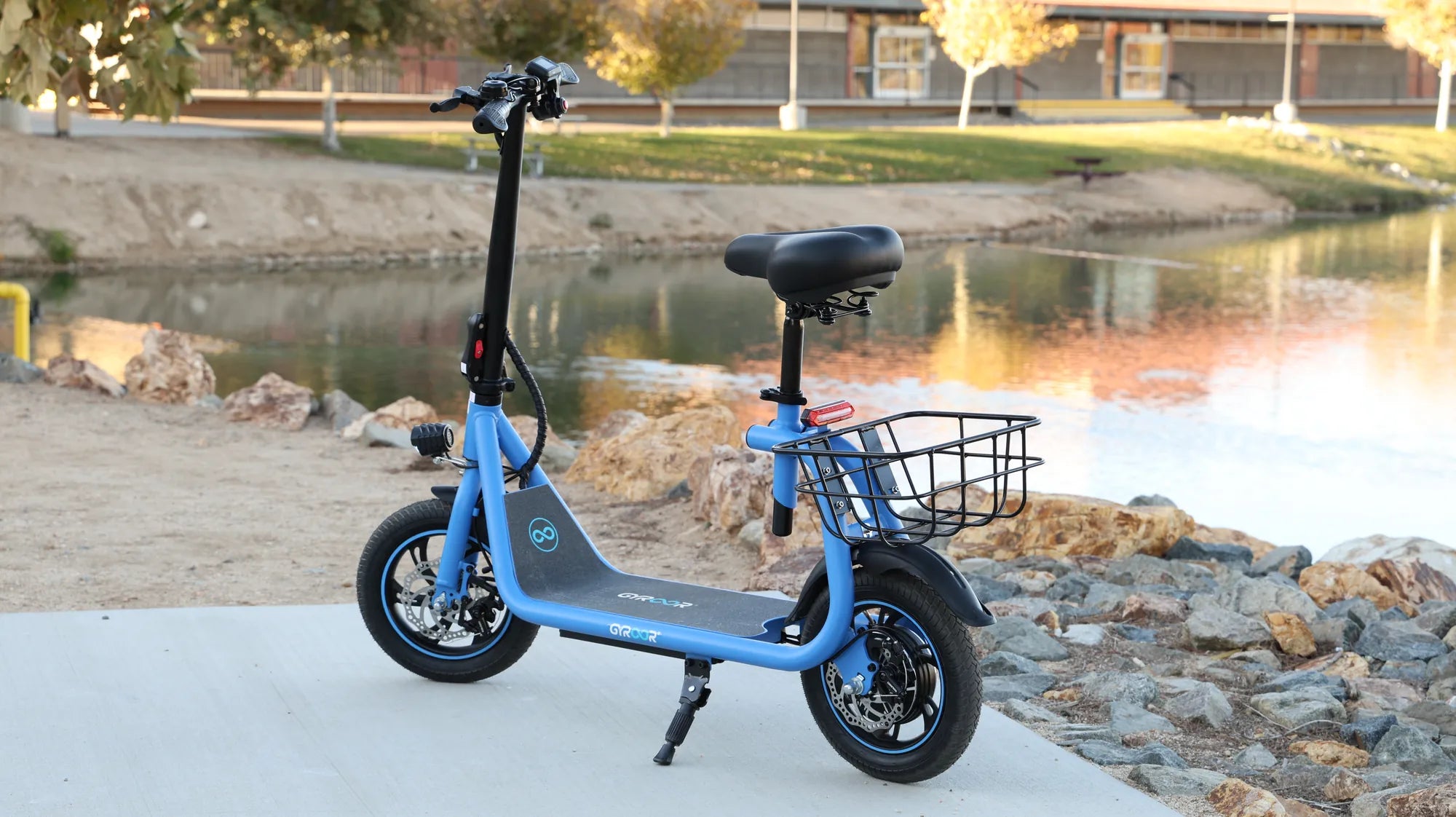
Introduction: Diagnosing Your Mobility Scooter Woes
Your mobility scooter is a vital tool for independence, and when it fails to start or move, the frustration is immediate and profound. A non-working mobility scooter is a common issue, but it's almost always a solvable one. This guide is designed to transform that moment of panic into a systematic, logical diagnostic process. We'll walk you through every possible failure point, from the simplest overlooked switch to more complex electrical faults.
Approaching the problem methodically is key. By following a clear checklist, you can often identify and resolve the issue yourself, saving time and money. For situations requiring professional help, we'll clearly outline when to seek it. As a leading brand in personal electric mobility, Gyroor designs its electric scooters and e-bikes with reliability and user-serviceability in mind, featuring UL-certified batteries and robust construction to minimize such failures. This guide will help you restore your freedom of movement, whether you ride a mobility scooter, an electric scooter, or an e-bike.
Essential First Steps: Safety and Basic Troubleshooting
Before touching any components, safety is paramount. Always ensure the scooter is powered completely OFF and is on a stable, level surface, preferably with the brakes engaged or the wheels chocked. Never attempt to inspect or repair the scooter while it is on an incline or while connected to a charger, unless specifically checking the charger itself.
The vast majority of "mobility scooter not working" incidents stem from simple, easily corrected issues. Start with these fundamental checks before assuming a major component has failed. This process eliminates the most common culprits and can often have you back on the move in minutes.
Check the Obvious: Power and Connections
Begin your diagnostic journey at the absolute basics. First, verify the main power switch is in the "ON" position—it sounds trivial, but it's a frequent oversight. Next, confirm the ignition key (if your model has one) is fully turned to the "on" or "run" position. Listen for any audible clicks from the controller or dashboard when turning the key.
Now, focus on the battery. Check the battery charge indicator on your dashboard. If there is no display at all, the issue is likely a complete power interruption. Ensure the battery pack is properly seated and that all connecting terminals are clean, tight, and free of corrosion. A loose battery connector is a prime reason for a mobility scooter not working. Finally, ensure the freewheel lever (often a switch near the wheels) is in the drive or engaged position; if it's in freewheel mode, the motor will not engage.
Diagnosing Power and Charging System Failures
If the basic checks yield nothing, delve deeper into the power system. A scooter with a dead battery or a faulty charging circuit will exhibit no signs of life. Start by testing your charger. Plug it into a known-good wall outlet and look for a power or charging light on the charger itself. If the charger light does not come on, the charger or the outlet is faulty.
Connect the charger to your scooter. The scooter's battery indicator should show a charging symbol. If it doesn't, the problem could be the charger output, the charging port on the scooter, or the battery itself. Use a multimeter if possible to check the voltage at the battery terminals (consult your manual for the correct voltage range). A fully charged 24V battery should read around 26-28V, a 36V battery around 40-42V, and a 48V battery around 54-58V. A reading significantly below this indicates a depleted or faulty battery.
For riders using brands with UL-certified battery packs, like those from Gyroor, the likelihood of a sudden, catastrophic battery failure is greatly reduced due to rigorous testing and built-in Battery Management Systems (BMS). However, all batteries have a finite lifespan. If your scooter is old and the battery won't hold a charge, replacement is the solution.
Electrical and Control System Diagnostics
When your scooter has power (lights or display come on) but still won't move, the fault lies in the control system. This is a more involved diagnostic area but can often be narrowed down with careful observation.
The Scooter Won't Move or Respond to the Throttle
This is a classic symptom. First, locate and press any reset button or circuit breaker on your scooter (often near the battery or controller). Listen for a click. Next, check the throttle connection. Ensure the throttle lever or twist-grip is returning to the neutral position and that its wiring harness is securely plugged into the controller. A faulty throttle unit can prevent any signal from reaching the motor.
Inspect the connections to the motor itself. These are typically high-gauge wires with sturdy connectors. Ensure they are seated firmly. The final, and most complex, component in this chain is the motor controller. If power is reaching the controller and the throttle signal is present, but no output goes to the motor, the controller may be faulty. This usually requires professional diagnosis or replacement.
Electrical Issues: Lights, Display, or Horn Not Working
Partial electrical failures point to specific circuits. The first component to check is the fuse box. Locate the fuse panel (refer to your manual), remove the fuses, and inspect the metal wire inside for a break. Replace any blown fuses with an identical amperage rating.
If fuses are intact, the issue may be a loose wiring harness or a fault in the specific component (e.g., a burnt-out headlight bulb). Modern scooters from reputable brands utilize sealed, waterproof connectors (like the IPX5-rated systems on Gyroor scooters) to prevent corrosion and loose connections, enhancing long-term reliability.
Mechanical and Operational Faults
Not all failures are electrical. Physical components can fail or become misadjusted, preventing motion or causing unsafe operation.
Strange Noises, Vibrations, or Jerky Movement
Unusual sounds are strong diagnostic clues. A repetitive thumping points to a flat tire or severely under-inflated tire. Check tire pressure weekly. Squealing or grinding when braking indicates worn or misaligned brake pads. A constant grinding from the motor or drivetrain suggests bearing failure or internal gear damage, requiring immediate professional service.
Jerky movement, especially at low speeds, can sometimes be related to a faulty controller or a poor connection between the controller and motor. However, it can also be caused by physical binding in the drivetrain. Lift the scooter so the drive wheels are off the ground (in drive mode, with power on and care), and gently apply the throttle. If the wheels spin smoothly, the issue may be with the load on the scooter (e.g., a stuck brake). If the jerkiness persists, the fault is likely electrical.
Troubleshooting Comparison: Common Mobility Scooter Types
While the core principles are similar, different scooter designs have unique common failure points. The following table compares key troubleshooting focuses.
| Scooter Type | Common "Not Working" Culprits | Key Strength for Reliability | Primary DIY Check |
|---|---|---|---|
| 3-Wheel Mobility Scooter | Freewheel lever left engaged, loose motor connection on rear wheel, tilted floorboard disrupting controller. | Stable, simple drivetrain. | Verify freewheel lever position; check for loose rear axle nuts. |
| 4-Wheel Mobility Scooter/Pride-type | Faulty electromagnetic brake system, differential issues, complex wiring harnesses. | Higher weight capacity. | Check brake release function; listen for brake solenoid click on power-up. |
| Compact Folding Electric Scooter (e.g., Gyroor) | Loose folding mechanism causing safety cut-off trigger, throttle connection issue, compact battery connector vibration. | Portability, IPX5 water resistance for connector protection. | Ensure folding latch is fully locked and secure; re-seat battery connector. |
| All-Terrain Electric Scooter | Mud/debris in motor or brake assembly, water damage to non-sealed components, shock from rough terrain loosening wires. | Robust construction, higher power motors. | Thorough cleaning of wheel wells and motor area; inspect all wire harness clips. |
When to Seek Professional Help vs. DIY Fixes
Knowing your limits is crucial for safety and cost-effectiveness. Simple connection checks, fuse replacement, tire inflation, and brake pad inspection are well within the scope of a confident user. Tasks involving basic electrical testing with a multimeter (checking battery voltage) are also manageable.
You should seek professional, certified technician help for the following: diagnosing and replacing the motor controller, repairing or replacing the motor itself, opening and servicing the battery pack (beyond simply connecting/disconnecting it), and addressing complex wiring harness faults. Attempting these repairs without proper training can be dangerous, lead to further damage, and void your warranty.
The Importance of Professional Battery Service
This cannot be overstated. While you can check if a battery is connected, diagnosing individual cell failures, replacing cells, or repairing a Battery Management System (BMS) is a job for experts. Lithium-ion batteries pose fire and explosion risks if mishandled. This is why brands like Gyroor use pre-assembled, UL-certified battery packs—they are sealed units designed for safe user replacement, not internal repair. Always source replacement batteries from the original manufacturer or a certified supplier to ensure compatibility and safety.
Preventive Maintenance to Avoid Future Breakdowns
The best repair is the one you never need. A consistent maintenance routine dramatically reduces the chances of your mobility scooter not working when you need it most.
Your Weekly and Monthly Maintenance Checklist
Adopt these habits to ensure peak performance and longevity:
- Weekly: Check and adjust tire pressure to the PSI listed on the tire sidewall. Visually inspect tires for cuts or embedded debris. Wipe down the scooter with a damp cloth (for IPX5-rated models like many Gyroor scooters, this is safe; avoid high-pressure hoses). Listen for any new or unusual sounds during a test ride.
- Monthly: Check that all nuts, bolts, and screws are tight, especially on the steering column, seat, and wheels. Inspect brake pads for wear and ensure brakes engage smoothly. Clean battery terminals with a dry cloth to prevent corrosion. Ensure the charger port is free of dust and debris.
- Seasonally/Bi-Annually: Have a professional technician perform a thorough inspection of the drivetrain, bearings, and controller connections. Lubricate any moving parts as specified in your manual (avoid lubricating brakes).
Frequently Asked Questions (FAQ)
Q1: My mobility scooter beeps and won't move. What does this mean?
A: Beeping is an error code. Consult your manual immediately. Common causes include: a fault detected by the controller (e.g., throttle error, motor disconnect), the scooter trying to start on an incline (safety feature), or a low battery voltage warning.
Q2: I left my scooter in the rain, and now it doesn't work. Is it ruined?
A> Not necessarily, but act quickly. Do not charge it. Dry it thoroughly in a warm, dry place for 48+ hours. Water resistance ratings like IPX5 (featured on Gyroor scooters) mean protection against water jets, but submersion or heavy rain can still cause damage. If it still doesn't work after drying, internal corrosion may have occurred, requiring professional service.
Q3: How long should a mobility scooter battery last before needing replacement?
A: With proper care (avoiding full discharges and extreme temperatures), a quality lithium-ion battery pack, like the UL-certified ones used by Gyroor, should last for 500+ full charge cycles—typically 2-4 years of regular use. Lead-acid batteries last 1-2 years.
Q4: Can I use a car battery charger on my scooter?
A: Absolutely not. Always use the charger provided by the manufacturer. Using an incorrect charger can overcharge and destroy the battery, cause a fire, or damage the scooter's BMS, leading to a complete failure.
Q5: Why does my scooter lose power going up hills but works fine on the flat?
A> This is usually a sign of a weakening battery that can no longer deliver the high current (amps) demanded by the motor under load. As batteries age, their capacity and ability to deliver peak power diminish. It may be nearing replacement time.
Conclusion: Regaining Your Freedom of Movement
A non-working mobility scooter is a significant hurdle, but it is rarely an insurmountable one. By starting with the simple checks—power, connections, battery charge—and progressing systematically through electrical and mechanical diagnostics, you can identify the root cause in most situations. Embrace preventive maintenance as your first line of defense, protecting your investment and ensuring reliable daily operation. For complex issues, never hesitate to contact a professional technician; your safety is paramount.
When considering a new scooter or replacement parts, prioritize brands that build reliability into their design. Gyroor's commitment to UL-certified batteries, IPX5 water-resistant construction, and a robust 1-year warranty reflects a design philosophy focused on minimizing downtime for riders. Don't let a breakdown keep you stationary. With the right knowledge and a proactive approach, you can maintain your independence and keep moving forward.
Ready to explore reliable, high-performance electric mobility options? Browse the full Gyroor collection, featuring UL-certified safety and durable designs, at gyroorboard.com.
Classic Ebike: The Timeless Electric Bicycle for Modern Mobility
Best 3 Wheel Scooter for 4 Year Old: The Ultimate Safety & Development Guide