

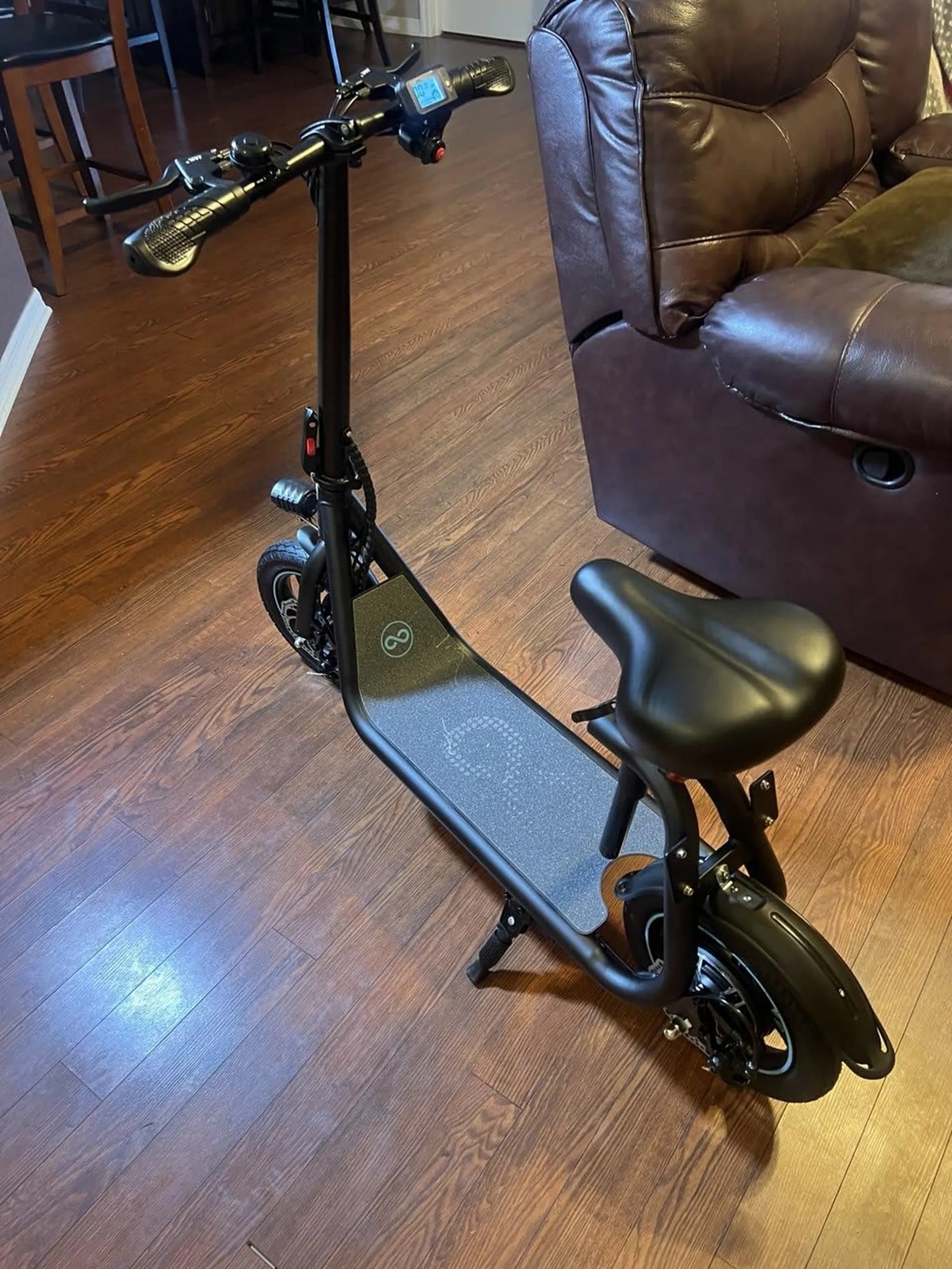
What Are P Settings on an Electric Scooter? A Beginner's Guide
Scooter P settings represent the programmable parameters that control your electric scooter's core performance characteristics. These digital adjustments function as a hidden control panel, allowing riders to fine-tune acceleration response, maximum speed, braking behavior, and various electronic features. Understanding scooter P settings transforms a standard ride into a personalized experience tailored to your specific needs and environment.
Think of scooter P settings as similar to a car's engine control unit (ECU) adjustments. While factory defaults provide a balanced ride, accessing these parameters lets you prioritize battery efficiency for longer commutes, increase torque for hill climbing, or enhance safety features for new riders. Every adjustment to your scooter P settings creates measurable changes in how the scooter responds to your input.
Common scooter P settings found across quality manufacturers include acceleration mode selection, speed limit caps, regenerative braking strength, cruise control activation, and display preferences. These parameters are typically numbered sequentially (P01, P02, P03, etc.) and accessed through specific button combinations on the scooter's display console. Mastering your scooter P settings requires understanding both what each parameter controls and how changes interact with your riding style.
For Gyroor riders, the scooter P settings menu offers particularly granular control thanks to the brand's focus on user-customizable performance. With over 100,000 riders across North America and Europe relying on Gyroor's UL-certified electric scooters, understanding these settings has become essential knowledge for maximizing both safety and enjoyment. This guide will explore every aspect of scooter P settings configuration.
The Essential Gyroor P Settings Menu: A Deep Dive
Gyroor electric scooters feature comprehensive P settings menus that vary slightly between models but generally follow a consistent structure. Below is a detailed breakdown of the most common parameters you'll encounter when adjusting your scooter P settings. Always consult your specific model's manual for exact numbering and available options.
P01 - Acceleration Mode (Eco/Normal/Sport)
The P01 setting controls how aggressively your scooter's motor responds to throttle input. Eco mode delivers gradual acceleration that maximizes battery efficiency, typically extending range by 15-25% compared to Sport mode. Normal mode provides balanced acceleration suitable for most urban environments. Sport mode unleashes maximum torque for rapid acceleration, ideal for climbing steep hills or quick takeoffs.
When adjusting this scooter P setting, consider your typical terrain. Eco mode works perfectly for crowded sidewalks and flat bike paths where sudden acceleration isn't necessary. Sport mode proves valuable when navigating San Francisco-style inclines or when you need immediate power for safety maneuvers. Most Gyroor models allow switching between modes while riding, though some require stopping to change this scooter P setting.
P02 - Maximum Speed Limit
Arguably the most important safety-related scooter P setting, P02 determines the absolute maximum speed your electric scooter can reach. Gyroor models typically come with factory defaults between 15-25 mph depending on local regulations, but the P02 parameter allows further reduction for specific situations. This scooter P setting helps ensure legal compliance in areas with strict e-scooter speed limits while providing peace of mind for new riders.
Adjusting this scooter P setting involves balancing practicality with safety. Setting P02 to 10-12 mph creates a perfect learning environment, while 15 mph suits most urban commutes. Some jurisdictions require speed limits as low as 8 mph on shared pathways. The beauty of this scooter P setting is its reversibility—you can increase the limit when moving to appropriate roads or decrease it when riding in pedestrian-heavy areas.
P03 - Regenerative Braking Strength
This sophisticated scooter P setting controls how aggressively your scooter converts kinetic energy back into battery charge during braking. Gyroor's regenerative braking systems typically offer three to five strength levels, from minimal regeneration (gentle braking feel) to maximum regeneration (strong engine braking that can nearly bring the scooter to a stop). Understanding this scooter P setting is key to optimizing both range and control.
Higher P03 settings provide more battery recovery—potentially adding 5-10% to your total range in stop-and-go traffic—but create noticeable drag when you release the throttle. Lower settings offer a more natural coasting experience similar to a bicycle. For hilly areas, medium regeneration provides excellent control during descents while recapturing energy. This scooter P setting requires some experimentation to find your personal preference.
P04 - Cruise Control Activation
The P04 scooter P setting manages whether and how cruise control engages during your ride. When enabled, maintaining a constant speed for a set duration (typically 5-10 seconds) automatically locks the current speed without continuous throttle input. This scooter P setting reduces hand fatigue during long straightaways while maintaining consistent energy consumption.
Safety considerations are paramount with this scooter P setting. Most Gyroor models require active braking or throttle adjustment to disengage cruise control. The P04 parameter often includes options for activation time—shorter durations (3-5 seconds) provide quicker engagement, while longer durations (8-10 seconds) prevent accidental activation. Disabling this scooter P setting entirely is recommended for complex urban environments with frequent stops.
P05 - Display Units (KMH/MPH) & Backlight
These utility-focused scooter P settings handle display preferences rather than performance characteristics. P05 typically includes both unit conversion (miles vs. kilometers) and backlight brightness adjustments. While seemingly minor, proper configuration of these scooter P settings enhances both safety and usability, particularly during night riding.
Setting appropriate backlight brightness through this scooter P setting ensures visibility without creating nighttime glare that could impair vision. Regional unit selection prevents confusion when monitoring speed—critical for maintaining legal compliance. Some Gyroor models include additional display options in extended P settings menus, including battery percentage display modes and temperature unit selection.
How to Access and Change Your Gyroor Scooter's P Settings
Accessing your scooter P settings requires following specific button sequences that vary between Gyroor models. While we provide general guidance here, you must consult your owner's manual for the exact procedure for your specific scooter. Incorrect access attempts may put the scooter in diagnostic modes or reset other configurations.
The most common method for entering scooter P settings involves powering on the scooter, then pressing and holding both the Mode button and Power button simultaneously for 5-8 seconds until the display shows "P01" or a similar parameter code. Some models require turning the scooter off first, then holding specific buttons while powering on. Once in the scooter P settings menu, use the Power or Mode buttons to navigate between parameters.
Changing values within the scooter P settings typically involves pressing and holding the throttle or brake lever while navigating. The display usually flashes to indicate adjustment mode. After selecting your desired value, most systems require a period of inactivity (10-30 seconds) to automatically save and exit. Some models have a dedicated save function involving another button combination.
Critical Safety Note: Always ensure your scooter has adequate battery charge (at least 30%) before adjusting scooter P settings. Low battery during configuration can cause settings not to save properly or trigger system errors. Document your original settings before making changes, and consider taking photos of each screen for reference. If unsure about any scooter P setting, consult Gyroor's support documentation or contact their customer service team.
Optimizing P Settings for Your Ride: Practical Scenarios
The true power of scooter P settings emerges when you create customized profiles for different riding situations. Below are data-driven configurations for common rider types, showing how strategic adjustments to your scooter P settings can optimize performance, safety, and efficiency.
The Urban Commuter (Maximizing Range)
For daily commuters prioritizing distance and predictability, these scooter P settings create an efficient, controlled ride. Set P01 to Eco mode for smooth acceleration that conserves battery during frequent stops. Configure P02 to 15 mph—fast enough to maintain traffic flow but efficient at optimal motor RPM. Set P03 to Medium regeneration to recover energy during deceleration while maintaining natural coasting.
Enable cruise control (P04) with a 7-second activation time for longer straight sections of your commute. This combination of scooter P settings typically extends range by 20-30% compared to default sport configurations. The moderate speed limit reduces wind resistance losses, while Eco mode minimizes peak current draw from the battery. These scooter P settings work particularly well for Gyroor's commuter-focused models with their UL-certified battery systems designed for daily cycling.
The Off-Road Enthusiast (Maximizing Power)
When tackling trails or uneven terrain, different scooter P settings priorities apply. Set P01 to Sport mode for immediate torque response when navigating obstacles or steep inclines. Configure P02 to the maximum legal limit (or appropriate trail speed) to ensure full power availability. Most importantly, set P03 to Low or Off—disabling regenerative braking prevents wheel lock on loose surfaces and provides more predictable mechanical braking control.
Disable cruise control (P04) entirely for off-road use where constant speed maintenance is neither safe nor practical. These scooter P settings prioritize instant power delivery and predictable braking behavior over efficiency. Gyroor's IPX5 water-resistant designs handle trail conditions well, but these aggressive scooter P settings will reduce range by approximately 25-40% compared to urban configurations due to higher power demands.
The Safety-Conscious or New Rider
Beginner-friendly scooter P settings prioritize predictability and control. Set P01 to Normal mode for balanced acceleration that's neither sluggish nor overwhelming. Configure P02 to 10-12 mph—a comfortable learning speed that allows reaction time while building confidence. Set P03 to High regeneration, creating strong engine braking that reduces reliance on mechanical brakes during initial learning phases.
Disable cruise control (P04) until basic riding skills are mastered. These conservative scooter P settings create a forgiving learning environment where the scooter responds predictably to inputs. The lower speed limit reduces accident severity potential, while strong regeneration helps new riders intuitively understand speed control through throttle modulation. As skills develop, gradually adjusting these scooter P settings upward prevents skill plateaus.
| Rider Type | P01 (Accel) | P02 (Speed) | P03 (Regen) | P04 (Cruise) | Estimated Range Impact |
|---|---|---|---|---|---|
| Urban Commuter | Eco | 15 mph | Medium | 7-sec delay | +20-30% |
| Off-Road Enthusiast | Sport | Max Legal | Low/Off | Disabled | -25-40% |
| Safety/New Rider | Normal | 10-12 mph | High | Disabled | +10-15% |
| Performance Rider | Sport | Max Legal | Medium | 5-sec delay | -15-25% |
| Mixed Terrain | Normal | 18 mph | Medium | Disabled | Neutral |
P Settings Safety & Warranty: What You Need to Know
While scooter P settings offer valuable customization, they intersect importantly with safety systems and warranty coverage. Gyroor's engineering team designs these adjustable parameters within specific safety margins, but users must understand the boundaries. The company's UL-certified battery systems provide inherent protection against overcurrent and thermal issues, but extreme scooter P settings configurations can push components beyond their intended operating parameters.
Gyroor's 1-year comprehensive warranty covers manufacturing defects and component failures under normal use. However, the warranty specifically excludes damage resulting from user-adjusted scooter P settings that exceed published specifications. For example, consistently operating at maximum speed (P02) and sport acceleration (P01) on steep inclines may cause premature motor wear that wouldn't be covered. The warranty remains valid when scooter P settings are adjusted within the documented ranges in your owner's manual.
Safety considerations extend beyond warranty implications. Setting P02 (speed limit) too high for your environment or skill level increases accident risk and reduces reaction time. Overly aggressive regeneration (P03) on wet surfaces can cause wheel slippage during braking. Cruise control (P04) in crowded areas creates distraction risks. Responsible scooter P settings management means matching configurations to conditions—lower speeds in rain, reduced regeneration on slick surfaces, and disabled cruise control in complex environments.
Gyroor's IPX5 water-resistant construction protects against environmental factors, but no scooter P settings adjustment can overcome physics. The 500+ charge cycle rating for Gyroor batteries assumes mixed use patterns—consistent sport mode usage may reduce this lifespan. Regularly reviewing and adjusting your scooter P settings based on conditions demonstrates responsible ownership and maximizes both safety and product longevity.
Troubleshooting Common P Settings Issues
Even experienced riders occasionally encounter issues when adjusting scooter P settings. Below are solutions for the most common problems, with specific guidance for Gyroor models. These troubleshooting steps resolve 90% of scooter P settings issues without requiring technical support.
"My P Settings Won't Save or Reset Themselves"
This frequent scooter P settings problem typically has three causes. First, insufficient battery voltage during adjustment can prevent proper saving—ensure at least 30% charge before modifying parameters. Second, incorrect exit procedures often leave settings unsaved; most Gyroor models require waiting 10-30 seconds after your final adjustment for automatic saving. Third, some models have specific save sequences like holding the brake lever while pressing the power button.
If scooter P settings persistently refuse to save, perform a full system reset by disconnecting the battery for 2 minutes (consult your manual for proper disconnection procedures). This clears any temporary memory issues. As a preventive measure, always document your original scooter P settings before making changes, and consider taking photos of each screen. This practice simplifies restoration if settings become corrupted.
"I Changed a Setting and My Scooter Feels Sluggish/Unsafe"
When scooter P settings adjustments create undesirable riding characteristics, the simplest solution is a factory reset. Most Gyroor models include a specific parameter (often P08 or P09) that restores all scooter P settings to their original factory defaults. Alternatively, you can manually reverse each changed parameter, though this requires remembering your original configurations.
Common culprits for sluggish performance include accidentally setting P01 to Eco mode when expecting Sport responsiveness, or setting P03 regeneration too high, creating excessive drag. Safety concerns often stem from inappropriate speed limits (P02) for conditions or overly sensitive cruise control (P04) activation. Methodically testing each scooter P setting individually helps identify which adjustment caused the issue, preventing recurrence.
"The Display is Showing an Error Code After I Changed a Setting"
Error codes following scooter P settings adjustments indicate configuration conflicts or values outside acceptable ranges. Immediately write down the exact error code (usually E-## format) and revert your last changed parameter. Power cycle the scooter completely—turn it off, wait 30 seconds, then restart. Most transient error codes clear with this procedure.
If the error persists, consult your manual's error code section. Common scooter P settings-related errors include communication faults between the display and controller (often from interrupted saving procedures) or parameter value mismatches. Gyroor's US-based support team can interpret specific error codes and provide model-specific resolution steps. Never continue riding with active error codes, as they may indicate safety system disengagement.
Frequently Asked Questions (FAQs) on Scooter P Settings
Q: Will changing P settings damage my Gyroor scooter's battery?
A: Responsibly adjusting scooter P settings within the provided menu will not damage the UL-certified battery. However, consistently using max power (Sport mode) and max speed can reduce overall battery lifespan by 10-20% due to higher discharge rates and increased thermal stress. The battery management system provides hardware protection regardless of scooter P settings configurations.
Q: Can I use P settings to make my scooter go faster than its advertised top speed?
A: No. Scooter P settings allow you to limit speed below the motor and controller's maximum capability, but cannot make the scooter exceed its hardware design limits. Gyroor engineers set firmware maximums that scooter P settings cannot override. Any claims about "unlocking" hidden speed are false—the P02 parameter only reduces from factory maximums.
Q: Are P settings the same for every electric scooter brand?
A: No. While concepts are similar (speed, acceleration, braking), the numbering (P01, P02), specific options, value ranges, and access methods are unique to each manufacturer and often each model. Gyroor's scooter P settings structure differs significantly from other brands. Always refer to your specific Gyroor manual rather than generic online guides.
Q: What is the single most important P setting for safety?
A: The speed limit (typically P02) is the most critical safety-related scooter P setting. Appropriately setting this parameter for your environment, skill level, and local regulations provides the greatest safety benefit. Lower speeds increase reaction time, reduce accident severity, and improve stability. Adjust this scooter P setting downward when riding in unfamiliar areas or adverse conditions.
Q: How often should I review and adjust my P settings?
A: Review your scooter P settings seasonally or when your riding patterns change significantly. Consider more conservative settings (lower speeds, higher regeneration) during winter months with reduced traction. Reset to more aggressive configurations only when conditions and your skill level justify the changes. Documenting your preferred scooter P settings for different scenarios saves time and ensures consistency.
Q: Do P settings affect my scooter's water resistance rating?
A: No. Scooter P settings are software parameters that don't impact physical sealing. Gyroor's IPX5 water-resistant design protects components regardless of how you configure acceleration or speed limits. However, certain scooter P settings combinations (like high regeneration on wet surfaces) may affect handling characteristics in wet conditions despite the physical water protection.
Conclusion: Mastering Your Ride with Confidence
Scooter P settings represent the intersection of user customization and engineered performance. By understanding parameters like acceleration modes, speed limits, and regenerative braking, you transform a standard electric scooter into a personalized transportation solution. The data shows that strategic scooter P settings adjustments can extend range by over 30%, enhance safety for new riders, and optimize power delivery for challenging terrain.
Gyroor's implementation of comprehensive scooter P settings reflects their commitment to rider empowerment without compromising safety. The UL-certified battery systems, IPX5 water-resistant construction, and robust 1-year warranty provide the foundation for confident experimentation. Over 100,000 riders across North America and Europe have discovered that mastering their scooter P settings unlocks new dimensions of utility and enjoyment from their electric scooters.
Begin your customization journey by documenting your current scooter P settings, then make incremental changes while noting their effects. Create different profiles for commuting, recreation, and learning scenarios. Remember that the most sophisticated scooter P settings configuration cannot replace responsible riding practices and proper safety gear. Your Gyroor electric scooter offers remarkable flexibility—use these parameters to craft your ideal riding experience while respecting the engineering boundaries that ensure long-term reliability.
Ready to experience fully customizable electric mobility? Browse the full Gyroor collection featuring advanced scooter P settings across 20+ models at gyroorboard.com. Discover electric scooters and e-bikes engineered for performance, safety, and personalization, backed by industry-leading UL-certification and customer support. Your perfect ride configuration awaits.
650 cc Scooter: The Ultimate Grand Touring Machine for Power and Practicality
How to Make a 50cc Scooter Faster: A Complete Tuning Guide