



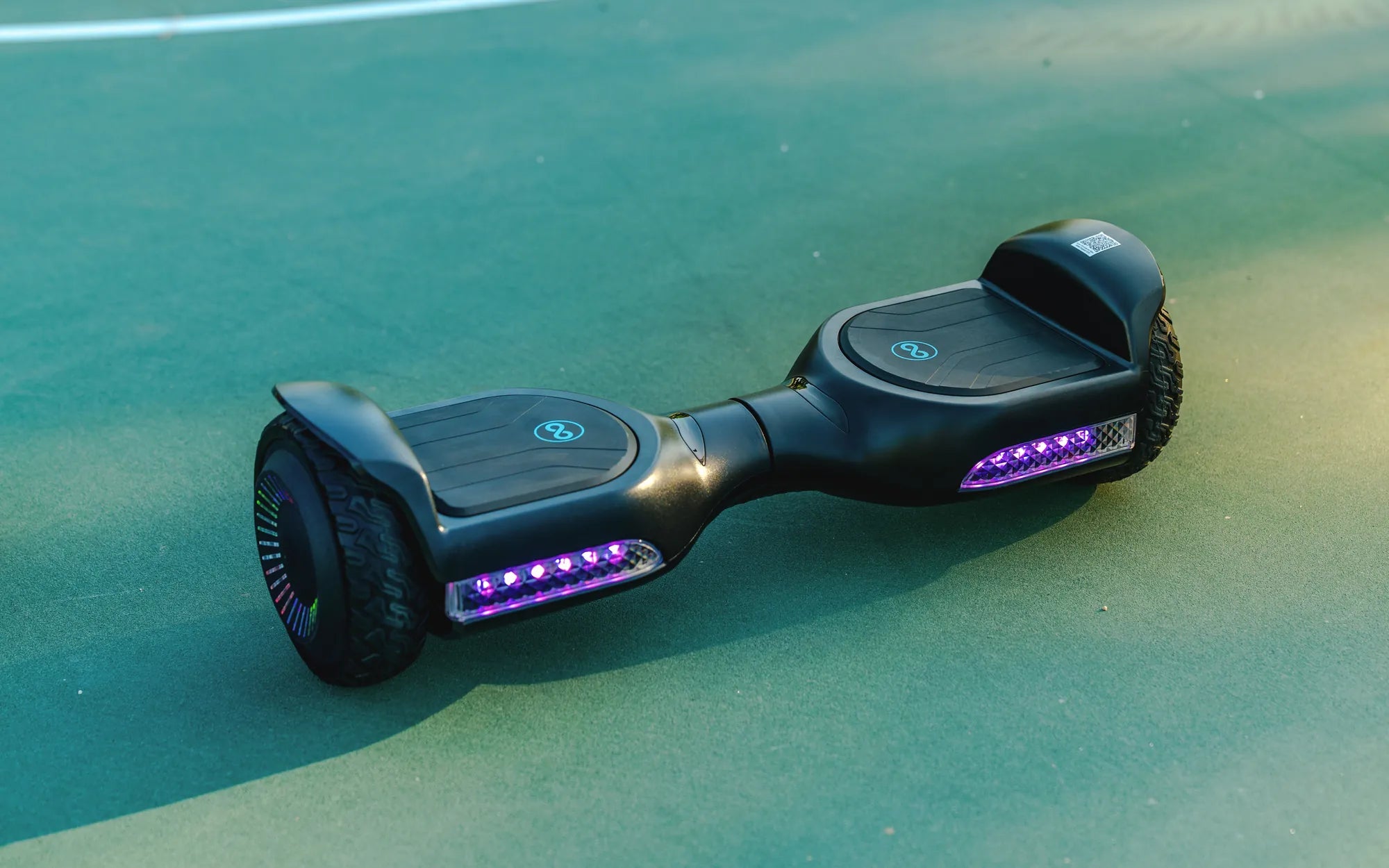
Introduction: The Heart of Your Hoverboard – Understanding Battery Replacement
When your hoverboard starts losing power, the culprit is almost always the battery. This vital component is the lifeblood of your ride, and understanding its replacement is crucial for any owner. The direct answer to "can you replace a hoverboard battery?" is a definitive yes, but it must be done correctly and safely. This guide will walk you through every step, from diagnosis to installation, emphasizing safety protocols that are non-negotiable when dealing with lithium-ion technology.
Replacement becomes necessary due to natural degradation. A typical hoverboard battery lasts for 2-3 years or 300-500 full charge cycles before its capacity significantly diminishes. You might notice shorter ride times, longer charging periods, or the device failing to power on entirely. Addressing these issues promptly with a proper replacement restores your hoverboard to its former glory and prevents potential safety hazards associated with a failing battery.
This article serves as your complete resource. We will cover the unmistakable signs of a failing battery, the critical importance of using certified replacements, and a detailed, cautious step-by-step replacement guide. We'll also highlight how leading brands engineer their products for safety and longevity, giving you the knowledge to power up with confidence.
Why Hoverboard Batteries Need Replacement: Signs and Safety Imperatives
Recognizing the symptoms of battery failure is the first step toward a solution. The most common sign is a drastically reduced range. If your hoverboard dies after just 10-15 minutes on a full charge, the battery cells are likely degrading. Similarly, if the device takes an unusually long time to charge or fails to reach a 100% charge indication, the battery management system may be detecting faulty cells.
More serious warning signs demand immediate action. Physical swelling or bulging of the battery pack casing is a severe red flag, indicating internal gas buildup from cell failure. Overheating during charging or use, unusual odors, or the device not powering on at all are clear indicators that the battery has reached end-of-life. Ignoring these signs can lead to complete failure or, in worst-case scenarios, a thermal event.
The safety imperative cannot be overstated. Hoverboard batteries are high-capacity lithium-ion packs. Using damaged, swollen, or uncertified replacement batteries introduces significant risks, including short circuits, fires, and explosions. This is why the question of "can you replace a hoverboard battery" is always followed by a mandate to use the right parts. Always opt for batteries with recognized safety certifications, such as UL (Underwriters Laboratories) certification, which ensures rigorous testing for electrical and fire safety.
Choosing a cheap, uncertified battery not only jeopardizes your safety but often voids any existing warranty on your hoverboard. These batteries may lack essential protection circuits, use inferior cells, and have inconsistent performance, leading to further damage to your hoverboard's motherboard and motors. Investing in a quality, certified battery is an investment in safety and long-term reliability.
Step-by-Step: How to Safely Replace Your Hoverboard Battery
Before you begin, a critical disclaimer: This guide provides general instructions. The exact process varies by model. Always consult your hoverboard's official user manual first. If you are uncomfortable with any step, seek assistance from a professional technician. Working on lithium-ion batteries carries inherent risk.
Step 1: Preparation and Safety. Ensure the hoverboard is completely powered off. Unplug it from the charger and let it sit for at least an hour to allow residual current to dissipate. Gather your tools: typically, a set of Phillips and/or hex screwdrivers, a plastic pry tool (to avoid scratching), and anti-static precautions if possible. Work in a clean, dry, well-ventilated area away from flammable materials.
Step 2: Accessing the Battery Compartment. Carefully flip the hoverboard onto a soft surface. Locate and remove all screws securing the footpad or main body shell. Use your plastic tool to gently pry the casing apart, following the seam. Avoid using excessive force to prevent breaking plastic clips. Once open, you will see the battery pack, usually housed in a central compartment.
Step 3: Disconnecting the Old Battery. Identify the main power connector running from the battery to the main control board. It is often a white plastic connector with multiple wires. Do not pull on the wires. Gently but firmly disconnect the plug by releasing any locking tabs. There may also be smaller balance connectors; disconnect these as well. Note the orientation of all connectors for reassembly.
Step 4: Removing and Replacing the Battery. Unscrew or unclip the battery pack from its housing. Lift it out carefully. Place your new, certified battery pack into the same position. Secure it with the original screws or clips. Reconnect all wiring, ensuring each plug is fully seated and locked. Double-check that all connections match your notes from the disconnection step.
Step 5: Reassembly and Initial Test. Before closing the casing, perform a brief test. Turn the hoverboard right-side up, power it on, and check for normal indicator lights. Do not ride it yet. If it powers on correctly, power it off again and reassemble the shell completely, tightening all screws securely. For the first charge, use the original charger and monitor the hoverboard for any unusual heat or sounds.
Choosing the Correct Replacement Battery
Selecting the right battery is paramount. You must match four key specifications: voltage (V), capacity (Ah/Amp-hours), connector type, and physical dimensions. The most common voltages are 24V, 36V, and 42V. Using a battery with incorrect voltage can instantly damage the electronics. Capacity, measured in Ah, determines your range; you can usually replace with the same or slightly higher capacity if the voltage matches and it fits physically.
The connector type must be identical. Common types include XLR, JST, and proprietary plastic plugs. A mismatched connector will require risky soldering or adapters. Finally, measure the old battery's length, width, and thickness to ensure the new one fits within the compartment. The best practice is to purchase an Original Equipment Manufacturer (OEM) battery or a high-quality certified alternative from a reputable supplier.
Brands like Gyroor set the standard here. Their hoverboards use UL-certified battery packs designed for specific models, ensuring perfect compatibility, integrated Battery Management Systems (BMS), and reliable performance that matches the original equipment. This eliminates the guesswork and risk associated with sourcing generic parts.
Gyroor Hoverboards: Engineered for Reliability and Safer Upkeep
Gyroor designs its personal electric vehicles with durability and user safety as core principles. This engineering philosophy directly impacts battery longevity and the safety of any potential future replacement. A key feature is the advanced Battery Management System (BMS) integrated into every UL-certified battery pack. The BMS actively monitors cell voltage, temperature, and current, providing protection against overcharge, over-discharge, short circuits, and overheating.
Furthermore, Gyroor hoverboards boast an IPX5 water-resistant rating. This construction helps protect the battery compartment and internal electronics from dust and water jets from any direction, reducing the risk of corrosion and moisture-related damage that can prematurely age a battery. This robust build quality contributes to the overall longevity of the power system.
For owners, this design focus translates to peace of mind. The use of certified, high-quality cells from the outset means the battery is less likely to fail unexpectedly. Should a battery issue arise within the warranty period, Gyroor's 1-year comprehensive warranty provides direct support. Even for out-of-warranty replacements, choosing a genuine Gyroor battery ensures the hoverboard continues to perform as designed, maintaining the safety features integral to its original operation.
Data-Driven Comparison: OEM vs. Aftermarket Hoverboard Batteries
When considering a replacement, the choice between an OEM (or OEM-equivalent certified) battery and a generic aftermarket unit is critical. The following table breaks down the key differences based on safety, performance, and value.
| Feature | OEM / Certified Replacement | Generic Aftermarket Battery |
|---|---|---|
| Safety Certifications | UL, CE, RoHS certified. Rigorously tested for electrical and fire safety. | Often lacks any legitimate safety certifications. Unknown testing standards. |
| Warranty Coverage | Typically backed by a 6-12 month warranty from a reputable seller or brand. | Little to no warranty. Seller may be difficult to contact for support. |
| BMS (Battery Management System) | Includes a fully functional BMS for cell balancing and protection. | BMS may be absent, basic, or unreliable, risking cell damage. |
| Cell Quality | Uses branded, grade-A lithium-ion cells with consistent performance. | Often uses lower-grade, recycled, or mismatched cells leading to rapid degradation. |
| Expected Lifespan | 300-500+ full charge cycles, matching original performance. | 100-200 cycles on average, with significant capacity drop-off. |
| Price | Higher initial investment. | Significantly lower upfront cost. |
| Long-Term Value & Risk | High value, low risk. Preserves hoverboard health and user safety. | Poor value, high risk. Potential to damage hoverboard and create safety hazards. |
The data clearly shows that while certified batteries have a higher initial cost, they offer superior safety, longevity, and reliability. The lower total cost of ownership and mitigated risk make them the only sensible choice for a responsible hoverboard owner.
Essential Maintenance to Extend Battery Life
Proper care can significantly delay the need to replace your hoverboard battery. First, follow proper charging habits. Use only the manufacturer-provided charger and avoid leaving the hoverboard plugged in for extended periods after it reaches 100%. Ideally, unplug it once the indicator shows a full charge. Similarly, do not routinely drain the battery to 0%; try to recharge when it reaches 20-30% capacity.
Storage is crucial. If you won't be using the hoverboard for a month or more, store it in a cool, dry place with the battery charged to approximately 50-60%. Check this charge level every few months and top it up if it drops below 30%. Never store a fully discharged battery, as this can cause irreversible damage to the cells.
Be mindful of operating conditions. While many hoverboards like those from Gyroor have water-resistant ratings, avoid riding through deep puddles or in heavy rain. Extreme temperatures are a battery's enemy. Do not charge the battery immediately after a ride in hot weather; let it cool to room temperature first. Avoid riding in freezing conditions, as this can temporarily reduce range and strain the battery.
Frequently Asked Questions (FAQ) on Hoverboard Battery Replacement
Q1: How long does a hoverboard battery typically last?
A: Under normal use, a quality hoverboard battery lasts 2-3 years, or approximately 300-500 full charge cycles. Factors like charging habits, storage conditions, and rider weight can influence this lifespan.
Q2: Can I use a higher voltage battery to make my hoverboard faster?
A: Absolutely not. Installing a battery with a higher voltage than the hoverboard's electronics are designed for will almost certainly burn out the control board, motors, and wiring, creating a serious fire hazard. Always replace with the identical voltage.
Q3: Does replacing the battery myself void my Gyroor warranty?
A: If your hoverboard is still under its 1-year warranty, contact Gyroor support first for assistance. Using a non-certified, third-party battery will void the warranty. However, installing a genuine Gyroor replacement part, even yourself, for a post-warranty repair is acceptable and recommended.
Q4: How do I properly dispose of my old hoverboard battery?
A> Never throw lithium-ion batteries in household trash. They are considered hazardous waste. Take your old battery to a designated electronics recycling center (e-waste), a household hazardous waste facility, or a retailer that offers battery recycling services. This is crucial for environmental safety.
Q5: My battery is swollen. What should I do?
A> Handle with extreme caution. Do not puncture, charge, or use the hoverboard. Place the swollen battery in a non-flammable container (like a metal bucket) in a safe, open area away from people and flammable materials. Contact a professional e-waste disposal service immediately for guidance on safe handling and disposal. Do not attempt to replace it yourself until the swollen pack is safely removed and disposed of.
Power Up with Confidence and Safety
Replacing your hoverboard's battery is a feasible task that breathes new life into your device, but it must be approached with respect for the technology and a commitment to safety. The process hinges on recognizing the signs of failure, sourcing a certified replacement that matches your model's specifications exactly, and following meticulous procedures during the swap. The central question of "can you replace a hoverboard battery" is answered not just with a yes, but with a clear roadmap prioritizing safety at every turn.
Investing in a quality, UL-certified battery from the outset—or choosing a brand known for this commitment, like Gyroor—is the most important decision you can make. It protects your investment, ensures reliable performance, and, most importantly, safeguards you and your property. Proper maintenance further extends the joy of the ride, making each journey smooth and secure.
When it's time for an upgrade or a new ride altogether, consider a brand that designs with these safety principles from the ground up. Explore Gyroor's range of electric scooters and e-bikes, all built with the same focus on UL-certified batteries, robust IPX-rated construction, and reliable performance that has earned the trust of over 100,000 riders.
Ready for your next adventure? Browse the full Gyroor collection at gyroorboard.com and experience the difference that certified safety and quality engineering make.
Christmas Gift Ideas for 8 Year Old Girls: Fun and Creative Presents
Balancing Scooter for Sale: Your Complete 2024 Buyer's Guide