


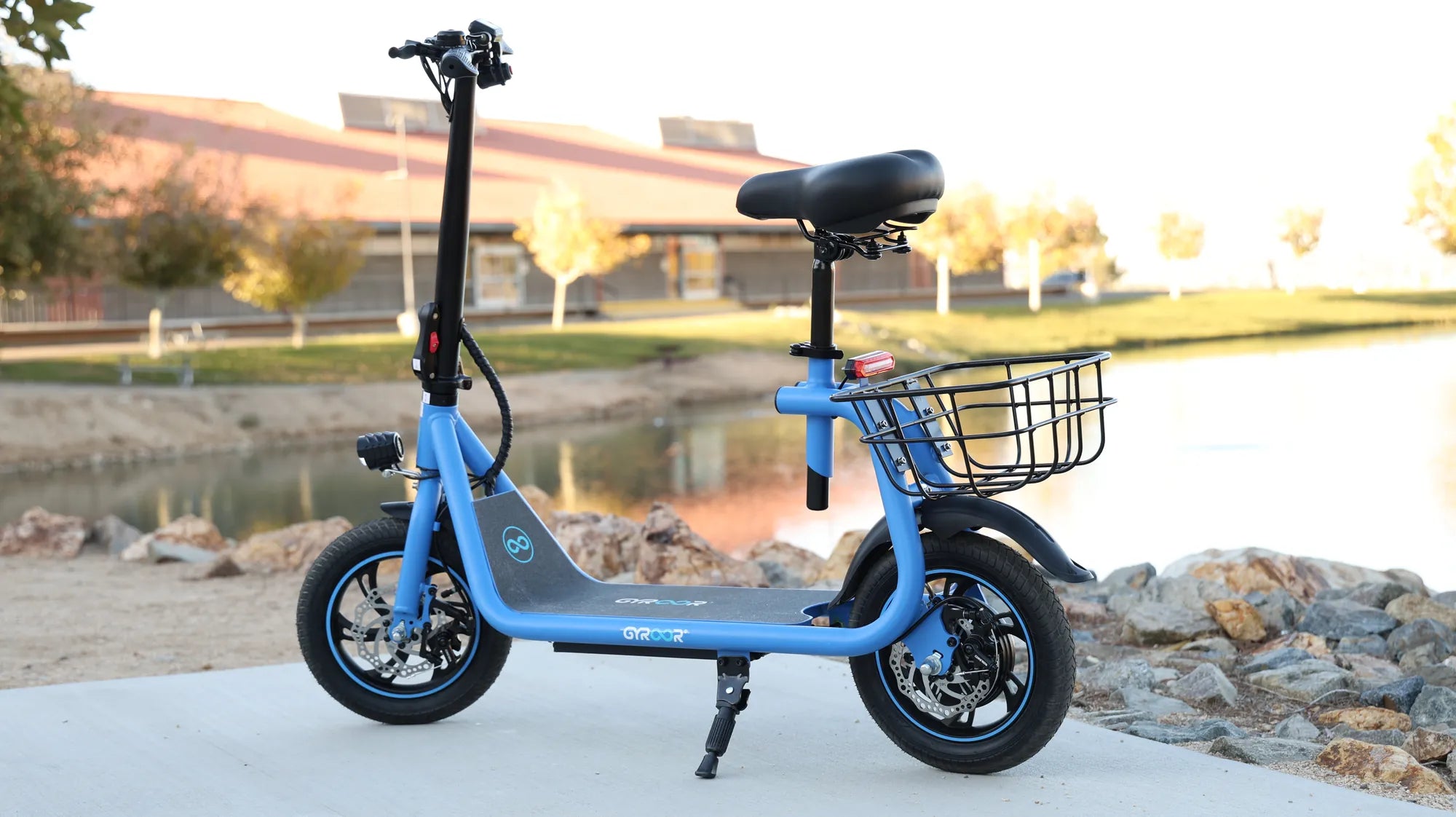
Introduction: Powering Your Journey – The Complete Guide to Charging Your Mobility Scooter
Properly charging your mobility scooter isn't just about plugging it in—it's the fundamental practice that determines your vehicle's reliability, safety, and lifespan. Mastering how to charge mobility scooter batteries correctly ensures uninterrupted independence and prevents costly battery replacements. This guide provides the definitive, data-driven approach to power management, drawing from engineering principles and manufacturer specifications.
We'll examine both lead-acid and lithium-ion systems, with particular attention to modern lithium technology. Brands like Gyroor utilize UL-certified lithium-ion battery packs in their mobility solutions, offering distinct advantages in charge cycles and weight. Understanding your specific system is the first step toward optimal performance.
Following incorrect charging practices can reduce battery capacity by 30-50% within a year. Conversely, proper maintenance can achieve the rated 500+ charge cycles that quality batteries promise. This guide translates technical specifications into actionable steps for everyday users.
Your charging routine directly impacts your mobility freedom. Let's establish the knowledge foundation required for safe, efficient energy management. We begin with understanding the core components of your scooter's power system.
Understanding Your Mobility Scooter's Battery System
Every mobility scooter operates on three core charging components: the battery pack, the charger (converter), and the charging port. The battery stores chemical energy, the charger converts AC wall current to regulated DC current, and the port provides the secure physical connection. Modern systems include management circuits that prevent overcharging.
Gyroor's electric mobility products exemplify contemporary design with integrated Battery Management Systems (BMS). This electronic regulator monitors cell voltage, temperature, and current during charging and discharging. It ensures balanced charging across all cells, which is crucial for longevity and safety in multi-cell lithium packs.
The charger is not a generic power supply. It's precisely calibrated to your battery's chemistry and voltage. Using a non-OEM charger risks undercharging, overcharging, or damaging the BMS. Gyroor provides matched chargers that deliver the correct voltage and current profile for their UL-certified battery packs.
Recognizing these components helps diagnose issues. A failure to charge could stem from the battery, charger, port, or connections. Always consult your owner's manual first for specific diagrams and specifications. This knowledge transforms you from a passive user to an informed operator.
Battery Types: Lead-Acid vs. Lithium-Ion
Mobility scooters primarily use two battery chemistries: sealed lead-acid (SLA) and lithium-ion (Li-ion). SLA batteries are traditional, heavier, and more affordable upfront. They typically offer 300-500 full charge cycles if maintained properly. They require regular full charging to prevent sulfation, which permanently reduces capacity.
Lithium-ion batteries, like those in Gyroor scooters, represent the modern standard. They provide higher energy density (more range per pound), 500-1000+ charge cycles, and minimal self-discharge. Crucially, they lack the "memory effect," meaning partial charges do not harm them. Their built-in BMS provides enhanced safety protection.
The charging profiles differ significantly. SLA chargers often use a three-stage process: bulk, absorption, and float. Lithium-ion chargers use constant current/constant voltage (CC/CV) charging, managed by the BMS. Using a lithium charger on an SLA battery (or vice versa) will cause damage and poses a safety risk.
For users prioritizing weight, range, and hassle-free maintenance, lithium-ion is superior. While the initial investment is higher, the total cost of ownership is often lower due to longer lifespan. Gyroor's commitment to UL-certified Li-ion packs reflects this industry shift toward reliable, user-friendly power.
Decoding Your Charger and Indicators
Your charger communicates through lights, sounds, or displays. A standard two-light system uses red to indicate active charging and green to indicate charge completion or standby. Some models have a third amber light for fault detection. A solid red light typically means the battery is accepting charge.
A flashing red light often signals an error. Common causes include faulty connections, battery temperature outside safe range, or a charger/battery mismatch. A charger that never turns green may indicate a battery that cannot reach full voltage due to age, damage, or a failing cell. Refer to your manual's error code section.
Gyroor chargers are designed for clear user feedback. They pair with the BMS to ensure the battery charges within its ideal voltage window (e.g., 3.0V-4.2V per cell for Li-ion). This precision prevents the stress that shortens battery life. Always use the provided Gyroor charger to maintain this protection.
If indicators behave unexpectedly, stop the process. Unplug the charger from the wall, wait 60 seconds, and reconnect. If the error persists, cease use and consult support. Never ignore warning indicators, as they are your primary safeguard against improper charging conditions.
The Step-by-Step Safe Charging Procedure
Consistency is key to safety and battery health. Follow this sequence every time you charge to build safe habits and prevent accidents. Rushing or skipping steps can lead to connection arcing, overheating, or water ingress. Allow extra time for the initial setup in a new location.
Always charge in a dry, stable environment with adequate ventilation. Batteries can emit small amounts of hydrogen gas (especially SLA) during charging, and electronics can generate heat. A garage, shed, or dedicated indoor area away from flammable materials and foot traffic is ideal. Ensure the location is not prone to temperature extremes.
Before starting, visually inspect your scooter, battery compartment, and charger cable. Look for cracks, frayed wires, bent pins, or corrosion. A damaged charger cable must be replaced immediately—do not attempt to repair it with tape. Gyroor's IPX5 water-resistant rating protects the scooter body, but the charging port must remain dry.
Now, proceed with the following structured steps. This method minimizes risk and ensures a reliable connection for efficient energy transfer.
Step 1: Pre-Charge Preparation & Safety Check
First, ensure the mobility scooter's power switch is in the OFF position. This prevents any electrical surge or short circuit when connecting the charger. Engage the parking brake to stabilize the scooter. If your model has a removable battery, verify it is seated correctly and the compartment is securely latched.
Select your power outlet. Use a properly grounded wall outlet, not an extension cord or power strip, if possible. If an extension cord is necessary, use a heavy-duty (14-gauge or lower) cord rated for the charger's amperage. Check that the outlet is functioning with another device.
Inspect the charger's output connector and the scooter's charging port. Both should be clean, dry, and free of debris. Use a dry cloth to wipe away any dust or moisture. For outdoor scooters, pay special attention to ensure the port is completely dry before inserting the plug.
This 60-second preparation phase is your most effective safety ritual. It identifies potential problems before power is applied, protecting both your equipment and your home.
Step 2: Connecting the Charger Correctly
The connection order is critical for safety. Always connect the charger to the mobility scooter first. Plug the output connector firmly into the scooter's charging port until it clicks or seats fully. A loose connection can cause arcing, heat, and failed charging cycles.
Once the scooter connection is secure, plug the charger's AC power plug into the wall outlet. This sequence ensures that any brief spark (arcing) occurs at the wall outlet side, not at the sensitive battery terminals. Arcing at the battery port can damage contacts over time.
Listen for an audible click or hum from the charger, and observe the indicator lights. The charger light should turn red (or display its charging indicator) within a few seconds. If nothing happens, double-check both connections. Do not force connectors—misalignment can bend pins.
This ordered approach is a standard for all quality electronics. It's a simple rule: device first, then power source. Remembering this sequence is a core part of learning how to charge mobility scooter batteries safely.
Step 3: Monitoring the Charging Cycle
A typical full charge for a depleted lithium-ion battery takes 4 to 8 hours, depending on capacity. Lead-acid batteries may take 8 to 12 hours. Your manual provides the exact expected time. The charger's indicator will switch from red (charging) to green (complete/standby) when done.
It is generally safe to leave a modern scooter with a smart charger and BMS plugged in after it reaches full charge. The system enters a maintenance or "float" mode. However, for long-term storage (weeks), it's better to unplug once charged. Avoid habitually leaving the scooter plugged in for days on end.
During charging, feel the battery compartment and charger periodically. Slight warmth is normal, but excessive heat is not. If the battery or charger becomes hot to the touch, unplug immediately and allow it to cool in a safe area. Contact support before resuming use.
Plan your charging around your schedule. Overnight charging is convenient, but perform the first few charges while awake to monitor behavior. Once you're confident in your setup and equipment, routine overnight charging is acceptable for most quality systems.
Step 4: Disconnecting & Post-Charge Protocol
Disconnect in the reverse order of connection. First, unplug the charger from the wall outlet. Then, disconnect the charger plug from the scooter's charging port. This order ensures no live current is present at the scooter port when you handle the connector, eliminating shock risk.
Store the charger cord neatly. Avoid tightly wrapping it around the charger body, as this can stress internal wires. Coil it loosely or use a velcro strap. Store the charger in a dry, temperate place, not on a concrete floor which can draw moisture and promote corrosion.
Perform a quick post-charge check. Turn on the scooter's display or battery gauge. It should show 100% or full bars. Take a short test ride to verify performance. This confirms the charge was successful and the battery is delivering power correctly under load.
This complete procedure, from preparation to storage, forms the gold standard for charging. Adhering to it every time maximizes both safety and the return on your mobility investment.
Best Practices for Battery Health & Longevity
Beyond the basic steps, long-term battery health depends on user habits. Think of your battery as a living component with specific needs, not just a fuel tank. Proactive care can extend its useful life well beyond the warranty period, saving significant replacement costs.
The single most important practice is avoiding full discharges. Deep cycling (draining to 0%) places immense stress on battery chemistry. Both lead-acid and lithium-ion batteries last longest when kept between partial states of charge. Shallow discharges are far less damaging than deep ones.
Temperature management is the second pillar of longevity. Batteries degrade fastest when hot. Avoid charging immediately after a long ride when the battery is warm. Let it cool to room temperature first. Similarly, never charge a frozen battery; warm it to above 0°C (32°F) first.
Implementing these practices requires slight changes in routine but yields substantial rewards. A well-maintained battery not only lasts longer but also provides more consistent range and power output throughout its life.
Charging Frequency: Topping Up vs. Deep Discharge
For lithium-ion batteries (like Gyroor's), the ideal practice is frequent topping up. There is no benefit to waiting for a full discharge. In fact, it's harmful. Plug in your scooter after each use, even if you've only used 20-30% of the capacity. This keeps the battery in its comfort zone.
For sealed lead-acid batteries, the rule is slightly different. While deep discharges are still harmful, they do benefit from an occasional full, slow charge to prevent stratification (acid concentration gradients). However, daily partial charges are still better than daily deep discharges.
A good analogy is human endurance. It's easier to walk five miles a day every day than to run a marathon once a month. Your battery prefers consistent, moderate use. The BMS in lithium batteries actively manages this process, but user habits set the boundaries.
Adopt the "plug-in when parked" mindset for daily use. If your scooter will be idle for more than a day, refer to storage guidelines instead. This simple shift in frequency is the most effective longevity hack available.
Optimal Storage & Long-Term Care
If you won't use your scooter for more than two weeks, prepare it for storage. Do not store it with a fully charged or fully depleted battery. For lithium-ion, the ideal storage charge is between 40% and 60%. This voltage minimizes chemical stress during inactivity.
For lead-acid, a full charge is recommended before storage, but you must connect a maintenance charger (trickle charger) monthly to counteract self-discharge. Without this, lead-acid batteries will sulfate and be damaged. Lithium-ion batteries have very low self-discharge and do not need trickle charging.
Store the scooter and battery in a cool, dry place. Ideal storage temperature is between 10°C and 25°C (50°F to 77°F). Avoid sheds or garages that experience freezing winters or hot summers. Extreme cold can permanently reduce lithium-ion capacity, while heat accelerates aging.
During long storage, check the battery charge level every 2-3 months. If it drops below 30% (for Li-ion), give it a partial top-up back to the 40-60% range. This maintenance ensures your scooter is ready to ride when you need it, without a lengthy recovery charge.
Environmental Factors: Temperature & Moisture
Battery chemistry is temperature-sensitive. Charging efficiency drops in cold environments. Most BMS systems will prevent charging below 0°C (32°F) to prevent lithium plating, which is destructive. Conversely, charging above 45°C (113°F) can cause thermal runaway.
The optimal charging temperature range is 10°C to 30°C (50°F to 86°F). If your scooter is cold from being outside, bring it indoors for a few hours before charging. Never use external heat sources like heaters to warm the battery. Allow it to warm naturally.
Moisture is electricity's enemy. While Gyroor scooters feature IPX5 water-resistant construction—protecting against low-pressure water jets from any direction—the charging port is a vulnerable point. Always ensure the port and plug are completely dry before connecting. Never charge in rain or on wet ground.
Environmental control is often overlooked. By managing where and when you charge, you provide the stable conditions your battery's chemistry requires for peak performance and safety. This is a critical component of mastering how to charge mobility scooter units effectively.
Troubleshooting Common Charging Issues
Even with perfect procedure, issues can arise. Systematic troubleshooting isolates the problem component. Always start with the simplest, most common solutions before assuming major failure. Most charging problems are connection-related, not battery-related.
Gather basic tools: a multimeter for voltage checks (optional for advanced users), a clean cloth, and your owner's manual. Ensure you have a known-good power outlet to test with (use a lamp or phone charger). Document any error light patterns for support reference.
Safety first during troubleshooting. Work on a dry surface, keep the scooter powered off, and unplug the charger from the wall before inspecting connections. If you suspect serious damage like a swollen battery, do not attempt to charge it. Contact professional support immediately.
The following FAQ addresses the most frequent issues users encounter. This structured approach can resolve over 80% of problems without a service call.
Charger Shows No Light / Scooter Won't Charge
Q: I plugged everything in, but my charger shows no lights at all. What's wrong?
A: This typically indicates no power is reaching the charger. First, verify the wall outlet is live by plugging in another device. Check your home's circuit breaker or GFCI outlet for a trip. Ensure the charger's AC plug is fully inserted into the outlet.
If the outlet is good, inspect the charger's AC cable for damage. Fraying near the plug or charger body is common. Next, check the DC output plug connection at the scooter. Ensure it's clean and fully seated. Try wiggling it gently while observing the charger light.
Internal fuse failure in the charger is another possibility. Some models have a user-replaceable fuse on the AC input side. Consult your manual for location and replacement instructions (use the exact same fuse rating). If none of these steps work, the charger may have internal failure.
As a test, if available, try a different compatible charger. If the scooter charges with a different charger, your original charger is faulty. If it still doesn't charge, the issue may be with the scooter's charging port, internal wiring, or battery.
Charger Stays Red / Battery Doesn't Hold Charge
Q: My charger stays red for over 24 hours and never turns green, or my scooter dies quickly after a full charge. What does this mean?
A: A charger that never reaches green often indicates the battery cannot achieve its target voltage. This is a classic sign of an aged, failing, or unbalanced battery. One or more cells may be weak, preventing the pack from reaching full charge, so the charger keeps trying.
For rapid discharge after charging, the battery may have lost capacity (ability to hold energy) due to age, deep discharges, or heat damage. A healthy 20Ah battery that now only holds 10Ah will discharge twice as fast. This is measurable with a range test.
First, check connections at the battery terminals (if accessible). Loose or corroded terminals create high resistance, causing voltage drop under load and poor charging. Clean terminals with a wire brush and tighten securely. Wear gloves and eye protection.
If connections are good, the battery likely needs replacement. Lead-acid batteries typically last 1-3 years; lithium-ion lasts 3-5 years with normal use. Contact Gyroor support with your scooter model and battery serial number. They can often run remote diagnostics if your model has smart features.
Understanding Your Warranty and Support
Q: Are batteries and chargers covered under warranty? What support is available?
A: Reputable brands stand behind their power systems. Gyroor offers a comprehensive 1-year warranty covering defects in materials and workmanship for the entire scooter, including the battery pack and charger. This warranty is valid for the original purchaser from an authorized dealer.
Warranty typically does not cover damage from misuse, neglect, accidents, or use of non-OEM parts. Using a third-party charger voids warranty protection for the battery and related electronics. Always use the supplied Gyroor charger to maintain coverage.
Support channels include email, phone, and online resources. Have your proof of purchase and scooter serial number ready. For charging issues, support may ask you to verify outlet voltage, charger output voltage (with a multimeter), and describe indicator light behavior. Detailed notes help them help you faster.
If a component is faulty under warranty, Gyroor will typically ship a replacement part directly to you. Their network across North America and Europe facilitates this process. For complex issues, they can guide you to authorized service centers. Leveraging this support is part of your product's value.
Battery Technology Comparison Table
This table summarizes the key differences between the two main battery types, informing your charging strategy and long-term expectations.
| Feature | Sealed Lead-Acid (SLA) | Lithium-Ion (Li-ion) - Gyroor Standard |
|---|---|---|
| Average Lifespan (Cycles) | 300 - 500 full cycles | 500 - 1000+ full cycles |
| Energy Density (Weight) | Low (Heavy) | High (Lightweight) |
| Memory Effect | Minimal | None |
| Optimal Charging Habit | Recharge after use; occasional full charge. | Frequent topping up; avoid full discharges. |
| Self-Discharge Rate | High (3-5% per month) | Very Low (1-2% per month) |
| Temperature Sensitivity | Moderate; capacity drops in cold. | High; cannot charge below freezing. |
| Maintenance Required | Periodic full charges; terminal cleaning. | Minimal; managed by BMS. |
| Safety Systems | Basic fuse protection. | Advanced BMS (Over-charge/discharge, temp, short circuit). |
Frequently Asked Questions (FAQ)
Q: Can I use a fast charger for my mobility scooter?
A: No, unless specifically provided or approved by the manufacturer. Mobility scooter batteries are designed for specific charge rates (usually 2-5 Amps). Fast chargers (high amperage) generate excessive heat, degrade battery chemistry rapidly, and can bypass the BMS safeguards. Always use the supplied charger.
Q: How do I know when my battery needs replacing?
A: Clear signs include: a significant reduction in driving range (less than 50% of original), failure to reach full charge (charger stays red), the scooter struggling on inclines it once handled, or the battery gauge dropping rapidly under load. For SLA batteries, swelling or leaking is a definitive sign.
Q: Is it okay to charge my scooter after every short trip?
A: Yes, especially for lithium-ion batteries. This is the ideal practice. Partial charges, or "top-ups," do not harm modern lithium batteries and actually prolong their life by keeping them in a mid-state-of-charge. Avoid the old mindset of "draining it first."
Q: What should I do if my battery or charger gets wet?
A: Immediately disconnect and power down. Do not attempt to charge. Dry all components thoroughly with a soft, absorbent cloth. Allow them to air dry in a warm, dry place for at least 24-48 hours. If the charger was submerged, it is likely damaged and unsafe to use—contact support for a replacement. The scooter's IPX5 rating protects against sprays, not immersion.
Q: Can I leave my charger plugged into the scooter all the time?
A: It's not recommended as a permanent habit. While modern chargers and BMS have float/maintenance modes, continuous trickle charging for weeks can place slight stress on components. For daily use, unplug once the charge is complete. For storage, unplug after reaching the recommended storage charge level (40-60%).
Conclusion: Charge with Confidence for Miles of Freedom
Mastering how to charge mobility scooter equipment is a empowering skill that safeguards your independence. By following the step-by-step safety procedure, adopting battery-friendly habits like frequent topping up, and understanding the technology inside, you transform routine maintenance into a longevity strategy. Your scooter's reliability is a direct reflection of your charging discipline.
Choosing a scooter with a robust power system is the foundational decision. Brands like Gyroor build this philosophy into their products, from UL-certified lithium-ion battery packs and smart BMS to IPX5 water-resistant construction and clear user manuals. This integrated design simplifies proper care.
When questions arise, leverage your resources. Revisit this guide, consult your owner's manual, and don't hesitate to contact manufacturer support. The one-year comprehensive warranty is your assurance of quality and a resource for resolving legitimate defects. Proper care and professional support form an unbeatable combination.
Your mobility scooter is a gateway to freedom and community. Power it with knowledge and care. For those seeking a new scooter built with these charging and longevity principles in mind, explore engineering-focused designs. Browse the full Gyroor collection of electric mobility solutions, featuring advanced battery systems, at gyroorboard.com.
How to Replace Scooter Battery: A Complete DIY Guide for Safety & Performance
Black Moped Scooter: The Ultimate Guide to Style, Specs, and Smart Commuting