



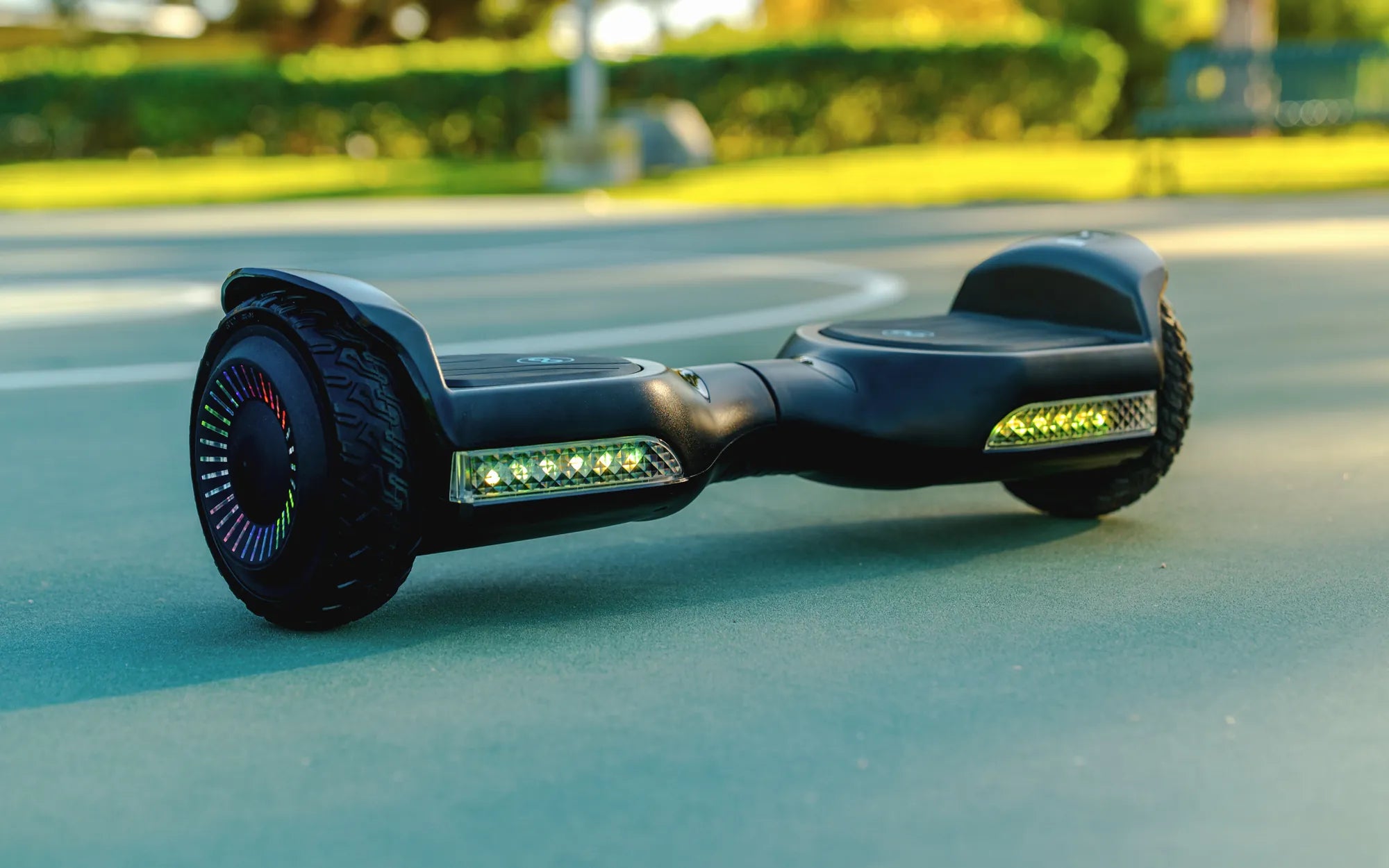
The Quest for Speed: Balancing Performance and Safety
Every hoverboard rider eventually wonders how to make their board faster. Whether for commuting efficiency or recreational thrill, unlocking more speed is a common goal. However, achieving this requires understanding the delicate balance between performance enhancement and critical safety protocols.
This guide focuses on proven, safe methods to maximize your hoverboard's potential while clearly identifying dangerous modifications to avoid. We'll explore how proper maintenance and riding techniques can help you consistently achieve your board's advertised top speed. The key is working with your device's engineering, not against it.
As a leading brand trusted by over 100,000 riders, Gyroor designs hoverboards with specific performance parameters that prioritize rider safety and device longevity. Attempting to bypass these limits through unofficial means can have serious consequences, from voiding warranties to creating genuine fire hazards.
Understanding Factory Speed Limits: The Engineering Behind the Cap
Most consumer hoverboards have a factory-set speed limit between 7 and 12 miles per hour. This isn't an arbitrary restriction but a calculated safety feature integrated into the board's core systems. The limit ensures stability, protects the motor and battery from overload, and provides a manageable experience for riders of varying skill levels.
The speed limiter works in conjunction with the gyroscopic stabilization system. When you approach the maximum speed, the board's software initiates a "tilt-back" response, gently leaning the footpads upward to discourage further acceleration. This built-in feedback is crucial for preventing loss of control at unsafe velocities.
Exceeding these engineered limits stresses every component. The motors can overheat, leading to premature failure. The battery management system can become overwhelmed, potentially damaging the UL-certified battery cells. The structural integrity of the frame and wheels may be compromised under forces they weren't designed to handle.
Understanding this foundation is essential before attempting any performance adjustments. True enhancement comes from optimizing the system to reliably reach its designed maximum, not from attempting to dismantle its fundamental safety architecture.
Proven & Safe Tip #1: Maintain Optimal Tire Pressure
One of the most overlooked factors affecting speed is tire inflation. Under-inflated tires create significant rolling resistance, forcing the motors to work harder and reducing your top speed and acceleration. Properly inflated tires roll more freely, directly translating to better performance.
Check your owner's manual for the recommended PSI (pounds per square inch), typically between 35 and 50 PSI for standard hoverboards. Use a digital tire gauge for accuracy at least once every two weeks, as tires naturally lose air over time. Riding with low pressure by just 10 PSI can reduce your effective speed by 1-2 MPH.
For Gyroor models with their robust, air-filled tires, maintaining correct pressure is part of routine care that ensures the board responds correctly to your lean commands. It also provides better shock absorption and extends the life of the tire itself. Always inflate tires when they are cool to the touch for the most accurate reading.
This simple, safe maintenance step requires no technical skill and has zero risk of voiding your warranty. It is the first and most effective action for any rider noticing a decline in their board's responsiveness or top speed.
Proven & Safe Tip #2: Ensure a Fully Charged, Healthy Battery
Your hoverboard's speed is directly tied to battery voltage. A lithium-ion battery delivers its highest voltage when fully charged, providing maximum power to the motors. As the battery depletes, voltage drops, and the board's computer may begin to limit performance to conserve remaining power and prevent a sudden shutdown.
Always start your ride with a battery charged to 100% using the official manufacturer's charger. Third-party chargers may not communicate correctly with the battery management system (BMS) and can cause improper charging cycles that degrade capacity over time. A healthy Gyroor UL-certified battery, when properly maintained, should deliver consistent performance for its 500+ cycle lifespan.
Battery health degrades with time and use. If your board is older and seems significantly slower even after a full charge, the battery may be nearing the end of its serviceable life. Signs include dramatically reduced range and the board struggling on slight inclines. Replacing the battery with an official Gyroor pack restores original performance.
Never attempt to modify or swap in a higher-voltage battery. This overwhelms the motor controllers and wiring, creating extreme overheating risk and immediately voiding all safety certifications and warranties. Performance comes from a healthy battery within its designed specifications.
Proven & Safe Tip #3: Reduce Weight and Optimize Riding Conditions
The physics are simple: less weight and less resistance equal more speed. Every hoverboard has a maximum weight rating for a reason. Riding at or below this rating allows the motors to operate efficiently. Exceeding it strains the system, reduces acceleration, and lowers the achievable top speed.
Remove any unnecessary baggage. Carrying a backpack adds weight and can affect your balance, causing subtle corrections that sap momentum. Wear lightweight clothing and consider the weight of any safety gear in your total load. For consistent speed, aim to ride at least 20-30 pounds below the board's maximum capacity.
Surface conditions massively impact performance. Smooth, dry, flat pavement offers minimal rolling resistance. In contrast, grass, gravel, dirt, or wet surfaces create drag that the motors must overcome, consuming power that could otherwise be used for speed. Even rough asphalt can slow you down compared to smooth concrete.
Wind resistance is another factor. Riding into a headwind can feel like climbing a hill. For maximum speed, choose calm days and consider your body position; a slight crouch can make you more aerodynamic. These environmental optimizations allow your board to perform at its engineering best without a single modification.
Proven & Safe Tip #4: Perform Regular Maintenance and Calibration
A well-maintained hoverboard is a fast hoverboard. Dirt, debris, and grime can interfere with moving parts, create friction, and even confuse sensors. Regularly wipe down your board, especially around the wheel axles and under the footpads. Check for and tighten any loose screws in the frame.
The most critical maintenance task is gyroscope calibration. Over time, the sensors that detect your lean can drift out of alignment. This causes sluggish or uneven response, preventing you from accelerating confidently to top speed. The calibration process resets these sensors to neutral.
To calibrate a Gyroor hoverboard (consult your specific manual): place the board on a perfectly level surface, turn it on, but do not mount it. Press and hold the power button for 5-10 seconds until you hear a series of beeps and see the lights flash in a specific pattern. The board will then shut off. When you power it back on, the calibration is complete.
Regular calibration, clean wheel bearings, and ensuring the footpads are free of obstructions guarantee that your control inputs are translated precisely into motor output. This is the essence of achieving and maintaining peak performance safely.
The Danger Zone: Risky Modifications to Absolutely Avoid
Online forums and videos often promote dangerous "hacks" to make your hoverboard faster. These methods compromise safety, destroy your device, and void all protections. Understanding the risks is crucial to avoiding catastrophic failure.
Firmware "Hacks" or Re-flashing
This involves connecting your board's main controller to a computer to overwrite its original software. The promised result is a removed speed limiter. The real result is often a "bricked" (permanently disabled) board. Even if it works, you disable critical safety features like tilt-back and overload protection, leading to uncontrollable acceleration and certain crashes.
Battery or Motor Swaps
Installing a higher-voltage battery (e.g., 48V instead of 36V) or more powerful motors seems like a direct power upgrade. In reality, the board's wiring, battery management system, and motor controllers are not rated for the increased current. This creates extreme overheating, melting wires, potential fires, and will destroy the IPX5 water-resistant sealing.
Physical Alterations to Wheels or Gearing
Some attempt to modify the gear ratio or install larger wheels. This disrupts the finely tuned balance between motor torque and wheel rotation speed. The gyroscopic stabilization system becomes confused, leading to immediate loss of balance. The motors will also overheat trying to turn the mismatched wheels.
These modifications are not just unsafe; they transform a certified personal transportation device into an unpredictable hazard. They nullify the 1-year warranty and any insurance coverage you might have.
Performance Expectations: Safe Methods vs. Dangerous Hacks
| Method | Realistic Outcome | Risk Level | Warranty Impact |
|---|---|---|---|
| Maintain Correct Tire Pressure | Regain 1-2 MPH, smoother ride, longer range | None | No impact |
| Use Fully Charged Official Battery | Consistent power delivery, achieves advertised top speed | None | No impact (preserves battery health) |
| Reduce Weight & Ride on Smooth Pavement | Optimal efficiency, maximized acceleration and speed | None | No impact |
| Regular Calibration & Maintenance | Precise control, responsive acceleration, stable at high speed | None | No impact |
| Firmware Hack / Speed Limiter Removal | High chance of bricking device; if successful, unstable, uncontrollable speed | Extreme: Crash hazard, loss of all safety features | Permanently voided |
| Installing Higher-Voltage Battery | Motor controller burnout, melted wires, potential battery fire | Extreme: Fire hazard, component destruction | Permanently voided |
| Swapping for Larger Motors | Overloaded circuits, immediate overheating, catastrophic failure | Extreme: Electrical fire, structural failure | Permanently voided |
FAQ: Making Your Hoverboard Faster
Q: Can I just cut the speed limiter wire I found inside my hoverboard?
A: No. That wire is almost certainly a sensor cable for the gyroscope, tilt sensor, or battery management system. Severing it will cause immediate malfunction—likely causing the board to spin uncontrollably or shut down—not make it faster.
Q: Are there official speed modes or apps for Gyroor hoverboards?
A> Some Gyroor models, particularly their off-road and pro-series scooters, feature multiple speed modes (e.g., beginner, normal, pro) selectable via the power button or a companion app. Always use only the official Gyroor app if available. Third-party apps can contain malware or send corrupt commands.
Q: My hoverboard used to be faster. What should I check first?
A> Follow this checklist: 1) Fully charge the battery with the official charger. 2) Check and adjust tire pressure to the recommended PSI. 3) Perform a gyroscope calibration on a level surface. 4) Check for debris wrapped around the axles or in the wheel wells. 95% of speed loss issues are resolved here.
Q: Will upgrading to solid tires make my hoverboard faster than air-filled ones?
A> No. While solid tires never go flat, they typically create more rolling resistance and provide a harsher ride. Air-filled tires, when properly inflated, offer better efficiency, shock absorption, and ultimately, performance. The slight maintenance of checking pressure is worth the benefit.
Q: If I want more speed, what should I do?
A> The only safe and recommended path is to choose a model designed for higher performance from the start. Gyroor's off-road electric scooter models, for instance, are engineered with more powerful motors, robust batteries, and reinforced frames to safely achieve speeds of 15-19 MPH, all covered under warranty.
Smart Performance: Choosing the Right Tool for the Job
The most effective way to make your hoverboard faster is to ensure it's operating at its designed peak through conscientious maintenance and optimal riding practices. True performance is about reliability and control, not just a higher number on a speedometer. Chasing unsafe modifications leads to broken equipment, voided warranties, and personal injury.
Gyroor's philosophy centers on delivering thrilling, reliable performance through quality engineering—UL-certified batteries for safety, IPX5 ratings for durability, and robust motors tuned for specific models. This engineering ensures that when you follow the proven tips for tire pressure, battery care, and calibration, you experience the full, safe potential of your device every time you ride.
If your need for speed outgrows your current board's capabilities, the solution is not to hack it. The solution is to upgrade to a platform engineered for that performance level from the ground up. Explore models built for more power, greater stability at speed, and longer range, all while maintaining the safety certifications and warranty that protect your investment.
Ready for a ride that combines safety with exhilarating performance? Browse the full Gyroor collection, featuring models designed for various speed and terrain needs, all backed by reliable 1-year warranties and industry-leading safety standards at gyroorboard.com.
10 Inch Hoverboard with Bluetooth Speaker: The Ultimate Ride and Entertainment Combo
Best Kids Scooter for 2 Year Old: The Ultimate Safety & Fun Guide