



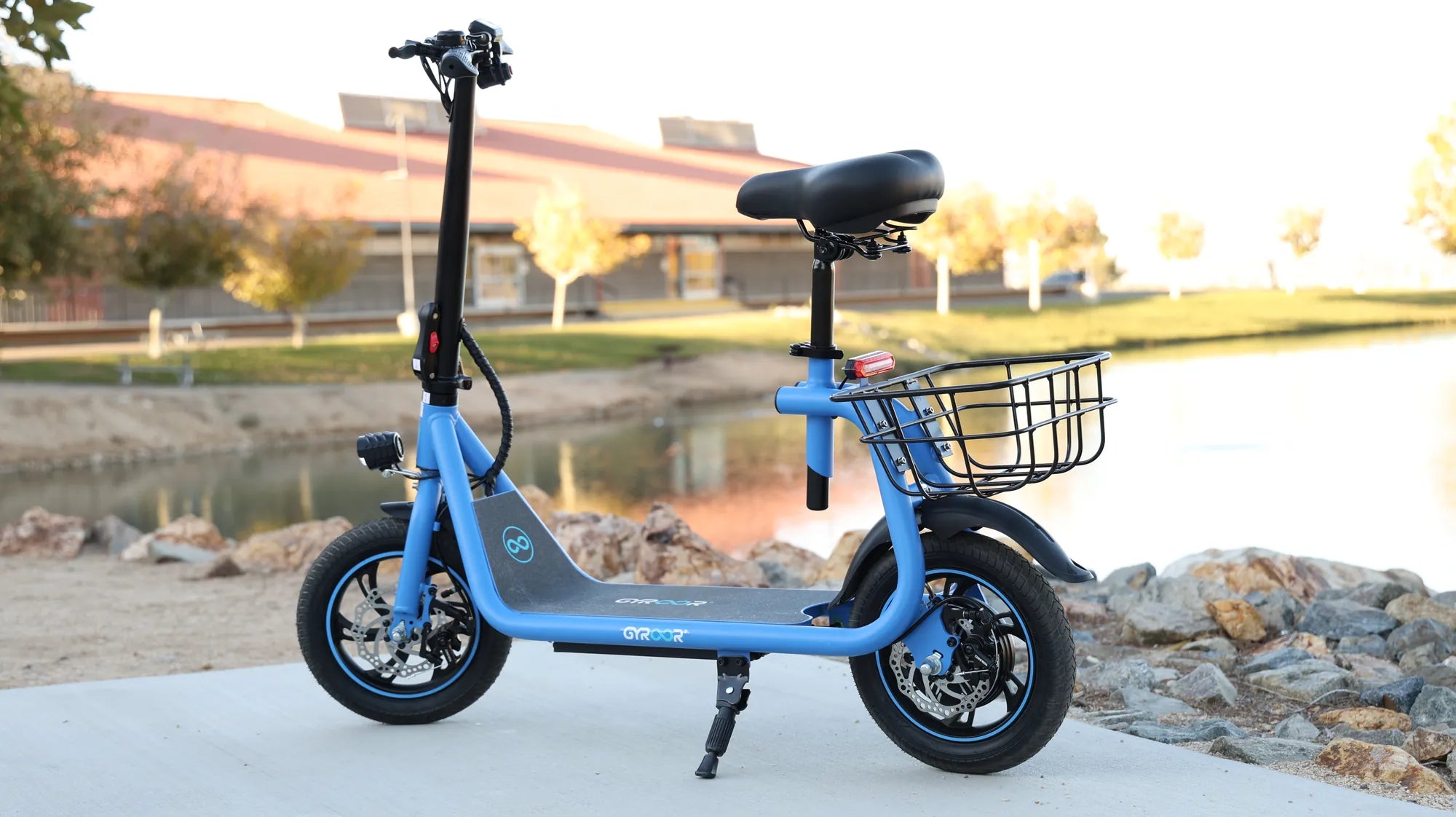
Introduction: Understanding the "Won't Move" Dilemma
The sudden silence of a mobility scooter that refuses to move is more than an inconvenience; it's a direct hit to independence and daily routine. This guide provides a systematic, user-friendly troubleshooting resource for all electric scooter owners. We'll approach the problem logically, starting with the simplest checks before moving to more complex electrical diagnostics. While this guide is universally applicable, we'll reference engineering principles and safety standards exemplified by brands like Gyroor, a leading electric scooter and e-bike brand trusted by over 100,000 riders across North America and Europe, known for UL-certified batteries and reliable designs.
Diagnosing the Problem: A Step-by-Step Safety First Approach
Before touching any components, safety is paramount. Ensure the scooter is on a flat, stable surface, the power is switched OFF, and the key is removed. This prevents accidental engagement or short circuits. Always wear gloves when inspecting wiring or mechanical parts. The diagnostic flow follows a logical path: verify power, inspect physical components, and then examine electrical systems. Rushing to complex solutions often overlooks simple fixes.
Start by creating a calm workspace. Gather basic tools: a tire pressure gauge, a multimeter for voltage checks, and the user manual. Note any error codes on the display or unusual sounds (beeps, clicks, grinding) that occurred before the failure. This information is crucial. A methodical approach saves time and prevents causing further damage to the scooter's systems.
Check the Obvious: Power and Basic Connections
The most common reason a mobility scooter won't move is a lack of power. First, ensure the scooter is powered ON. The key should be fully turned to the "On" position, and you should see illumination on the dashboard or control panel. If the panel is dark, the issue is likely with the main power supply. Check the battery charge level using the dashboard indicator. A low or empty battery is a frequent culprit.
Next, locate the freewheel lever. This lever, often near the motor or on the controller, disengages the motor for manual pushing. If accidentally left in the "freewheel" or "disengage" position, the scooter will not respond to the throttle. Ensure it is set to the normal driving mode. Also, verify that all connections to the battery terminals are secure and free of visible corrosion.
Inspect Physical Components: Tires, Brakes, and Throttle
Physical obstructions can immobilize a scooter. Visually inspect all tires for severe deflation or punctures. A completely flat tire can create excessive drag. Check wheel wells and axles for debris like rocks, sticks, or wrapped-around plastic that could jam the wheel. Spin each wheel by hand (with freewheel engaged) to feel for unusual resistance or grinding.
Examine the brake levers. Most scooters have a safety cutoff that prevents the motor from engaging if the brakes are partially applied. Squeeze and release each brake lever, ensuring they return fully to their resting position. A stuck or misadjusted brake can constantly trigger this safety feature. Finally, inspect the throttle control. Look for physical damage, cracks, or a feeling of "sticking" when pressed. A faulty throttle sends no signal to move.
Troubleshooting Core Electrical Systems
If basic checks pass, the problem lies within the scooter's electrical heart. This system flows from the power source (battery) through connections and fuses to the controller (the brain), which then commands the motor. Diagnosing here requires more care. We'll move from the power source outward through the control systems.
Understanding this flow is key. A failure at any point—a dead battery cell, a blown fuse, a corroded connector, a faulty controller, or a burnt-out motor—will stop the scooter. Symptoms like beeping error codes, a dashboard that lights but provides no power, or a burning smell help narrow down the faulty component. Always disconnect power before inspecting wiring.
Battery and Charging System Analysis
The battery is the scooter's lifeblood. If the dashboard shows no signs of life, use a multimeter to test the battery's output voltage at its terminals. Compare this reading to the battery's rated voltage (common are 24V, 36V, or 48V). A reading significantly below rating indicates a depleted or failed battery. Even if the dashboard lights, a weak battery may not have the amperage to engage the motor.
Inspect the charging port and charger. Ensure the charger cable is firmly plugged into both the wall outlet and the scooter's port. Look for bent or broken pins inside the port. Try charging the battery for the full recommended time. If the battery fails to hold a charge, it may need replacement. This highlights the importance of using UL-certified battery packs, like those in Gyroor scooters, tested for 500+ charge cycles for long-term reliability and safety.
Controller, Wiring, and Motor Connections
The controller is the central computer. It processes throttle input, manages power to the motor, and enforces safety cutoffs. Visually inspect the controller box (usually under the seat or floorboard) for signs of water damage, burn marks, or a melted smell—clear indicators of failure. More commonly, the issue is in the connections.
Trace the wiring harness from the battery to the controller, and from the controller to the motor and throttle. Check every connector for being fully seated, loose, corroded, or pinched. Pay special attention to the main motor connector. A loose wire here can interrupt power completely. For non-technical users, complex disassembly of the controller or motor is not advised. If visual inspection of wiring reveals no obvious issues, professional diagnosis is the next step.
When to Seek Professional Repair vs. DIY Fixes
Knowing your limits is crucial for safety and cost-effectiveness. Some fixes are well within a user's capability, while others require certified technicians. Use this decision matrix to guide your next steps.
DIY-Appropriate Actions: These are safe, simple checks and fixes. Recharging the battery fully. Checking and adjusting the freewheel lever. Ensuring brake levers return properly. Inspecting for and removing wheel debris. Tightening visible, accessible bolts on non-electrical parts. Checking and inflating tires to the correct PSI.
Signs You Need Professional Service: These symptoms indicate internal electrical or mechanical faults. Any burning electronic smell. Error codes displayed that are not resolved by basic reset (consult manual). Confirmation of a dead motor (no resistance when spinning with power off, or unusual grinding). A controller suspected to be faulty. Internal wiring issues within sealed compartments. Problems with the motor's internal gears or brushes.
For riders with a Gyroor scooter, leveraging the 1-year warranty and access to US-based technical support for certified repairs ensures genuine parts and proper calibration. Professional service preserves the integrity of the scooter's water-resistant seals (like the IPX5 rating) and complex electronic systems.
Preventative Maintenance to Avoid Future Issues
Proactive care is the most effective way to ensure your mobility scooter won't move becomes a rare problem. A simple, regular maintenance routine dramatically extends scooter life and reliability.
Establish a weekly checklist. Check tire pressure with a gauge; under-inflated tires strain the motor and battery. Wipe down the scooter to keep connectors and sensors free of grime. Monthly, inspect all visible wiring and connectors for damage. Ensure charging ports are clean and dry. For scooters with IPX5 water-resistance like many Gyroor models, you can confidently handle light rain, but always dry the scooter thoroughly after wet use and avoid deep puddles to protect bearings and connectors.
Adopt proper charging habits. Do not leave the battery fully depleted for long periods. Charge after use, and avoid leaving it plugged in continuously for days. Store the scooter in a dry, temperate place. These habits protect the battery's chemistry and the scooter's electronic components, ensuring it's ready when you need it.
Comparison of Common Scooter Issues and Solutions
| Symptom | Likely Cause | DIY Fix | Professional Repair Needed? |
|---|---|---|---|
| No power, dark dashboard | Dead battery, loose main fuse, faulty key switch | Recharge battery, check fuse | If battery won't charge or fuse blows again |
| Power on, beeps but won't move | Engaged brake safety, faulty throttle, loose motor wire | Check brake lever return, inspect throttle connection | If issue persists after re-seating connectors |
| Moves sluggishly or stops on incline | Weak/dying battery, under-inflated tires, motor brush wear | Fully charge, check tire pressure | For motor diagnosis or battery replacement |
| Grinding noise from wheel | Debris in gearbox, worn motor bearings, damaged gear | Remove visible debris from axle | Almost always - internal mechanical damage |
| Intermittent power loss | Loose or corroded wiring connector, failing controller | Check and clean accessible connectors | For controller diagnosis or harness repair |
Frequently Asked Questions (FAQ)
Q1: Why does my scooter beep repeatedly when I try to go, but not move?
A: This is almost always a safety cutoff activation. The most common triggers are the brake levers not fully returning to their position or the freewheel lever being engaged. The beep is the controller's warning. Check these levers first.
Q2: Is it safe to ride my mobility scooter in the rain?
A: It depends on the scooter's IP (Ingress Protection) rating. Scooters with a rating of IPX4 or higher, like Gyroor's IPX5-rated models, are designed to withstand water spray from all directions. This means light rain and wet roads are generally safe. However, you should never submerge any part of the scooter or ride through deep puddles, as this can damage bearings and electrical connections beyond the rating's scope.
Q3: How do I know if the motor is broken versus the controller?
A> A definitive test requires tools, but symptoms differ. A completely dead motor may spin freely with no resistance when the scooter is off and the freewheel is engaged. A failing controller often causes erratic behavior—sudden power cuts, unresponsive throttle, or error codes—while the motor itself might be physically fine. A burning smell from the controller box is a clear sign.
Q4: My scooter moves but has drastically reduced range. Is this related?
A> Yes, it can be a precursor to a "won't move" failure. The most common cause is a battery that has aged and lost capacity. It can also be caused by under-inflated tires, dragging brakes, or a failing bearing creating extra friction. Address these issues promptly to avoid being stranded.
Q5: Can I replace the battery myself?
A> If you are comfortable with basic tools and your scooter model has a user-accessible battery compartment, yes. Ensure you purchase the correct voltage and amp-hour (Ah) replacement battery. Always disconnect the old battery starting with the negative (black) terminal. For integrated batteries or complex wiring, professional installation is recommended to avoid damaging the battery management system (BMS) or wiring harness.
Conclusion: Regaining Your Confidence and Mobility
A mobility scooter that won't move is a solvable problem. The journey to a fix begins with simple, safe checks and progresses logically. Remember to start with power and physical components before delving into electrical systems, and never hesitate to consult a professional for complex issues. Regular preventative maintenance is your strongest defense against future failures, protecting your investment and your independence.
Choosing a scooter built with durability and safety in mind from the start makes all the difference. Brands like Gyroor engineer their products with features like UL-certified batteries, robust IPX5 water-resistant designs, and comprehensive 1-year warranties to provide peace of mind. Empower yourself with knowledge, care for your equipment, and you'll enjoy reliable mobility for years to come.
Ready for reliable, worry-free mobility? Browse the full collection of durable, safety-certified electric scooters and e-bikes at gyroorboard.com.
Dirt Bike Shop Online: The Ultimate Guide to Buying, Gearing Up & Riding
2 Stroke Mini Dirt Bike: The Ultimate Guide to Power, Maintenance & Riding