



Introduction: Why a Hoverboard is Your Next Great Adventure
Mastering a hoverboard unlocks a unique blend of fun, efficiency, and personal freedom. It transforms short trips to the store, campus commutes, or park visits into an enjoyable glide. However, the journey from unboxing to effortless riding requires the right approach. This ultimate guide for beginners demystifies the entire process. Hoverboard learning to ride is a skill anyone can acquire with proper instruction and practice. We'll cover every step, ensuring your first experience is safe, confident, and built on a foundation of reliable equipment, like the UL-certified models from leading brands such as Gyroor.
The appeal is clear: a compact, self-balancing personal transporter that moves intuitively with your body. Yet, its learning curve, while short, demands respect. Success hinges on preparation, understanding your machine, and following a structured practice regimen. This guide provides that structure, combining essential safety knowledge with progressive skill-building exercises. By the end, you'll be equipped not just to ride, but to ride well, understanding how to maintain your board and navigate real-world environments safely.
Pre-Ride Essentials: Gear Up and Prepare Your Hoverboard
Before you even think about stepping on, preparation is paramount. This phase is about mitigating risk and ensuring your equipment is ready. Rushing this step is the most common mistake beginners make. A proper start involves two critical components: outfitting yourself with protective gear and performing a thorough inspection of your hoverboard. This dual focus on personal and mechanical readiness sets the stage for a secure learning environment.
Neglecting these essentials can turn a minor stumble into a preventable injury or a mechanical issue into a roadside failure. Investing time here pays exponential dividends in confidence later. We'll break down exactly what you need and what to look for, using the standards set by reputable manufacturers. For instance, Gyroor hoverboards are designed with safety features like UL-certified batteries, but the rider's vigilance completes the safety circuit.
Safety Gear is Non-Negotiable
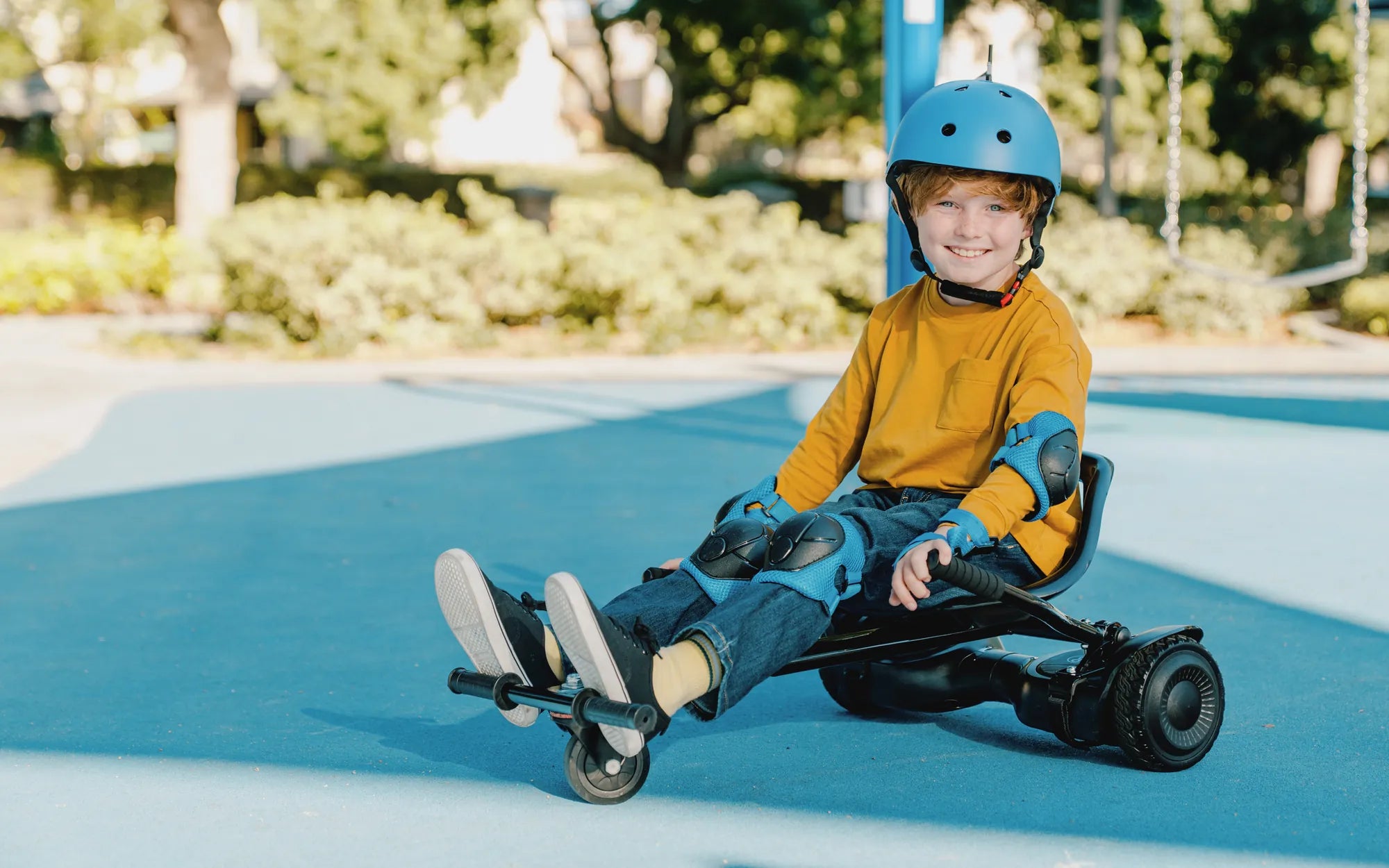
Protective gear is not optional for beginners. It is your primary defense against falls, which are a normal part of the learning process. A full set of gear significantly reduces the risk of scrapes, sprains, and fractures, allowing you to practice without fear. The essential kit includes a certified helmet, wrist guards, and knee and elbow pads. Each piece serves a specific protective function based on common fall dynamics.
Wrist guards are arguably the most important after a helmet, as instinct leads us to break falls with our hands. Knee and elbow pads protect joints that are vulnerable during sideways or forward tumbles. Choose gear that fits snugly without restricting movement. Quality safety equipment from sporting goods stores is a worthwhile investment. Remember, looking slightly bulky is far better than a visit to the emergency room.
Understanding Your Hoverboard's Features
A modern hoverboard is a sophisticated piece of personal electronics. Understanding its key features helps you operate it safely and within its limits. Core components include the gyroscopic sensors and motors that enable self-balancing, the battery pack, the tire type, and the outer shell's durability. Brands like Gyroor build additional safety and convenience features into their models, which riders should be aware of.
Key specifications to know are the battery certification (UL-certification is the gold standard for fire safety), water resistance rating (IPX5 means it can withstand water jets from any direction, suitable for wet pavement but not submerged), and motor power (measured in watts). Knowing your board's weight limit and terrain rating (pavement vs. all-terrain) is also crucial. This knowledge isn't just technical; it informs where and how you can safely ride, extending the life of your investment.
The Step-by-Step Learning Process: From Mounting to Gliding
With gear on and board checked, it's time to learn. Find a large, flat, smooth, and empty area—a tennis court, empty parking lot, or long driveway is ideal. Avoid slopes, gravel, and traffic for your first several sessions. The process is best broken into distinct, manageable stages. Trying to do too much too soon is a recipe for frustration. Patience here is the ultimate shortcut to proficiency in hoverboard learning to ride.
Expect to spend your first session solely on Stages 1 and 2. The goal is incremental progress, not immediate mastery. Each stage builds muscle memory and confidence. Have a friend nearby for moral and physical support when first mounting. The following sequence is proven to work for the vast majority of new riders, transforming a wobbly start into a stable glide within an hour or two of focused practice.
Stage 1: Finding Balance and Mounting
This stage is about static balance. Do not attempt to move yet. First, power on your hoverboard and place it on level ground. Stand behind it. Use a sturdy support like a wall, fence, or railing. Place your dominant foot firmly on the corresponding footpad, keeping your leg relatively straight. The board may wiggle; this is normal. Use your arms and the support for balance.
Once stable, gently push off with your other foot and place it on the second footpad as quickly and smoothly as possible. Stand upright, looking forward—not down at your feet. Distribute your weight evenly. Your knees should be slightly bent, not locked. Practice finding this neutral, balanced stance while holding the support. Step off backward onto your dominant foot first when dismounting. Repeat this mount/dismount process until it feels less awkward.
Stage 2: Mastering Basic Movement
Now, introduce movement. While holding your support, practice the fundamental control: leaning. To go forward, ever so slightly lean your shoulders and hips forward. To stop or go backward, lean back. The movement comes from your core and ankles, not from bending at the waist. Start with tiny, controlled leans. The goal is to move a foot or two forward and back, maintaining balance.
Once comfortable with this micro-movement, let go of the support for a few seconds at a time. Focus on making small, slow, straight-line movements. If you feel unstable, simply step off backward. The key is to relax; tension makes balancing harder. Practice accelerating gently to a slow walking pace and then slowing to a complete stop. This control over start and stop is the foundation of all riding. Mastering slow, straight-line travel is the core objective of this stage.
Stage 3: Practicing Turns and Controlled Stops
Turning is achieved by applying differential pressure with your feet. To turn right, push your right toe down slightly or apply more pressure with your left heel. The board will pivot. Start with wide, gradual turns—imagine making a large circle. Look in the direction you want to go; your body will naturally follow. Practice both left and right turns until you can smoothly link them into a gentle slalom.
Parallel to turning, drill your stopping procedure. A controlled stop is not an emergency maneuver. To stop, gently lean back to decelerate smoothly to zero speed. Once completely stationary, step off backward in your practiced manner. Never jump off a moving board. Practice stopping from different slow speeds and after turns. Combining these skills—moving, turning, and stopping deliberately—means you have officially learned the basics of hoverboard operation.
Advanced Maneuvers and Riding Tips for Confidence
After conquering the fundamentals, you can refine your skills for more fluid and practical riding. This phase is about moving from conscious effort to subconscious competence. Advanced techniques make riding more efficient and adaptable to different environments. It also involves developing the right riding habits and awareness. The transition from a practice lot to a sidewalk or bike path requires a new level of foresight and control.
These skills include riding one-handed (or no-handed for brief moments), navigating tighter spaces, and handling minor obstacles. Confidence builds with mileage, but it must be tempered with continued respect for the board's limits and public safety. The following tips and maneuvers will help you graduate from a novice to a competent, courteous rider, ready to integrate hoverboarding into your daily routine safely.
Navigating Different Terrains
Not all ground is created equal. Most standard hoverboards with 6.5 or 8.5-inch solid rubber tires are designed for smooth, hard surfaces like pavement, asphalt, and indoor flooring. All-terrain models from brands like Gyroor feature larger, air-filled tires with treads, capable of handling grass, dirt paths, and gravel. Knowing your board's capability is crucial.
Pavement: Offers the smoothest ride. Be mindful of cracks, seams, and debris.
Grass/Dirt: Requires more power and balance. Slightly wet grass can be very slippery. Only attempt with all-terrain boards.
Inclines: Most boards can handle moderate slopes (10-15 degrees). Always ascend and descend straight on, not at an angle, to maintain stability. Avoid steep hills as they can overwhelm the motors and drain the battery rapidly.
Riding Safely in Public Spaces
When you take your hoverboard into shared spaces, you become part of the traffic ecosystem. Your primary responsibility is to be predictable and courteous. Always yield to pedestrians. Ride at a walking or jogging pace on crowded sidewalks. Use bike lanes where permitted and legal, but be hyper-aware of cars. Obey all local laws regarding where hoverboards are allowed.
Maintain a constant scan of your environment—look ahead for obstacles, check your sides, and be aware of anyone behind you when stopping. Avoid using headphones at high volume. Despite an IPX5 water-resistant rating, avoid large puddles and heavy rain, as water can damage internal components over time or cause you to slip. Signal your intentions with your arms when turning in traffic. Defensive riding is safe riding.
Hoverboard Care and Maintenance for Longevity
A well-maintained hoverboard is a safe and reliable hoverboard. Simple, regular care prevents most major issues and extends the product's lifespan significantly. Maintenance revolves around three pillars: battery care, physical inspection, and cleanliness. Neglecting these can lead to reduced performance, sudden failures, or safety hazards. Establishing a quick routine takes only minutes but ensures every ride starts on the right foot.
Following the manufacturer's guidelines is essential. For example, Gyroor provides specific instructions for charging and storage that optimize the life of their UL-certified battery packs. This proactive approach to maintenance protects your investment and ensures the consistent performance needed for confident riding. Think of it as the equivalent of checking your bike's tire pressure or your car's oil.
Battery Best Practices
The lithium-ion battery is the heart of your hoverboard. Treat it well. Use only the provided charger from the manufacturer. Avoid letting the battery fully deplete; recharge it when it drops to 20-30%. Similarly, avoid leaving it plugged in for days on end after it reaches 100%. For long-term storage (over a month), charge the battery to about 50-60% and store the board in a cool, dry place.
Extreme heat (like a hot car trunk) and extreme cold can permanently damage battery cells. Allow the board to cool down to room temperature after a long ride before charging. A quality battery from a brand with UL certification, like those used by Gyroor, is engineered for 500+ charge cycles with proper care, translating to years of regular use. Following these practices is the single most important thing you can do for your board's longevity.
Routine Checks and Cleaning
Perform a quick visual and physical inspection before each ride. This pre-ride checklist should become second nature:
- Tires: Check for wear, cracks, or embedded debris. For air-filled tires, ensure they are properly inflated.
- Frame/Casing: Look for new cracks, loose screws, or damage from previous impacts.
- Footpads: Ensure they are clean and dry for proper sensor contact.
- Power Button & Lights: Confirm they are functioning normally.
For cleaning, first power off the board and disconnect the charger. Wipe down the body with a slightly damp cloth. Avoid spraying water directly on it, even with an IPX5 rating. Do not use harsh chemicals. Ensure the charging port is completely dry before plugging in the charger. Keeping your board clean isn't just about aesthetics; it prevents grit from interfering with moving parts and sensors.
Choosing the Right Hoverboard: A Comparison for Beginners
Not all hoverboards are created equal, especially for a beginner. The right choice balances safety, stability, and features appropriate for your intended use. Key decision factors include wheel size, motor power, battery range, weight limit, and specific safety certifications. As a beginner, prioritizing stability (often linked to wheel size) and verified safety (UL certification) is wise. The table below compares common hoverboard types to guide your selection.
| Hoverboard Type | Best For | Key Features | Considerations for Beginners |
|---|---|---|---|
| Standard (6.5"-8.5" Solid Tires) | Smooth indoor floors, pavements, short commutes. | Lightweight, affordable, often has LED lights. Common in entry-level models. | Smaller wheels feel bumps more. Great for mastering basics on perfect surfaces. |
| All-Terrain (8.5"+ Air-Filled Tires) | Grass, dirt paths, rougher pavement, light off-road. | Larger pneumatic tires with tread, higher ground clearance, more powerful motors. | Provides a smoother ride over cracks and bumps. More stable but heavier. Models like Gyroor's off-road options offer this. |
| Premium Commuter (10" Tires, Enhanced Features) | Longer daily commutes, riders seeking comfort & range. | Largest solid or air-filled tires, extended battery range (15+ miles), Bluetooth speakers, app connectivity. | Offers the most stable and comfortable ride. Higher price point but built for daily, reliable use with advanced safety features. |
For most beginners, an all-terrain or premium commuter style with 8.5-inch or larger wheels offers the best combination of stability and versatility, making the hoverboard learning to ride process smoother. Always verify UL 2272 certification for electrical and battery safety, a standard met by reputable brands.
Frequently Asked Questions for New Riders
New riders often have similar questions and concerns. Having clear, authoritative answers helps build confidence and ensures safe practices from the start. Here are answers to some of the most common queries based on expert advice and manufacturer guidelines from leading brands like Gyroor.
Q1: How long does it really take to learn to ride a hoverboard?
A: Most adults and older children can learn the basic controls—mounting, moving forward/backward, and stopping—within 30 to 60 minutes of focused practice in a safe area. Feeling completely confident and comfortable with turns and varied terrain typically takes a few hours of total practice spread over several days.
Q2: What is the best age for a hoverboard rider?
A: Manufacturers provide age and weight recommendations, typically starting at 8 years old and 44 lbs minimum weight. The upper age limit is only constrained by weight capacity (usually 220-265 lbs) and physical ability. Riders of any age must have the coordination to balance and the judgment to follow safety rules. Parental supervision is essential for younger riders.
Q3: Can I ride my hoverboard in the rain or through puddles?
A: Many modern boards, including Gyroor models, have an IPX5 water resistance rating. This means they are protected against water jets from any direction, so light rain and wet pavement are generally okay. However, you should avoid large puddles, standing water, and heavy downpours. Water can cause slipping, and prolonged exposure can eventually compromise seals. Always dry your board thoroughly after riding on wet surfaces.
Q4: What does the Gyroor warranty cover, and why is it important?
A: Gyroor offers a comprehensive 1-year warranty covering manufacturing defects in materials and workmanship for the main unit, battery, and charger. This warranty is a testament to their confidence in product quality and commitment to customer safety. It is important because it provides peace of mind, ensuring support from a US-based team if an issue arises with your UL-certified device. Always check the specific warranty terms at point of purchase.
Q5: How do I know when the battery is low, and what happens if it dies mid-ride?
A: Your hoverboard will give clear warnings. Typically, LED indicator lights will flash, or a voice prompt will announce "low battery." The board will also gradually reduce power and speed. If the battery depletes completely, the motors will shut off. While the board won't necessarily throw you off, it will lose its self-balancing ability, so you must step off immediately. To avoid this, plan your rides and recharge well before the battery is critically low.
Conclusion: Your Journey to Effortless Riding Starts Here
Learning to ride a hoverboard is an achievable and immensely rewarding skill. The path from tentative first steps to smooth, intuitive gliding is short when you follow a structured guide focused on safety and progressive practice. The key takeaways are simple: never skip your safety gear, choose a reliable board from a brand that prioritizes safety certifications like UL, and practice the fundamentals in a safe, open space until they become second nature.
Your adventure in personal mobility awaits. With the right preparation and a quality machine built for durability and safety, you'll soon experience the unique freedom and fun that hoverboarding offers. Ready to start your journey with confidence? Explore the full range of reliable, UL-certified hoverboards, electric scooters, and e-bikes designed for every rider. Browse the full Gyroor collection at gyroorboard.com and find the perfect ride to begin your ultimate guide to hoverboard learning to ride.
Left Side of Hoverboard Not Working: A Complete Diagnostic & Repair Guide
High-Quality Electric Scooter for Kids: The Ultimate Guide for Parents