



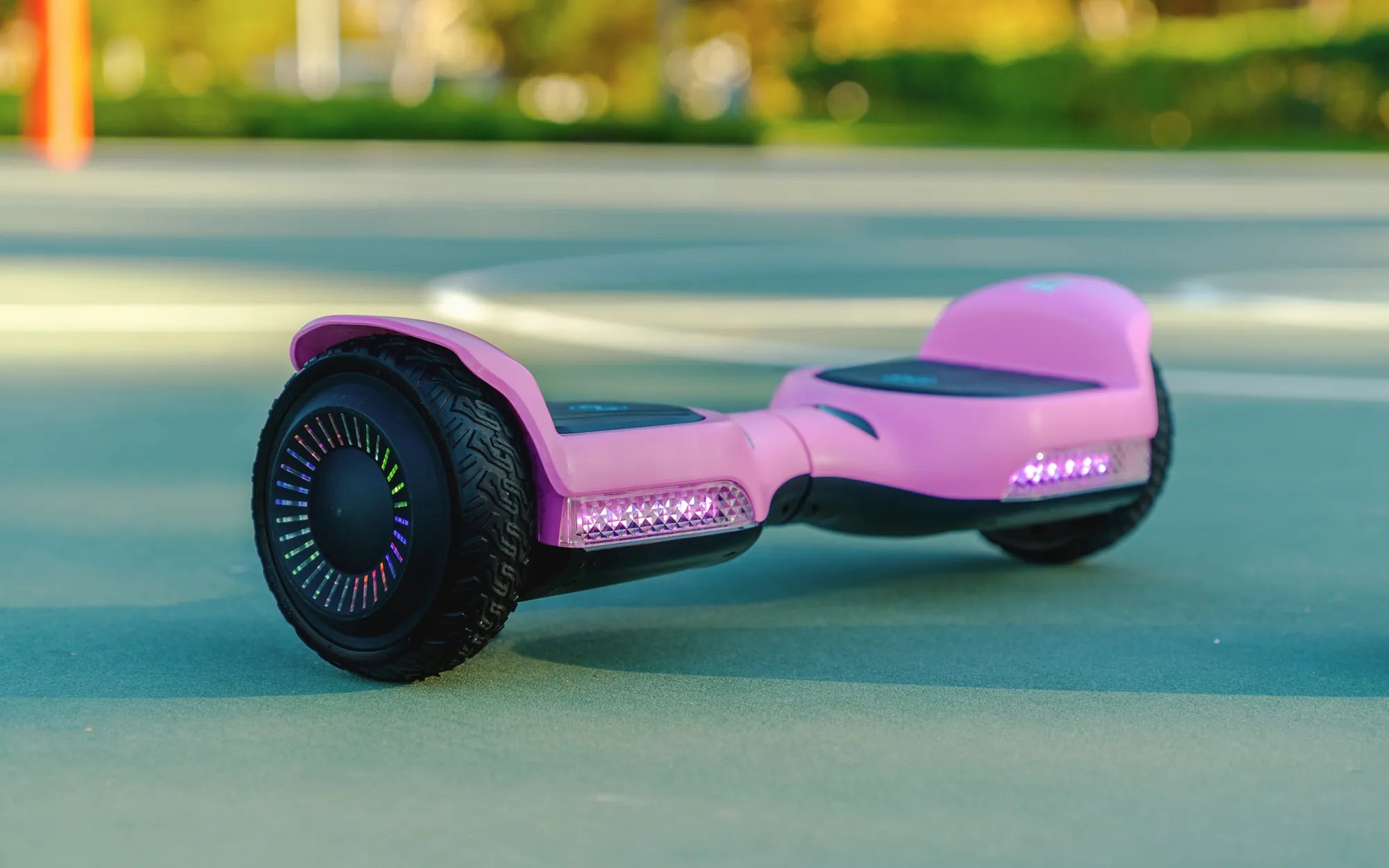
Introduction to Hoverboard Wheel Light Issues
You power down your hoverboard, but the wheel lights remain stubbornly illuminated. This common yet disconcerting issue is more than just an aesthetic quirk; it's a symptom of an underlying electrical or software malfunction. A persistent glow can silently drain your battery, indicate component failure, or pose a potential safety risk if left unaddressed.
Understanding why your hoverboard wheel light stays on is the first step to a safe and effective repair. This guide will demystify the problem, breaking it down into clear, diagnosable causes. From a simple stuck button to complex mainboard issues, we provide a systematic approach to troubleshooting.
You will learn professional-grade diagnostic steps, safety-first repair techniques, and proactive maintenance tips. This knowledge empowers you to protect your device's longevity and ensure your rides remain safe and reliable. Let's illuminate the causes and fixes for this persistent problem.
Understanding Your Hoverboard's Lighting System
Hoverboard wheel lights are not standalone accessories. They are integrated subsystems connected directly to the device's central nervous system: the main control board and battery. Their primary functions are enhanced visibility for night riding and aesthetic appeal, but their operation is a direct reflection of the board's overall health.
The lights are typically low-voltage LEDs powered by the main battery pack. Their on/off state is controlled by signals from the mainboard's microcontroller, which executes commands based on firmware and physical input from the power button. Brands like Gyroor use integrated, soldered LED systems for greater durability compared to cheaper, plug-in modules that can work loose.
When the hoverboard is properly shut down, the mainboard should cut power to all non-essential circuits, including the motor controllers and lighting system. A light that remains on signifies a breakdown in this shutdown sequence. The power pathway from the battery to the lights has not been severed as intended.
This failure can originate at multiple points: the input (power button), the processor (mainboard firmware), the power regulator (BMS), or the board's hardware itself. Recognizing this integrated design is crucial for effective troubleshooting, as a symptom in the lights often points to a problem elsewhere.
Common Causes: Why Your Hoverboard Lights Won't Turn Off
Diagnosing a hoverboard with lights stuck on requires methodically checking each potential failure point. The causes range from simple user-serviceable issues to complex internal faults. Identifying the correct cause is 90% of the repair process.
Faulty or Stuck Power Button
The power button is the most common point of failure. This mechanical component is prone to wear, physical damage, and contamination. Debris like dirt, sand, or spilled liquids can seep into the button housing, causing the internal contacts to remain in a perpetual "pressed" state.
Even if the button appears to click, a damaged internal membrane may not spring back properly, sending a continuous signal to the mainboard. This false signal can prevent the board from entering a full shutdown cycle, leaving ancillary systems like the lights powered. A visual inspection and careful cleaning are often the first diagnostic steps.
Software Glitch or Firmware Error
Like any smart device, hoverboards run on firmware—embedded software that controls hardware functions. Temporary glitches can occur due to voltage spikes, static discharge, or bugs that cause the microcontroller to "freeze" in an active state.
When this happens, the mainboard may fail to execute the proper shutdown routine. The lights, responding to the last command they received, remain illuminated. Fortunately, this is often the easiest fix, resolved by performing a hard reset to reboot the system and clear the corrupted temporary memory.
Damaged Control Board (Mainboard)
The main control board is the hoverboard's brain. A physical failure here is a serious issue. Water damage is a leading cause, leading to corrosion and short circuits on the board's delicate circuitry. Even condensation from temperature changes can be problematic for non-sealed units.
A short circuit, often caused by moisture or a failed component like a capacitor or voltage regulator, can create an unintended power pathway. This can bypass the normal shutdown logic, directly feeding power to the LED circuits. Diagnosing a mainboard fault typically requires technical expertise and specialized tools.
Battery Management System (BMS) Anomaly
The Battery Management System (BMS) is a critical circuit board attached to the battery pack. It regulates charge/discharge, monitors cell health, and, importantly, controls the main power output to the hoverboard. A malfunctioning BMS can fail to cut power to the system entirely when commanded.
If the BMS's power MOSFETs (electronic switches) get stuck in an "on" position, it will continue to supply power to the mainboard, which in turn may keep the lights active. High-quality brands like Gyroor use UL-certified battery packs with advanced BMS protection, significantly reducing but not eliminating the risk of such failures.
Low Battery Voltage / Protection Mode
Some hoverboard models are designed with a visual alert system. When the battery voltage drops to a critically low level, the device may enter a protection mode to prevent deep discharge, which permanently damages lithium-ion cells.
As part of this mode, the wheel lights might pulse or remain solidly on as a warning to the user that the hoverboard needs immediate charging. This is not a malfunction but a designed feature. However, if the lights stay on *after* a full charge, it indicates one of the other issues listed above.
Step-by-Step Diagnostic and Fix Guide
Follow this sequential guide to safely identify and resolve the issue. Always start with the simplest solutions before progressing to more complex diagnostics.
Safety First: Precautions Before You Start
Always begin by turning off the hoverboard and disconnecting it from any charger. Allow it to sit for 5 minutes to let capacitors discharge. Work on a clean, dry, non-conductive surface away from flammable materials. If your hoverboard is under warranty, check Gyroor's terms; opening the casing may void coverage for certain internal repairs.
Have basic tools ready: Phillips screwdrivers, a plastic prying tool, and rubbing alcohol. Never attempt to modify or repair the battery pack itself; this is dangerous and should only be done by qualified professionals. Your safety is the priority.
The Hard Reset: The First and Easiest Fix
A hard reset forces the mainboard to reboot, clearing any temporary software glitches. The exact method can vary by model, but a universal approach is to hold the power button down for 12-20 seconds, even if the lights are on.
You may see the lights flash or cycle during this process. Release the button and wait 30 seconds. Then, press the power button normally for 2-3 seconds to turn it on. Ride the hoverboard for a minute, then power it off normally. Check if the hoverboard wheel light stays on issue is resolved. This fix works in a significant percentage of cases.
Inspecting the Power Button and Housing
If the reset fails, inspect the power button. Look for physical damage, cracks, or sticky residue around the button. Using a can of compressed air, blow out any debris from the edges. For a more thorough clean, apply a small amount of isopropyl alcohol (90%+) around the button's seam and press it repeatedly to work the solvent in.
Allow it to dry completely for 15 minutes. This can dissolve grime and restore the button's mechanical action. Test the shutdown sequence again. If the button feels mushy or doesn't click, the internal switch is likely damaged and requires replacement, which involves opening the hoverboard.
Checking for Water Damage and Corrosion
Visible moisture is a red flag. Inspect the charging port, power button, and casing seams for water ingress, mineral deposits (white/green crust), or rust. While brands like Gyroor build their scooters with IPX5 water-resistant designs—meaning they can withstand low-pressure water jets—this is not a guarantee against submersion or prolonged exposure.
If you find minor moisture, place the hoverboard in a dry, warm area with good airflow (not on a heater) for 24-48 hours. Do not use a hairdryer, as concentrated heat can damage components. Significant corrosion on external ports is a strong indicator of potential internal mainboard damage.
When to Contact Professional Support
If the hard reset and external checks yield no results, the problem is likely internal. At this point, professional support is recommended. This is especially true if you suspect mainboard or BMS failure, hear unusual sounds from the battery compartment, or smell a burning odor.
For Gyroor hoverboard owners, utilize the 1-year warranty and contact their US-based customer support. They can provide model-specific guidance and authorized repair options. Attempting to solder or replace the mainboard without expertise risks permanent damage and negates safety certifications.
Comparative Analysis: Electrical Issue Severity and Solutions
The following table categorizes the potential causes by severity, typical symptoms, and recommended action paths to help you assess your situation.
| Potential Cause | Severity Level | Key Symptoms | Recommended Action |
|---|---|---|---|
| Software Glitch / Firmware Error | Low | Lights on after normal use; device otherwise functions. Fixed by reset. | Perform a hard reset. User-fixable. |
| Stuck/Dirty Power Button | Low to Medium | Button feels unresponsive or sticky. Lights may flicker. | Clean button with compressed air/isopropyl alcohol. User-fixable. |
| Low Battery Protection Mode | Low | Lights on or pulsing when battery is completely drained. | Fully charge the hoverboard. User-fixable. |
| BMS Anomaly | High | Lights stay on; possible charging issues or sudden power loss. | Professional diagnosis required. Do not open battery. |
| Damaged Control Mainboard | High | Lights stay on; may be accompanied by erratic behavior, failure to balance. | Professional repair or board replacement required. |
| Severe Water Damage | Critical | Visible moisture/corrosion; multiple system failures. | Immediately power off. Professional assessment for safety. |
Proactive Safety Tips and Best Practices
Prevention is the best cure for electrical issues. Adopting these habits can significantly reduce the chance of your hoverboard wheel light stays on and other problems.
Always store your hoverboard in a cool, dry place, away from direct sunlight and extreme temperatures, which stress the battery and electronics. Perform a monthly visual inspection: check the power button, charging port, tire pressure, and casing for cracks or damage.
While IPX5 ratings offer good protection against splashes, avoid riding through deep puddles or in heavy rain. Water resistance degrades over time with wear and tear. Crucially, use only the official charger provided with your hoverboard. Third-party chargers can deliver incorrect voltage, confusing the BMS and leading to improper charging cycles and system errors.
Finally, follow the manufacturer's charging guidelines. Do not leave the hoverboard plugged in continuously for days. Once the charger indicator shows green (full), unplug it. This preserves battery health and ensures the BMS operates correctly.
Frequently Asked Questions (FAQ)
Can leaving the lights on drain my battery completely?
Yes, absolutely. While LED lights draw minimal power compared to the motors, leaving them on for days or weeks will fully drain the lithium-ion battery. A deeply discharged battery (below its safe voltage) can be permanently damaged, requiring costly replacement. It can also become unstable, posing a safety risk.
Is it safe to ride my hoverboard if the lights are stuck on?
It is not recommended. A persistent light indicates an electrical fault. Riding with an unknown fault risks sudden power loss, a short circuit, or further damage to the control systems, which could lead to a loss of balance or control. Diagnose and fix the issue before riding.
Will opening my hoverboard void my Gyroor warranty?
It depends. Gyroor's 1-year warranty typically covers defects in materials and workmanship. However, opening the casing and causing damage during self-repair (like stripping screws or breaking clips) or performing unauthorized modifications can void the warranty. For internal electrical issues, contacting support first is always the safest policy to preserve your coverage.
How can I tell if it's a BMS issue versus a mainboard issue?
Distinguishing between the two often requires professional tools. However, a key indicator is charging behavior. If the lights stay on *and* the hoverboard won't charge, shows incorrect charge levels, or the charger light behaves erratically, the BMS is a prime suspect. If the hoverboard has balancing issues or erratic motor control along with the lights, the mainboard is more likely at fault.
My hoverboard got slightly wet, and now the lights are on. What should I do?
Immediately power it off. Do not charge it. Wipe off all external moisture and place it in a dry, ventilated area for at least 48-72 hours. This gives internal moisture time to evaporate. After the drying period, attempt a hard reset. If the problem persists, assume internal corrosion has occurred and seek professional service.
Conclusion: Ride Safe with Peace of Mind
A hoverboard wheel light stays on as a clear signal from your device that something is amiss in its electrical system. Ignoring this symptom can lead to a dead battery, component failure, or compromised safety. By understanding the causes—from a simple stuck button to a complex BMS fault—you can approach the problem with confidence and a logical plan.
Start with the simple, non-invasive fixes: the hard reset and button cleaning. If these don't work, recognize the limits of DIY repair, especially concerning the battery and mainboard. Trusting professionals, especially when your device is under warranty like Gyroor's reliable 1-year coverage, ensures the repair is done safely and correctly.
Investing in a quality product from a brand that prioritizes safety features like UL-certified batteries and robust construction is the ultimate proactive step. For riders seeking this peace of mind and durable performance, exploring a trusted lineup is the next logical step.
Browse the full Gyroor collection of UL-certified electric scooters, e-bikes, and hoverboards at gyroorboard.com.
What Does It Mean When Your Hoverboard Is Blinking Orange? A Complete Troubleshooting Guide
Kids Scooter Age 12: The Ultimate Guide for Parents and Young Riders