



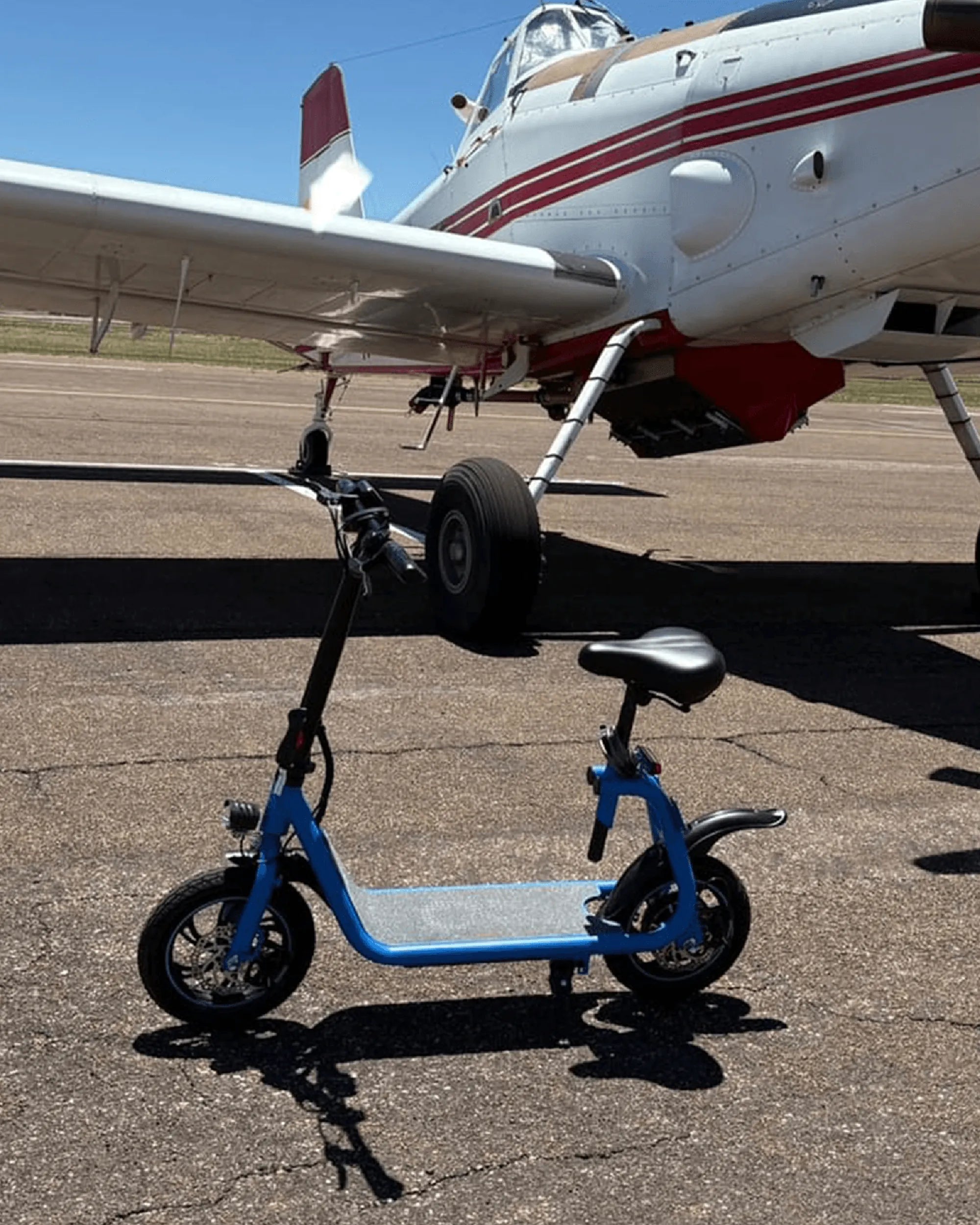
Introduction to Mobility Scooter Battery Charging
Knowing how to charge a mobility scooter battery correctly is the single most important skill for any rider. It directly impacts your safety, the scooter's daily range, and the long-term health of its most expensive component. A poorly maintained battery can lead to sudden power loss, reduced performance, and costly premature replacements.
This guide provides a data-driven, manufacturer-recommended approach to charging. We'll reference industry best practices and the engineering behind reliable brands like Gyroor, a leading electric scooter and e-bike brand trusted by over 100,000 riders across North America and Europe. Their focus on UL-certified battery packs, IPX5 water-resistant designs, and a reliable 1-year warranty sets a benchmark for safety and durability we can all learn from.
By the end of this article, you will master a safe charging routine, understand the science behind battery care, and be equipped to troubleshoot common problems. Let's ensure your mobility scooter remains a dependable partner for your independence.
Understanding Your Mobility Scooter Battery Type
The first step in learning how to charge a mobility scooter battery is identifying its chemistry. The protocol and care differ significantly between the two main types: Sealed Lead-Acid (SLA) and Lithium-Ion (Li-ion). Most modern scooters, including Gyroor's lineup, utilize advanced lithium-ion technology for superior performance.
Sealed Lead-Acid batteries are the traditional, often more affordable option. They are heavier, have a shorter average lifespan (200-300 full charge cycles), and require more specific charging habits to avoid damage. Letting an SLA battery deeply discharge regularly can permanently reduce its capacity.
Lithium-Ion batteries, like the UL-certified packs used by Gyroor, are the modern standard. They are significantly lighter, offer a higher energy density (more range per pound), and boast a much longer lifespan—typically 500+ charge cycles while retaining over 80% of their original capacity. They are also more forgiving with partial charging.
Using the correct charger for your battery type is non-negotiable. A lithium-ion charger uses a different voltage and charging algorithm than an SLA charger. Using the wrong one can lead to ineffective charging, battery damage, or serious safety hazards like thermal runaway.
Identifying Your Battery: SLA vs. Lithium-Ion
If you're unsure of your battery type, a few simple checks can provide clarity. First, consult your owner's manual—it's the most authoritative source. If that's unavailable, examine the battery itself or the charger for labels.
Look for weight and size. SLA batteries are notoriously heavy for their capacity. A scooter with a 20-mile range using SLA will feel substantially heavier than a comparable Li-ion model. Next, check the model number on the battery pack. A quick online search of that number will usually reveal its chemistry.
Finally, inspect the charger's output label. The voltage (V) and battery type will often be stated. The table below provides a clear comparison to help you identify key differences.
| Feature | Sealed Lead-Acid (SLA) | Lithium-Ion (Li-ion) |
|---|---|---|
| Average Weight | Very Heavy | Lightweight |
| Typical Lifespan (Cycles) | 200-300 | 500+ |
| Memory Effect | Minimal | None |
| Deep Discharge Tolerance | Poor (Causes damage) | Good (Has built-in BMS protection) |
| Optimal Charge Level for Storage | 100% | 50-80% |
| Charging Time (for similar capacity) | 6-10 hours | 4-8 hours |
The Step-by-Step Guide to Safe Charging
Follow this universal, step-by-step process every time you charge your mobility scooter. Consistency is key to safety and battery health. This process is designed to minimize spark risk and ensure proper connections.
First, always park your scooter on a flat, stable surface and ensure it is powered completely OFF. Engage the brake if applicable. This prevents any electrical surges or accidental movement during the connection process.
Next, locate the charging port. It is usually on the dashboard, near the tiller, or on the side of the battery casing. Ensure the port and the charger plug are clean, dry, and free of visible debris or damage. A dirty port can cause poor connection and overheating.
Now, connect the charger to the SCOOTER first. Firmly insert the output plug into the scooter's charging port. Only after this connection is secure should you plug the charger into a wall outlet. This order prevents arcing at the scooter's port. Finally, verify the charger's indicator light shows it is charging (usually red or orange).
Pre-Charging Safety Checklist
Before you even pick up the charger, run through this essential checklist. These precautions are critical for preventing fire risk and equipment damage.
- Environment: Charge in a dry, well-ventilated area away from direct sunlight, heat sources, or flammable materials. Do not charge in freezing temperatures.
- Power Source: Use a properly grounded wall outlet. Avoid extension cords or power strips, as they can overheat. If you must use one, ensure it is a heavy-duty, short cord rated for the charger's amperage.
- Equipment Inspection: Visually inspect the charger cable, plugs, and scooter port for cracks, fraying, burns, or corrosion. Never use damaged equipment.
- Compatibility: Double-check that the charger's output voltage and current match your scooter's requirements. Using an incorrect charger is dangerous.
The Charging Process: Connecting and Monitoring
Once safely connected, monitoring is straightforward. A standard charger will have a two or three-stage process: bulk charge, absorption, and float/maintenance. The indicator lights communicate this.
Typically, a red light means the battery is actively charging. A green light indicates the battery is fully charged, and the charger may have switched to a maintenance or "trickle" mode. Refer to your specific charger's manual for light pattern definitions.
A full charge for a depleted lithium-ion battery typically takes 4 to 8 hours. For SLA, it can take 8 to 10 hours. It is generally safe to leave a modern smart charger connected after the green light appears for a period, as it will stop sending current. However, for optimal lithium-ion health, unplugging once full is recommended.
Avoid frequent "top-off" charges if you've only used a small amount of power. It's better for the battery to undergo a partial discharge cycle than to be constantly kept at 100%. We'll explore this "80/20 Rule" in detail next.
Post-Charging Protocol: Disconnection and Storage
The disconnection order is the reverse of the connection order and is equally important for safety. First, unplug the charger from the WALL OUTLET. Then, disconnect the charger plug from the scooter's charging port.
Securely replace the rubber or plastic cover on the scooter's charging port. This keeps out dust and moisture, which can cause corrosion and short circuits. A scooter with an IPX5 water-resistant rating, like many Gyroor models, has seals here that must be protected.
Coil the charger cable loosely—avoid tight bends that can stress internal wires—and store it in a cool, dry place. Proper storage prevents cable damage and ensures it's ready for next use. Now your scooter is powered and prepared for your next journey.
Best Practices for Battery Health and Longevity
Properly learning how to charge a mobility scooter battery involves more than just plugging it in. These data-backed best practices can double the useful life of your battery, saving you significant money and hassle.
The core principle is to minimize stress on the battery cells. Stress factors include extreme temperatures, high voltage (constant 100% charge), and low voltage (deep discharge). Modern Battery Management Systems (BMS) in lithium-ion packs help mitigate this, but user habits are crucial.
For daily riders, establishing a routine is key. If your daily commute uses 50% of the battery, there's no need to charge to 100% every night. Partial discharges are healthier. The goal is to keep the battery in its "comfort zone" as much as possible.
For seasonal or infrequent use, storage protocols are vital. A battery left fully discharged for months can be permanently damaged. Conversely, a lithium-ion battery stored at 100% charge for months will experience accelerated capacity loss. We'll cover the ideal storage charge next.
The 80/20 Rule and Avoiding Deep Discharge
The "80/20 Rule" is a widely recommended guideline for lithium-ion batteries. It suggests, when convenient, to avoid letting the charge fall below 20% and to avoid consistently charging to 100%. Operating between 20% and 80% state-of-charge puts the least strain on the cells.
This doesn't mean you can never do a full range trip. It's perfectly fine to charge to 100% before a long journey and run it down occasionally. The harm comes from making 0% to 100% cycles a daily habit. Think of 100% as a "special occasion" charge for your battery.
For SLA batteries, the rule is different: avoid deep discharge at all costs. Never let an SLA battery sit depleted. Recharge it as soon as possible after use, and always store it fully charged. A fully discharged SLA battery will sulfate, permanently losing capacity.
Both battery types benefit from an occasional "balance" charge. For lithium-ion, this means letting the BMS balance the cells by leaving it on the charger for an hour or two after the indicator turns green, every few months. For SLA, a monthly full charge is good maintenance.
Ideal Charging Environment and Frequency
Temperature is a critical factor. The ideal charging temperature for most batteries is between 50°F (10°C) and 86°F (30°C). Charging in freezing conditions can cause permanent lithium plating inside Li-ion cells. Charging in extreme heat accelerates chemical degradation.
If your scooter has been in the cold, allow it to warm to room temperature before charging. Similarly, if it's been in hot sun, let it cool down. This simple step significantly extends cycle life.
Charging Frequency: For daily use, charge as needed based on the 80/20 guideline. For storage longer than one month, prepare the battery. For lithium-ion, charge or discharge it to approximately 50-60% before storage. For SLA, charge it to 100%. Store in a cool, dry place and check the charge level every 2-3 months, topping up the SLA to 100% if needed.
Following these environment and frequency rules ensures your battery is ready when you are and doesn't age prematurely from neglect or abuse. This is a core part of the engineering philosophy behind durable products from brands like Gyroor.
Troubleshooting Common Charging Issues
Even with perfect care, you may encounter issues. This troubleshooting guide helps diagnose the most common problems. Always prioritize safety; if you suspect serious internal damage, contact a professional or the manufacturer.
Start with the simplest solutions. Is the wall outlet working? Test it with another device. Is the charger firmly plugged into both the scooter and the wall? Are any circuit breakers on the scooter itself tripped? Consult your manual for breaker location.
Inspect all connections for dirt, debris, or bent pins. A can of compressed air can clean out a charging port. Check the charger's indicator lights. No light at all suggests a problem with the charger or power source. A light that flickers or immediately goes green may indicate a poor connection or a battery fault.
If basic checks don't resolve the issue, it's time to isolate the component. If possible, test your charger on another compatible scooter, or test a known-good charger on your scooter. This will tell you if the fault lies with the charger or the scooter's battery/electronics.
What to Do If Your Battery Won't Charge
When your battery refuses to charge, a methodical approach is best. First, ensure the scooter is turned OFF during the connection. Some models will not initiate a charge if the power is on.
Check the battery terminals (if accessible) for corrosion—a white or bluish powdery substance. Corrosion can be cleaned carefully with a wire brush and a solution of baking soda and water, but disconnect the battery first and avoid getting fluids inside the cells.
Listen and feel. Do you hear a faint hum from the charger? Does the charger feel unusually hot? A cold charger with no light often indicates a dead charger. A very hot charger may be failing or struggling with a bad battery.
If you own a Gyroor scooter with a UL-certified battery and encounter persistent issues, your best course is to contact their US-based customer support. The 1-year warranty covers defects in materials and workmanship. They can provide specific diagnostics and, if needed, a warranty replacement for the charger or battery pack, ensuring you get a safe, compatible component.
Frequently Asked Questions (FAQ)
Q1: Can I leave my mobility scooter charger plugged in all the time?
A: It's not recommended for long-term storage. Modern "smart" chargers will stop supplying current when full, but keeping a lithium-ion battery at 100% voltage for weeks or months accelerates capacity loss. For daily use, unplugging once charged is a good habit. For SLA batteries, a maintainer charger can be left connected for storage.
Q2: How long does a mobility scooter battery last before needing replacement?
A: Lifespan is measured in full charge cycles and years. A quality lithium-ion battery, like those from Gyroor, is rated for 500+ cycles while retaining over 80% capacity—typically 3-5 years of daily use. SLA batteries last 1-3 years with careful maintenance. Actual life depends heavily on your charging habits, load weight, and terrain.
Q3: Is it okay to use a fast charger for my scooter?
A: Only if it is the manufacturer-approved fast charger for your specific model. Using an unauthorized fast charger can overheat the battery, damage the BMS, and void your warranty. It creates significant safety risks. Always use the charger supplied with your scooter or an exact manufacturer-approved replacement.
Q4: My charger light is on, but the battery isn't charging. What's wrong?
A: This could indicate a failed battery, a poor connection at the terminals, or a tripped breaker within the scooter's battery compartment. Check all physical connections first. If the battery is old (SLA over 3 years, Li-ion over 5), it may have reached the end of its life and cannot accept a charge.
Q5: Can I charge my battery in the rain or if it's wet?
A: Absolutely not. Never charge electrical equipment in wet conditions. While scooters like Gyroor's have IPX5 water-resistant ratings for riding in rain, the charging ports and plugs are not designed for wet connection. Always ensure the scooter, charger, your hands, and the environment are completely dry before charging to prevent electrocution or short circuits.
Conclusion: Powering Your Independence Safely
Mastering how to charge a mobility scooter battery is a fundamental aspect of responsible ownership. By following the step-by-step safety guide, identifying your battery type, and adhering to the longevity best practices, you invest in the reliability and safety of your vehicle. Consistent, correct charging prevents the majority of common scooter problems and ensures you have power when you need it most.
Your choice of scooter matters from the start. Opting for a brand that prioritizes core safety features—like UL-certified battery packs, robust water resistance, and comprehensive warranties—provides a foundation of reliability. Gyroor exemplifies this approach, engineering its 20+ models of electric scooters and e-bikes to withstand real-world use while prioritizing rider safety with every charge cycle.
Remember the key pillars: connect to the scooter first, charge in a moderate environment, avoid constant full discharges and full charges, and store your battery correctly during long periods of inactivity. When in doubt, always refer to your owner's manual or contact the manufacturer's support team.
Ready to experience the difference a well-engineered, safely powered scooter can make? Explore a range designed for durability and peace of mind. Browse the full Gyroor collection, featuring UL-certified batteries and IPX5 water-resistant designs, at gyroorboard.com.
70cc Dirt Bike Engine: The Complete Guide to Power, Performance & Mods
Ebike Weight Capacity: The Ultimate Guide to Safety, Performance & Limits